


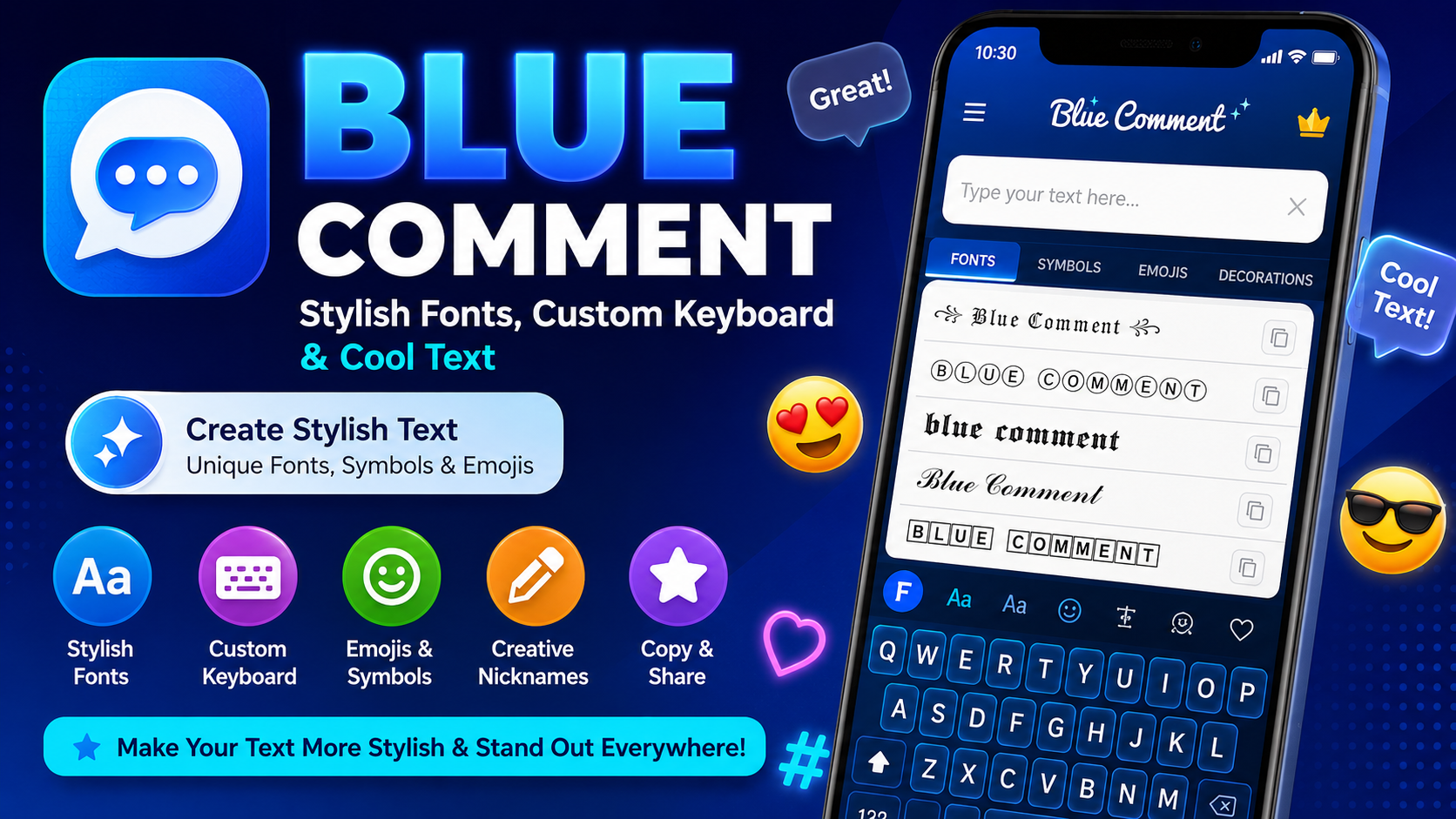
If you want to make your messages, usernames, captions, comments, and social media profiles look more creative, Blue Comment is an interesting app to explore. The app focuses on stylish fonts, fancy text, symbols, emojis, and a custom keyboard that helps users create different text styles directly from their mobile devices.
Normal text can sometimes look simple and repetitive. With Blue Comment, users can experiment with different font styles and decorative characters to make their writing more attractive. Whether you are creating a nickname, writing a social media caption, sending a message, or adding personality to a profile, stylish text can make ordinary words look more unique.
The main idea behind Blue Comment is simple: type your words, select a style you like, and use the resulting text wherever you want. The app is designed for people who enjoy customizing the way they communicate online.
This guide explains what Blue Comment is, how its stylish font features work, how to use its custom keyboard, what types of text you can create, and how to get the best experience from the app.
What Is Blue Comment?
Blue Comment is a stylish font and text customization app designed to help users create decorative and creative text on Android devices. Its main purpose is to provide multiple font styles, symbols, emojis, and keyboard options so users can make their everyday text more interesting.
Instead of writing every message using the same standard keyboard style, users can choose from different text designs. These designs can be used for names, captions, messages, comments, bios, gaming nicknames, and other types of online communication.
The app combines a font generator with a custom keyboard experience. This means users can either create styled text first and copy it or use the keyboard to type using available styles.
According to the existing Ayaanle.Tech description, the app includes many font styles, a custom keyboard, emojis, symbols, and options for creating creative text for messaging and social communication.
The concept is particularly useful for people who enjoy personalizing their digital identity. A different font or nickname style can give a profile, message, or comment a more recognizable appearance.
Why Is Blue Comment Popular for Stylish Text?
Text is one of the most common ways people communicate online. Every day, users write messages, comments, captions, usernames, bios, and status updates. Standard text is useful, but many people want something more expressive.
This is where stylish font applications can be useful.
Blue Comment gives users an easy way to experiment with different text designs without requiring advanced design skills. You do not need to learn graphic design or use complicated editing software. Instead, you can simply type text and select a style.
Some common reasons users may enjoy Blue Comment include:
- Stylish font options
- Creative text designs
- Custom keyboard
- Symbols and special characters
- Emoji support
- Cool nickname creation
- Easy copy-and-paste workflow
- Text customization
- Simple mobile experience
- Different writing styles
The goal is not to replace normal communication. Instead, it adds another layer of creativity to ordinary text.
Blue Comment Stylish Fonts
One of the main features of Blue Comment is its collection of stylish fonts.
A font style can change the visual appearance of your words without changing the actual meaning. For example, the same name can be displayed using a bold-looking style, decorative characters, spaced letters, or other Unicode-based designs.
This can be useful when creating:
- Social media names
- Gaming nicknames
- Profile bios
- Status messages
- Captions
- Comments
- Short messages
- Personal introductions
- Creative headings
The app allows users to preview different styles before choosing one. This makes the process easier because you can compare several designs and select the one that looks best.
Stylish text can also help you express different moods. A simple name can appear elegant, playful, dramatic, modern, or decorative depending on the selected characters.
Blue Comment Font Generator
Another important part of the experience is the font generator.
A font generator lets you enter ordinary words and transform them into different text styles. Instead of manually searching for special characters, you can enter your text and view multiple generated versions.
For example, you might enter:
My Name
The generator can provide different decorative variations that you can preview and select.
The exact styles available can vary depending on the application version, device, and supported characters.
The basic process is simple:
- Open Blue Comment.
- Find the text or font section.
- Enter your desired word or phrase.
- Browse the available styles.
- Select your favorite design.
- Copy the styled text.
- Paste it into the destination where you want to use it.
This process makes stylish text creation much faster than manually searching for individual characters.
Blue Comment Custom Keyboard
The custom keyboard is another major feature of Blue Comment.
Instead of generating text separately and copying it every time, a custom keyboard can provide access to different styles while you are typing.
This can be convenient for users who frequently create stylish messages.
A keyboard can make it easier to switch between standard text and decorative text depending on the situation. For example, you might use normal typing for an important message but choose a creative font when writing a nickname or casual status.
The existing description of Blue Comment highlights a custom keyboard with numerous text styles, along with emoji and keyboard customization options.
How to Use Blue Comment
Using Blue Comment is designed to be straightforward.
Step 1: Open the App
Start by opening Blue Comment on your Android device.
The main interface may provide access to font styles, keyboard settings, symbols, emojis, or text-generation features.
Step 2: Choose a Text Style
Browse through the available font styles.
You can experiment with multiple designs until you find one that matches your needs.
Step 3: Enter Your Text
Type the word, nickname, sentence, or caption that you want to customize.
Short text is usually easier to preview because you can quickly compare different styles.
Step 4: Preview the Result
Look through the generated options and decide which style you prefer.
Some styles may look better for names, while others may be more suitable for captions or short messages.
Step 5: Copy the Text
Once you have selected a style, use the copy option if available.
Your styled text can then be pasted into a compatible text field.
Step 6: Paste and Share
Open the app or text field where you want to use the text and paste it.
You can then review the result before publishing or sending it.
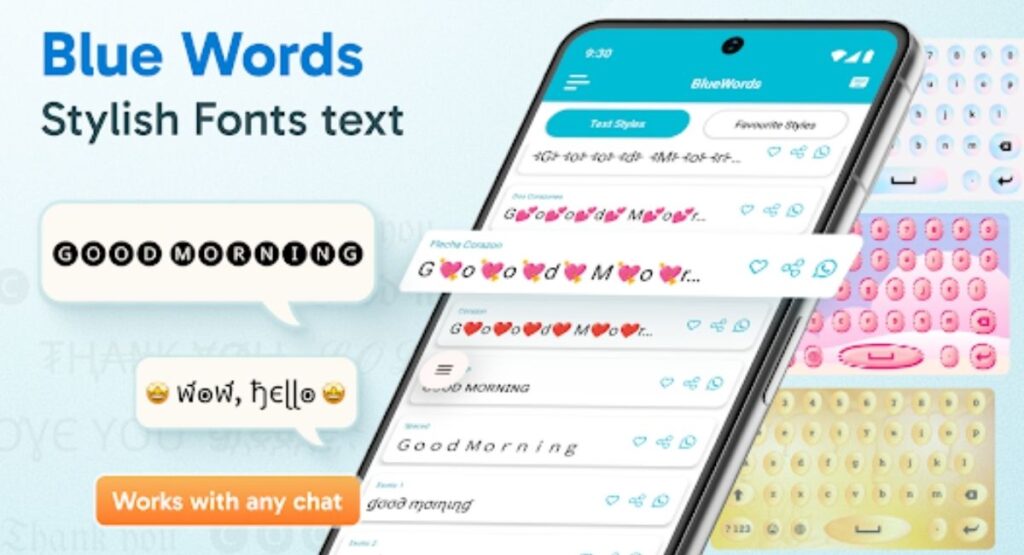
Blue Comment for WhatsApp Text
Many users enjoy using stylish fonts in messaging applications.
Blue Comment can help create decorative text that can be copied into compatible messaging fields. This can make simple messages, names, and status updates more visually interesting.
For example, you could use a stylish font for:
- A personal nickname
- A short greeting
- A status message
- A group name
- A profile description
- A special occasion message
- A decorative quote
However, not every font character is guaranteed to display perfectly on every device. Unicode-based decorative text depends on the receiving device and application.
If a particular style appears incorrectly, simply try another style with more widely supported characters.
Blue Comment for Instagram Text
Instagram users often care about how their profiles and captions look.
Stylish text can be useful for profile bios, captions, comments, and other areas where text customization is supported.
Blue Comment can provide different text styles that users can copy and paste into compatible fields.
For example, a user might create a stylish nickname or decorate a short caption with special characters.
The key advantage is convenience. Instead of designing an image just to create decorative text, you can create the text itself and use it where supported.
Blue Comment for Gaming Nicknames
Gamers often spend time creating unique usernames and nicknames.
A standard username may look ordinary, while a carefully selected text style can make a nickname more distinctive.
Blue Comment can be useful for generating decorative nickname ideas using different characters and styles.
When creating a gaming name, keep a few things in mind:
- Choose readable characters.
- Avoid extremely complicated designs.
- Check whether the game supports special characters.
- Test the name before finalizing it.
- Avoid characters that look confusing.
- Keep your nickname easy for friends to recognize.
Not every game accepts every Unicode character. Therefore, a stylish name that works in one location may not necessarily work in another.
Blue Comment Emojis and Symbols
Fonts are only one part of text customization.
Symbols and emojis can also add personality to messages and names.
Blue Comment includes options related to symbols and emoji-style customization, allowing users to combine decorative characters with text.
For example, you might use symbols around a nickname or add emojis to a short message.
The important thing is moderation. Too many symbols can make text difficult to read.
A good combination usually keeps the main message clear while using decorative elements as accents.
Cool Nicknames With Blue Comment
Creating a unique nickname is one of the easiest ways to use stylish text.
A nickname can represent your personality, gaming identity, online brand, or social media presence.
With Blue Comment, users can experiment with different font designs before choosing a final version.
For example, instead of using a plain nickname, you can test several decorative versions and select one that is both attractive and readable.
When choosing a nickname, consider:
Readability
Your friends should be able to recognize your name easily.
Simplicity
A simple design is often more memorable than an extremely complicated one.
Personality
Choose a style that matches your online identity.
Compatibility
Make sure the characters work correctly on the platform where you plan to use them.
Blue Comment for Social Media Creativity
Social media is highly visual, but text still plays an important role.
A creative caption, profile name, or bio can help create a particular style for an account.
Blue Comment can be used as a text customization tool for users who want more variety in their online writing.
Instead of always using the same standard letters, users can experiment with decorative text.
This is especially useful for people who enjoy:
- Creative profiles
- Stylish usernames
- Decorative captions
- Unique bios
- Gaming identities
- Personalized messages
- Emoji combinations
- Special symbols
The app does not require users to be professional designers. Its value comes from making text customization accessible to ordinary mobile users.
Benefits of Blue Comment
There are several potential benefits to using a stylish font and keyboard application.
1. Easy Text Customization
You can transform ordinary text into different visual styles without complicated editing tools.
2. Multiple Font Styles
A selection of font designs gives users more choices when creating names, captions, or messages.
3. Custom Keyboard
The keyboard can make stylish typing more convenient for frequent users.
4. Symbols and Emojis
Additional characters can help make text more expressive.
5. Useful for Nicknames
Gamers and social media users can experiment with creative names.
6. Quick Copy and Paste
Generated text can be copied and used in compatible text fields.
7. Creative Communication
Different text styles can help users express personality and mood.
8. Simple Learning Curve
The basic workflow is easy to understand: type, select, copy, and use.
Is Blue Comment Easy to Use?
For most users, the basic concept is simple.
You do not need advanced technical knowledge to create stylish text. The main steps involve entering text, selecting a style, and using the result.
The custom keyboard can also make the process more convenient after it has been configured.
New users should spend a few minutes exploring the available options. This helps you understand where fonts, emojis, symbols, and keyboard settings are located.
Tips for Getting Better Results
If you want your stylish text to look professional and readable, follow these tips.
Choose Readable Fonts
Fancy does not always mean better. Select styles that people can easily understand.
Avoid Too Many Symbols
A few symbols can enhance text. Too many can make it confusing.
Test Before Posting
Always check how your text looks before publishing it.
Keep Important Messages Simple
For important communication, standard text may be more appropriate.
Use Different Styles for Different Purposes
A gaming nickname can be more decorative than a professional profile.
Check Compatibility
Some special characters may not display correctly on every device.
Why Stylish Text Is Useful
The way text looks can influence how people perceive it.
A stylish nickname can feel more personal. A decorative caption can look more creative. A special greeting can feel more memorable.
This does not mean that stylish fonts are necessary for good communication. Clear writing is always more important than decoration.
Instead, stylish text should be viewed as a creative option.
Blue Comment provides tools that allow users to experiment with that creativity without needing graphic design software.
Blue Comment and Unicode Text
Many stylish font applications work by using Unicode characters rather than changing the actual font of the destination application.
This distinction is important.
When you copy decorative text, you are often copying special characters that resemble different fonts. The receiving application displays those characters using its own available font system.
Because of this, compatibility can vary.
If a text style does not appear correctly, the problem may not necessarily be the font application. The destination platform may not support certain characters.
For the best results, choose styles that use commonly supported characters.
Common Blue Comment Problems
Although the basic concept is simple, users may occasionally experience issues.
Stylish Text Is Not Displaying Correctly
Some special characters may not be supported by the destination application.
Solution: Try another, simpler text style.
Keyboard Is Not Appearing
A custom keyboard may need to be enabled in the device’s keyboard settings.
Solution: Check your device’s keyboard settings and make sure the required keyboard is enabled.
Some Emojis Look Different
Emoji appearance can vary between operating systems and devices.
Solution: Use standard emojis when compatibility is important.
Text Looks Normal After Pasting
The destination application may not support the selected characters.
Solution: Test another style.
App Performance Problems
If the app behaves unexpectedly, restart it and make sure your device has sufficient available storage and memory.
Blue Comment Privacy and Permissions
Before using any keyboard application, it is important to understand the permissions it requests.
Keyboard applications can potentially interact with the text you type because they are part of the input process. Users should therefore review permission screens carefully and only enable features they understand.
Avoid entering highly sensitive information through unfamiliar keyboards when you are uncertain about how the application handles data.
It is also good practice to keep applications updated and download them only from sources you trust.
Privacy should always be considered when installing any application that handles text input.
Blue Comment User Experience
The appeal of Blue Comment comes from its straightforward concept.
Instead of providing a complicated design editor, it focuses on text customization.
Users can explore fonts, create different text styles, experiment with symbols, and use a keyboard designed around creative typing.
This makes the app especially suitable for casual users who want quick results.
The existing Ayaanle.Tech listing describes Blue Comment as a stylish font application with a collection of font styles and a custom keyboard for creative typing.
Who Should Use Blue Comment?
Blue Comment may be useful for different types of users.
Social Media Users
People who enjoy customizing profiles, captions, and comments may find stylish fonts useful.
Gamers
Gamers can experiment with creative nicknames where special characters are supported.
Students
Students can use decorative text for casual messages, creative notes, or social profiles.
Content Creators
Creators may use stylish text for short captions and profile elements.
Casual Chat Users
Anyone who wants to make messages look different can experiment with the available styles.
Blue Comment for Creative Profiles
A profile is often the first thing people see online.
Your username, bio, and other profile elements can help communicate your personality.
Stylish text can be one small part of that identity.
For example, you can use a clean decorative style for your nickname and a different style for a short bio. The important thing is consistency.
A profile does not need dozens of different fonts. One or two recognizable styles may be enough.
How to Choose the Best Blue Comment Font
Choosing a font depends on what you are creating.
For usernames, select something short and recognizable.
For captions, choose a style that remains readable.
For decorative messages, you can experiment with more creative options.
For gaming names, prioritize compatibility and readability.
For professional communication, standard text is usually safer.
The best font is not necessarily the most complicated one. It is the style that communicates your message clearly while giving it the appearance you want.
Blue Comment vs. Normal Keyboard Typing
A normal keyboard is designed primarily for speed and everyday communication.
Blue Comment adds customization.
The difference is similar to writing a plain note versus decorating a greeting card. Both communicate information, but one gives you more visual choices.
If you frequently want to create fancy text, a dedicated stylish keyboard can save time.
Instead of searching for special characters manually, you can access different styles through the app’s interface.
Blue Comment Download and Installation
Users looking for Blue Comment should always pay attention to the source of an application before installing it.
Before installing any Android application, check the application name, description, compatibility information, requested permissions, and available version information.
Make sure you understand what you are installing before proceeding.
After installation, open the application and explore its font and keyboard features.
If you decide to use the custom keyboard, review the keyboard settings carefully before enabling it.
FAQs
What is Blue Comment?
Blue Comment is a stylish font and keyboard application designed for creating decorative text, symbols, emojis, and creative nicknames.
What can I create with Blue Comment?
You can create stylish text, decorative names, captions, messages, nicknames, and other compatible text designs.
Does Blue Comment have a custom keyboard?
Yes. The existing app description highlights a custom keyboard with multiple text styles and emoji-related features.
Can I use Blue Comment for nicknames?
Yes. Stylish font applications such as Blue Comment can be useful for creating creative nicknames where special characters are supported.
Can stylish text be copied and pasted?
Yes, the app’s described workflow includes previewing styles, copying selected text, and using it in compatible applications.
Will every font work everywhere?
No. Compatibility depends on the characters used and the application or device receiving the text.
Can I use emojis with stylish text?
The existing Blue Comment description includes emoji and symbol-related keyboard features.
Is Blue Comment useful for social media?
It can be useful for users who want to customize supported text areas such as names, bios, captions, comments, and messages.
Why does some stylish text appear incorrectly?
Some platforms and devices do not support every Unicode character. Trying a simpler style can solve the problem.
Is a stylish keyboard necessary?
No. A normal keyboard is enough for regular communication. A stylish keyboard is mainly useful for users who want additional customization.
Final Thoughts
Blue Comment is designed for people who want to make ordinary text more creative. Its main focus is stylish fonts, decorative text, symbols, emojis, and a custom keyboard that gives users additional ways to personalize their writing.
The app can be useful for creating stylish nicknames, social media text, captions, messages, and profile content. Its simple concept makes it accessible to users who want quick customization without complicated editing software.
One of the strongest aspects of Blue Comment is the combination of a font-style generator and keyboard-based text customization. Users can preview different styles, select the design they like, and use the resulting text in compatible applications. The existing Ayaanle.Tech listing specifically describes its collection of font styles, custom keyboard, symbols, emojis, and creative text options.
At the same time, users should remember that stylish text depends on character compatibility. Some designs may not display correctly everywhere, so readability and compatibility are important.
If your goal is to make your digital conversations and profiles more personal, Blue Comment provides a convenient way to experiment with different text styles. Whether you are creating a nickname, writing a casual message, decorating a caption, or simply trying something new, stylish text can add a creative touch to everyday communication.
For the best experience, choose readable styles, avoid excessive decoration, review keyboard permissions carefully, and test your text before sharing it publicly.
Overall, Blue Comment offers a simple approach to stylish text customization for mobile users who want more creativity in the way they write and communicate online.



