


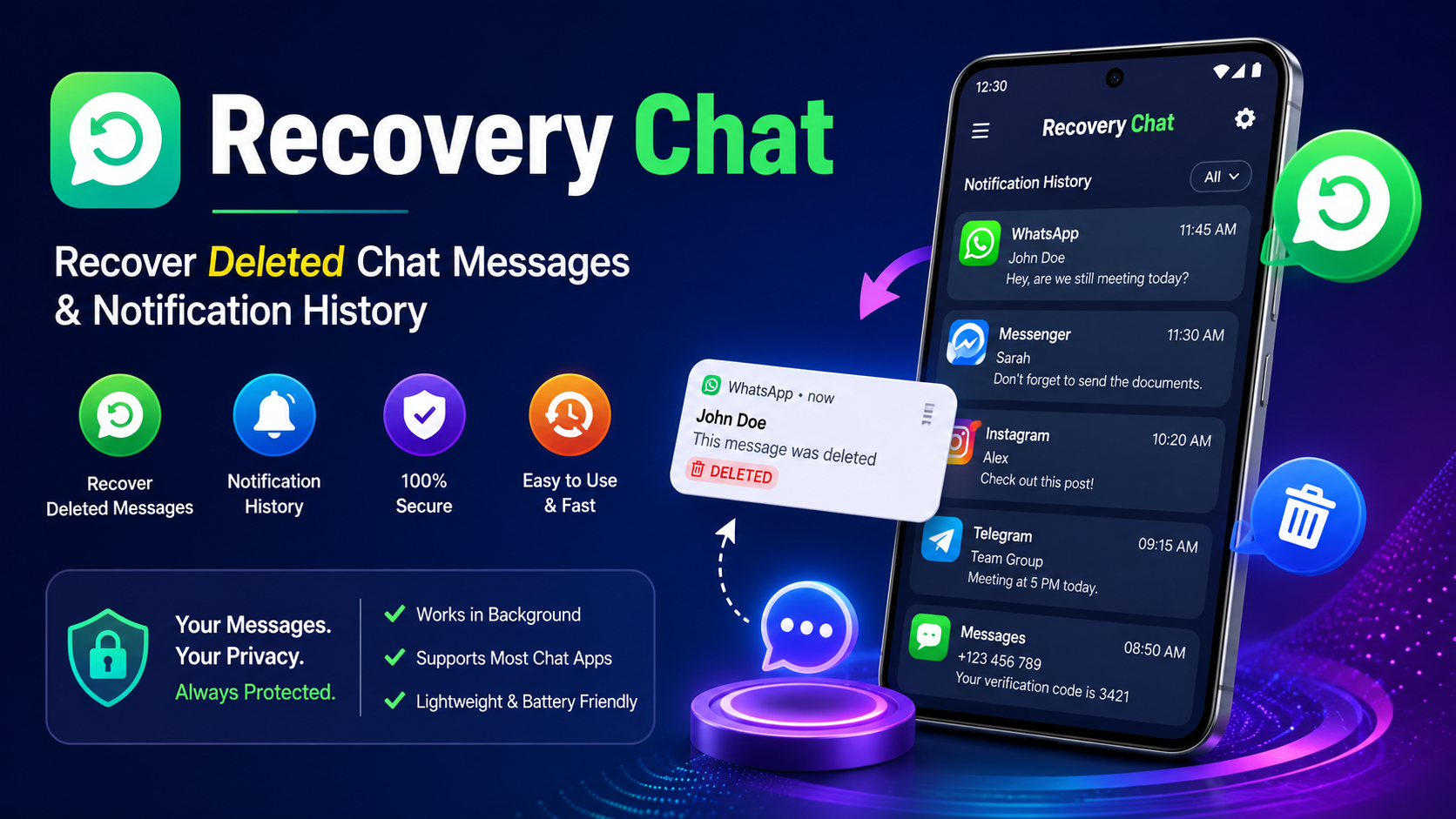
Have you ever opened a chat and noticed that someone deleted a message before you could read it? It can be frustrating when an important text disappears from a conversation. This is where Recovery Chat can be useful.
Recovery is designed to help Android users keep a record of messages that appear in their phone notifications. Instead of relying on the original chat message after it has been deleted, the app can use notification information that was already displayed on the device.
The basic idea behind Recovery Chat is simple. When a message arrives, your Android phone may display a notification containing part or all of the message. If that notification is captured and stored before the sender deletes the message, the saved notification may allow you to read the message later.
This can be helpful for people who frequently miss messages, accidentally dismiss notifications, or want to keep track of incoming chat notifications.
However, it is important to understand that Recovery Chat does not magically restore every deleted message. If a message never appeared in your notification panel, notifications were disabled, the phone restricted the app, or the notification did not contain the message content, recovery may not be possible.
In this complete guide, we will explain what Recovery Chat is, how it works, how to set it up, what it can and cannot recover, common problems, privacy considerations, and useful tips for getting better results.
What Is Recovery Chat?
Recovery Chat is a utility designed around notification-based message recovery.
When someone sends you a message, your Android device can generate a notification. Depending on your phone settings and the messaging application, that notification may show the sender’s name and the message preview.
If the sender later deletes the message, the original message may no longer be visible inside the conversation. However, information from the earlier notification may still be available if it was previously captured.
Recovery works with this basic concept.
The application can monitor supported notifications and save relevant information so that you can check it later. This makes it particularly useful when you accidentally dismiss a notification or when a message disappears from a conversation after you have already received its notification.
The exact behavior depends on your Android version, notification settings, battery restrictions, and the messaging application involved.
How Does Recovery Chat Work?
The concept behind Recovery Chat is easier to understand when broken into a few steps.
Step 1: A message arrives
Someone sends you a message through a supported messaging application.
Your phone receives the notification and displays information about the new message.
Step 2: The notification appears
Android displays the notification in your notification panel.
If the messaging application provides message text in the notification, that text may be visible there.
Step 3: Recovery Chat records notification information
If Recovery has the required notification access permission, it can monitor incoming notifications and save relevant notification information.
Step 4: The sender deletes the message
The sender may remove the message from the original conversation.
The message may disappear from the chat, but the notification information previously captured by Recovery may remain available.
Step 5: Check the saved notification
You can open Recovery and check the saved notification history.
If the original notification contained the message text, you may be able to read what was shown in that notification.
This is why the app is better understood as a notification recovery tool rather than a tool that directly retrieves deleted information from a messaging server.
Why Do People Use Recovery Chat?
There are several reasons someone may want a notification-based recovery tool.
1. Deleted messages
One of the most common reasons is seeing a message that was deleted after it appeared as a notification.
2. Accidentally cleared notifications
It is easy to swipe away an important notification by mistake. Keeping a notification history can provide another way to check previously received alerts.
3. Missed messages
If you were busy when a message arrived, you may want to check the notification later rather than opening every conversation individually.
4. Notification history
Recovery Chat can provide a convenient place to review notification information instead of searching through the phone’s notification panel.
5. Simple message monitoring
Some users simply want to maintain a record of notifications from selected applications.
Key Features of Recovery Chat
The exact features can depend on the version of the application and Android permissions, but a notification recovery application can provide several useful functions.
Deleted Message Notification Recovery
The primary purpose of Recovery Chat is to preserve notification information that may remain available after a message is deleted from the original conversation.
If the notification contained the message preview, you may be able to read it later.
Notification History
Recovery Chat can organize captured notifications so users can review previous alerts.
This can be especially useful if your notification panel becomes crowded or notifications are accidentally dismissed.
Simple Interface
A recovery tool should be easy to understand. The basic process generally involves granting notification access, selecting the applications you want to monitor, and reviewing saved notifications.
Message Preview
When supported by the original notification, message previews can provide useful information about an incoming message.
Keep in mind that Android or the messaging application may hide notification content when privacy settings are enabled.
App Selection
Depending on the application’s available settings, you may be able to control which applications are monitored.
This can help reduce unnecessary notifications and keep the recovery history more organized.
How to Set Up Recovery Chat
Setting up Recovery Chat is generally straightforward, but Android permissions are important.
Step 1: Install Recovery Chat
Install the Recovery Chat application on your Android phone.
Before installing any application, make sure you understand where it comes from and review the permissions it requests.
Step 2: Open the Application
Launch Recovery Chat after installation.
The application may display instructions explaining how notification recovery works.
Step 3: Enable Notification Access
Notification access is an important permission for this type of application.
Android may ask you to allow Recovery Chat to access notifications.
Read the permission screen carefully before enabling it.
Step 4: Select Supported Applications
If Recovery Chat provides application-selection options, choose the messaging applications whose notifications you want to record.
Step 5: Allow Notifications
Make sure notifications are enabled for the messaging application itself.
If the messaging application does not generate notifications, Recovery Chat may have nothing to record.
Step 6: Test the Setup
Ask someone to send a normal message or send yourself a test notification.
Check whether the notification appears inside Recovery Chat.
Testing the setup before relying on it is a good idea.
Can Recovery Chat Recover Every Deleted Message?
No.
This is one of the most important things to understand about Recovery Chat.
A notification-based recovery tool generally depends on information that was already available through the Android notification system.
If the message never generated a notification, there may be nothing for Recovery Chat to save.
For example, recovery may not work when:
- Notifications are disabled.
- Notification previews are hidden.
- The phone is in a mode that prevents notifications.
- The messaging application does not show message content.
- Battery optimization stops the recovery application.
- The message arrives without usable text in the notification.
- Recovery Chat was not running or did not have notification access when the message arrived.
- The notification was generated in a format the application cannot properly read.
- The phone manufacturer limits background activity.
Therefore, Recovery Chat should not be advertised as a guaranteed deleted-message recovery solution.
Its usefulness depends heavily on notification availability.
Does Recovery Chat Recover Messages From the Server?
A notification-based application normally does not need direct access to the messaging service’s private servers.
Instead, it works with information made available through Android notifications.
This distinction is important.
When a sender deletes a message, the original message may be removed or changed inside the messaging application. Recovery Chat does not necessarily restore that original server-side message.
Instead, it may preserve the notification content that was already displayed on your phone.
Think of it like taking a record of a notification before it disappears. You are not necessarily bringing the original server message back; you are checking the information that was already delivered to your device.
Recovery Chat and Notification History
Android itself has notification-management features on many devices, although availability and functionality vary by Android version and phone manufacturer.
Recovery Chat can be useful for users who want a dedicated interface for notification information.
Notification history is particularly helpful when you accidentally swipe away a notification.
However, notification history and third-party recovery applications are not necessarily identical. The available features depend on your device, Android version, and application permissions.
Before using a recovery application, check what information your phone already stores.
How to Improve Recovery Chat Results
If you want Recovery Chat to work reliably, there are several settings worth checking.
Keep Notifications Enabled
The most important requirement is allowing notifications for the messaging applications you want to monitor.
Go to your phone’s notification settings and confirm that notifications are enabled.
Allow Notification Access
Recovery Chat needs the appropriate notification permission to monitor notifications.
If you disable this permission, notification-based recovery will generally stop working.
Avoid Aggressive Battery Optimization
Some Android phones automatically stop applications that run in the background.
If Recovery Chat stops recording notifications, check the battery settings and see whether the application is being restricted.
Keep Enough Storage
A notification history can grow over time.
Keeping reasonable storage space available can help prevent unexpected problems.
Keep the Application Updated
If a newer version is available from a trusted source, updating may improve compatibility with newer Android versions.
Check Privacy Settings
If message previews are hidden from notifications, Recovery Chat may not receive the full text.
For example, your phone may show only:
“New message”
instead of:
“New message: How are you?”
In that situation, there may be no message content available for Recovery Chat to record.
Why Is Recovery Chat Not Working?
Sometimes users install a notification recovery application but discover that no messages appear.
There are several possible causes.
Notification Access Is Disabled
Check the Android notification access settings and make sure Recovery Chat has the required permission.
Notifications Are Disabled
If the original messaging application cannot display notifications, Recovery Chat may not receive useful information.
Battery Restrictions
Some phones aggressively stop background applications to save battery.
Check the battery settings for Recovery Chat and remove unnecessary restrictions if appropriate.
Message Previews Are Hidden
Privacy settings can hide message text from notifications.
If only the sender’s name or a generic alert appears, the recovery application may not have the actual message content.
Application Compatibility
Different messaging applications generate notifications in different ways.
A notification recovery tool may work better with some applications than others.
Phone Manufacturer Restrictions
Android devices from different manufacturers can manage background applications differently.
A setting that works perfectly on one phone may behave differently on another.
Recovery Chat Privacy Considerations
Privacy should always be considered when using a notification recovery application.
A notification can contain personal information such as:
- Names
- Message previews
- Private conversations
- Verification codes
- Work information
- Banking alerts
- Personal notifications
Because of this, users should carefully review the permissions requested by Recovery Chat.
Only grant permissions that you understand and are comfortable providing.
It is also important to protect your phone with a secure screen lock. If someone can freely access your device, they may also be able to view saved notification information.
Is Recovery Chat Safe to Use?
Safety depends on the specific application version, its developer, its permissions, and where the application was obtained.
Before installing Recovery Chat, consider the following:
- Download from a source you trust.
- Review requested permissions.
- Avoid suspicious modified versions.
- Keep Android security protections enabled.
- Do not grant unnecessary permissions.
- Review notification-access settings regularly.
- Remove the application if you no longer need it.
Notification access is powerful because it can potentially expose information from many notifications.
For that reason, users should treat any notification-access application as a privacy-sensitive tool.
Recovery Chat for Accidental Notification Deletion
One of the practical uses of Recovery Chat is checking notifications that you accidentally dismissed.
Imagine that you receive a message while working. You swipe the notification away without reading it. Later, you remember that the message may have contained important information.
If Recovery Chat had already recorded the notification, you may be able to open the app and review it.
This can make notification management much easier.
It is especially useful for people who receive many notifications throughout the day.
Recovery Chat for Deleted Text Messages
Deleted text messages are another common reason people search for recovery tools.
However, there is an important difference between recovering deleted notification information and recovering deleted original messages.
If a message appeared in a notification before it was deleted, the notification may contain enough information to read the message later.
But if the message never appeared in a notification, Recovery Chat cannot necessarily recreate it.
This limitation should always be kept in mind.
What Recovery Chat Cannot Do
Understanding limitations helps users avoid unrealistic expectations.
Recovery Chat generally cannot guarantee recovery of:
- Messages received before the app was installed.
- Notifications that were never generated.
- Content hidden by notification privacy settings.
- Information removed before it could be captured.
- Messages that were never displayed in the notification.
- Data that the application does not support.
It should also not be treated as a tool for accessing another person’s private account or bypassing security.
The intended use should remain focused on notifications received on your own device.
Tips for Better Notification Management
Recovery Chat becomes more useful when your Android notification settings are properly configured.
Review Notification Categories
Android often allows different notification categories for individual applications.
Make sure important message notifications are enabled.
Use Lock Screen Privacy
If you are concerned about private messages appearing publicly on your lock screen, adjust your lock screen notification settings.
You can choose whether sensitive notification content should be displayed when the device is locked.
Clean Old Notifications
Keeping thousands of notifications may make it difficult to find important information.
Review old notifications regularly.
Protect Your Phone
Use a PIN, password, fingerprint, or another appropriate security method.
This is especially important when notification history contains personal conversations.
Advantages of Recovery Chat
There are several potential advantages to a notification recovery utility.
Easy Concept
The idea is simple: save useful notification information so it can be reviewed later.
Helpful for Missed Notifications
It can provide a second place to look when a notification has been accidentally dismissed.
Useful for Deleted Notification Messages
If message content was already captured in a notification, it may remain available even after the original message is deleted.
Convenient History
A dedicated notification history can be easier to review than scrolling through a large notification panel.
Android-Focused
The concept works with the Android notification system rather than requiring direct access to private messaging servers.
Limitations of Recovery Chat
No recovery tool is perfect.
Recovery Chat depends on Android notifications, meaning its performance can be affected by device settings and application behavior.
The biggest limitation is that it cannot recover information that was never available to it.
For example, if a message arrives while notifications are completely disabled, Recovery Chat may have no notification data to save.
Similarly, if Android displays only a generic notification without the actual message content, there may be little or nothing useful to recover.
FAQs
What is Recovery Chat?
Recovery Chat is a notification-based utility designed to help users review message notification information, including notifications that may remain available after a message has been deleted.
Can Recovery Chat read deleted messages?
It may allow you to read message text that was previously displayed in a notification and captured by the application. It cannot guarantee recovery of every deleted message.
Does Recovery Chat work without notifications?
Generally, notification-based recovery requires notifications or notification information to be available. If notifications are disabled, there may be nothing for the application to capture.
Can Recovery Chat recover old messages?
Usually, it cannot recover messages from before it had the required access unless that information was already stored somewhere accessible to the application.
Why can’t Recovery Chat show a deleted message?
The notification may not have contained the message text, notification access may have been disabled, background activity may have been restricted, or the messaging application may not be compatible with the recovery method.
Does Recovery Chat recover photos and videos?
Notification-based recovery is primarily focused on information contained in notifications. Media recovery is different and depends on whether the notification included usable media information and whether the application supports it.
Does Recovery Chat need notification access?
A notification-based recovery application generally requires notification access to monitor incoming notifications.
Is Recovery Chat guaranteed to recover deleted messages?
No. Recovery depends on whether the message appeared in a notification and whether the application was able to capture that notification.
Can I use Recovery Chat on every Android phone?
Compatibility can vary depending on Android version, phone manufacturer, battery settings, and notification behavior.
Can Recovery Chat recover messages deleted before installation?
Normally, no. A notification recovery application cannot generally record notifications that occurred before it was installed and given the necessary permissions.
How to Use Recovery Chat Responsibly
Technology should always be used responsibly.
Recovery Chat is intended to help you manage notifications and review information that appeared on your own device.
Users should not use notification-access tools to invade another person’s privacy, access someone else’s phone without permission, or attempt to bypass account security.
If your phone contains sensitive conversations, keep it protected with a strong lock screen and review which applications have access to notifications.
Responsible use is especially important because notification access can expose private information.
Final Thoughts
Recovery Chat can be a useful Android utility for people who want to keep track of incoming notifications and potentially read message information that was captured before a message was deleted.
Its main strength is its simple notification-based approach. When a message arrives, Android may display a notification containing useful information. If Recovery Chat has the appropriate access and successfully records that notification, you may be able to review the information later—even if the original notification was dismissed or the message was subsequently deleted.
However, Recovery Chat is not a magical recovery system. It cannot guarantee that every deleted message will be restored. Its effectiveness depends on Android notifications, message previews, permissions, battery settings, compatibility, and the way the original messaging application handles notifications.
For the best experience, keep notifications enabled, allow the necessary notification access, check battery restrictions, and regularly review your privacy settings.
If you understand these limitations, Recovery Chat can provide a convenient way to maintain and review notification history on your Android device.
Whether you are trying to find a missed notification, check a deleted message preview, or simply maintain better notification history, understanding how notification-based recovery works is the most important first step.



