


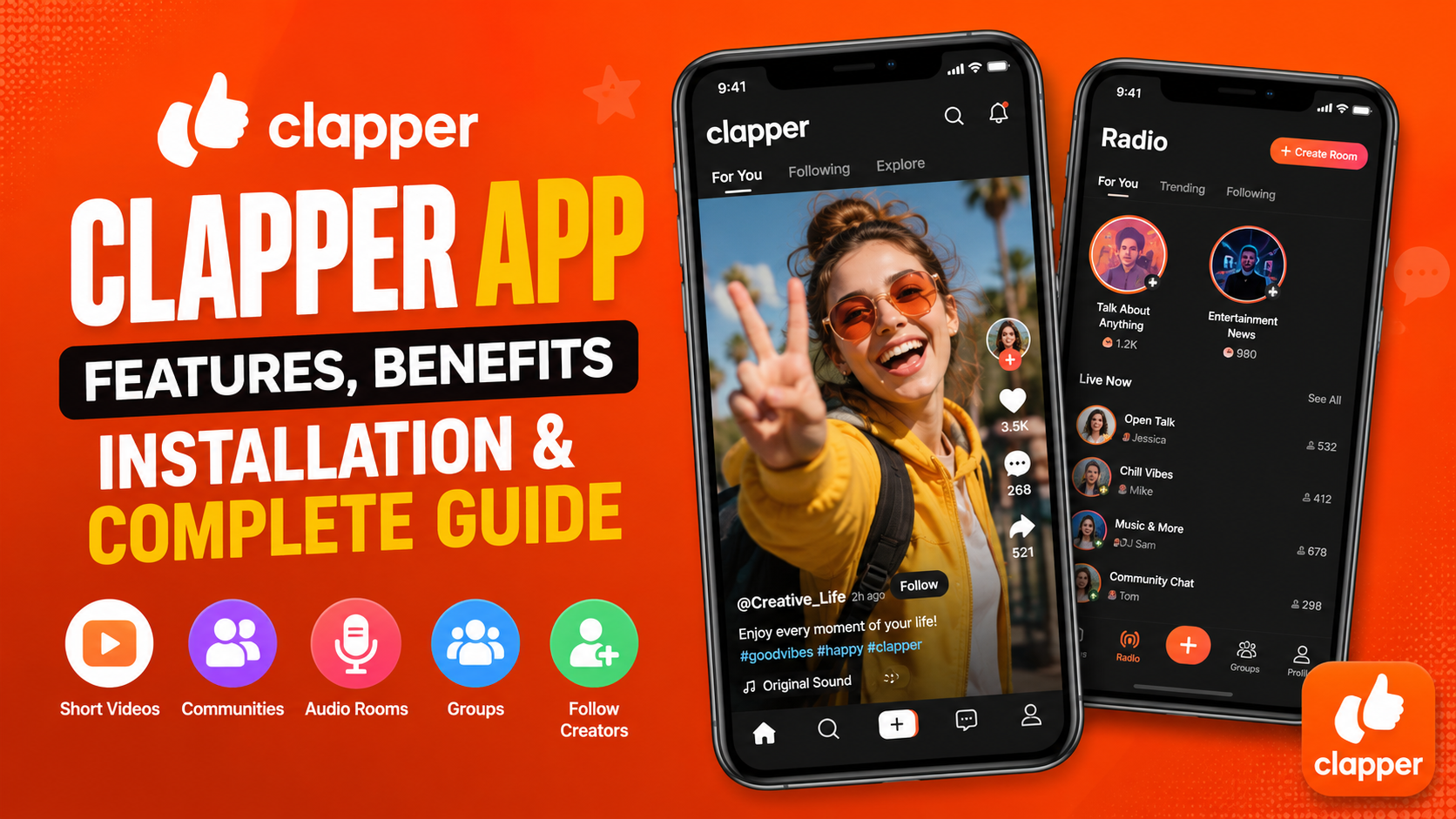
The Clapper App is a social networking application focused on short-form videos, community interaction, creator content, audio conversations, and real-life discussions. It provides users with a place to discover videos, share their own content, connect with other people, follow creators, and participate in different communities.
The Clapper App is designed for people who enjoy creating and watching short videos while also having opportunities to communicate with other users. Instead of focusing only on video viewing, the platform combines several social features into one experience. Users can publish videos, interact with audiences, participate in discussions, explore groups, and use audio-based communication features.
For content creators, the application can provide a simple way to share ideas, talents, opinions, experiences, entertainment, and educational information. For viewers, it offers an opportunity to discover different types of short-form content and connect with creators and communities.
This complete guide explains everything you should know about the Clapper App, including its main features, benefits, content creation options, community tools, installation basics, usage tips, common problems, and frequently asked questions.
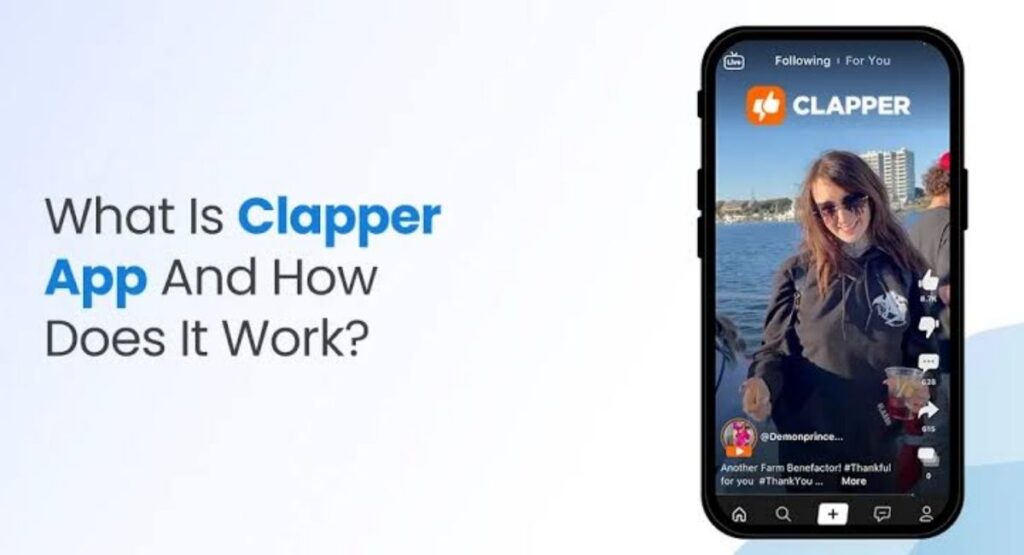
What Is Clapper App?
The Clapper App is a social media platform built around short videos, conversations, communities, and creator interaction. It gives users different ways to communicate and share content with an audience.
Short-form video is one of the central parts of the platform. Users can create videos and share them with other members. The available video tools include options such as adding text, trimming content, adding music, and using effects.
The platform also provides community-oriented features. Users can follow creators, interact with posts, communicate with other members, and participate in groups.
Another interesting part of the Clapper App is its audio-based communication functionality. Users can participate in audio conversations without needing to create or watch a video. This provides another way to communicate with an audience and participate in discussions.
The application can therefore be useful for both casual users and content creators. A casual user may simply watch videos and participate in conversations, while a creator can use videos, groups, and audio discussions to develop a community.
Why Use Clapper App?
There are many reasons someone may be interested in the Clapper App.
One important reason is the combination of video and community features. Short videos make it possible to communicate an idea quickly, while groups and audio conversations provide opportunities for longer interaction.
The platform can also be useful for creators who want to experiment with different types of content.
A creator can publish:
- Short educational videos
- Entertainment content
- Personal stories
- Opinions and commentary
- Lifestyle content
- Helpful tips
- Hobby-related videos
- Community discussions
- Audio conversations
The ability to use different formats means creators are not limited to a single type of communication.
Another advantage is that users can follow people they find interesting. This allows the experience to become more personalized as users discover creators and communities that match their interests.
Main Features of Clapper App
The Clapper App includes several features designed to make social interaction and content creation easier.
Short-Form Video
Short videos are one of the most important features of the Clapper App.
Users can create and share videos covering different subjects. Short-form content is useful because viewers can quickly understand the main idea without spending a long time watching a single post.
Creators can use short videos for tutorials, opinions, entertainment, personal experiences, news commentary, hobbies, and many other subjects.
The video creation process can include tools for editing and improving content. Users may be able to add text, trim clips, use music, and apply effects depending on the available features and current application version.
Video Editing Tools
Creating a video does not always require complicated editing.
The Clapper App provides basic tools that can help users prepare their videos before publishing them.
Editing options may include trimming unnecessary portions, adding text, using music, and applying visual effects.
Simple editing can make videos easier to understand and more engaging.
For example, if a recorded video contains several seconds of silence at the beginning, trimming that section can make the final version more direct.
Adding short text can also help viewers understand the topic quickly.
Following Creators
Users can follow creators whose content they enjoy.
Following a creator makes it easier to stay connected with their future posts.
For creators, followers can become an important part of their community. However, gaining followers normally requires time and consistent effort.
Creators should focus on producing original and useful content rather than trying to increase follower numbers through artificial methods.
Community Interaction
Community interaction is another important aspect of the Clapper App.
Users can communicate through posts and conversations, interact with other members, and participate in communities based on shared interests.
Social networking becomes more useful when users actively communicate rather than simply watching content.
Commenting on relevant posts, responding to questions, and participating in discussions can help users become more involved in the community.
Audio Conversations
The Clapper App also includes an audio-focused feature that allows users to participate in voice-based conversations.
Audio communication can be useful when a topic requires discussion but does not require video.
For example, a group of users may want to discuss a particular subject through an audio room.
This feature provides another method of communication and can be especially useful for users who enjoy conversations and live discussions.
Groups
Groups can help organize communities around specific interests.
A group can provide a focused environment where users with similar interests can communicate.
Groups can be useful for:
- Discussions
- Community building
- Shared interests
- Creator audiences
- Questions and answers
- Regular conversations
- Topic-specific interaction
For creators, groups can provide an additional way to communicate with an audience outside individual video posts.
How to Get Started With Clapper App
Getting started with the Clapper App is simple.
First, install the application using an appropriate and trusted installation method for your device.
After installation, open the application and follow the instructions shown on the screen.
Depending on the current version, you may need to create an account or sign in before accessing certain features.
Once you have access to the application, spend some time exploring the interface.
Watch a few videos, look at different creators, explore available communities, and learn how the main features work.
There is no need to use every feature immediately.
New users can start with basic video viewing and gradually explore more advanced community and creator features.
How to Create Your First Video
Creating your first video on the Clapper App can be an easy way to become familiar with the platform.
Before recording, decide what you want to communicate.
Try to focus on one main idea.
For example, instead of trying to explain five unrelated subjects in one video, create separate videos for each topic.
A focused video is easier for viewers to understand.
Choose a Topic
Start by choosing a topic that you understand.
Your topic could be related to:
- Technology
- Entertainment
- Education
- Food
- Hobbies
- Travel
- Lifestyle
- Personal experiences
- General advice
Choosing a familiar subject makes it easier to create natural content.
Record Clearly
Try to record in a place with reasonable lighting and minimal background noise.
Speak clearly and avoid unnecessary distractions.
The quality of the message is often more important than having expensive equipment.
Edit the Video
After recording, review the video.
Remove unnecessary parts and make sure the main message is clear.
If available, use text or other editing features to improve the presentation.
Add a Useful Caption
A caption can explain what the video is about.
Keep it relevant to the video and avoid stuffing it with unrelated keywords.
Publish the Video
Once you are satisfied with your content, publish it.
After publishing, monitor audience interaction and use the experience to improve your next video.
Tips for Creating Better Content
If you want to become more active on the Clapper App, content quality and consistency are important.
Start With a Strong Opening
The beginning of a short video matters.
Instead of spending too much time introducing yourself, get to the main topic quickly.
A strong opening can be a question, statement, useful fact, or interesting idea.
Keep Videos Focused
Avoid adding too many unrelated ideas to one video.
Choose one subject and explain it clearly.
This makes your content easier to follow.
Use Clear Audio
Good audio can make a significant difference.
Try recording in a quiet environment and speak clearly.
Viewers should be able to understand what you are saying without difficulty.
Use Text Carefully
Text can emphasize important points.
However, avoid covering the entire screen with large amounts of text.
Use short phrases that support the video.
Be Consistent
Consistency can help you build an audience over time.
You do not necessarily need to publish many videos every day.
Instead, create a schedule that you can realistically maintain.
Regular content can give viewers more opportunities to discover your profile.
Benefits of Clapper App
The Clapper App provides several potential benefits for users and creators.
Easy Short-Form Communication
Short videos make it possible to communicate ideas quickly.
Multiple Ways to Interact
Users can interact through videos, comments, groups, and audio conversations.
Creator Opportunities
People can publish their own content and develop an audience.
Community Building
Groups and conversations can help people connect around shared interests.
Different Content Formats
The combination of video and audio gives users multiple ways to express themselves.
Audience Interaction
Creators can communicate with people who watch their content.
Clapper App for Content Creators
The Clapper App can be useful for people who want to experiment with social media content creation.
A creator does not necessarily need a complicated production setup.
Simple videos can work when the information is useful, entertaining, or interesting.
The most important thing is to understand your audience.
Think about what your viewers want to learn, watch, discuss, or experience.
Then create content around those interests.
Creators can also experiment with different formats.
For example, one day you could create a short tutorial. Another day you could answer a common question. You could then create a personal story or participate in an audio conversation.
Testing different formats can help you understand what your audience prefers.
How to Build an Audience
Building an audience takes time.
There is no guaranteed method that will instantly produce a large number of followers.
Instead, focus on several basic principles.
Provide Value
Ask yourself why someone should watch your video.
Does it teach something?
Does it entertain?
Does it answer a question?
Does it provide an interesting perspective?
A clear reason to watch can make content stronger.
Maintain Consistency
Regular publishing gives your audience more opportunities to see your content.
Choose a schedule that is comfortable for you.
Interact With Viewers
Read comments and respond when appropriate.
A creator who communicates with the audience can develop a stronger community.
Improve Over Time
Review your older videos.
Think about what could be improved.
You might discover that shorter introductions work better, clearer audio improves the experience, or certain subjects receive more engagement.
Use these observations when creating future content.
Clapper App Groups and Communities
Groups can be useful for people who prefer focused conversations.
Instead of interacting with everyone on the platform, users can participate in communities related to specific subjects.
A community can become more valuable when members actively contribute.
If you create or manage a group, try to encourage useful discussions.
Ask questions, share relevant information, and make members feel comfortable participating.
For users joining a group, remember that every community has its own expectations.
Read the rules and communicate respectfully.
Clapper App Audio Features
Audio communication provides a different experience from video.
Some people prefer speaking because they can concentrate on the conversation without worrying about video production.
Audio rooms can be useful for discussions, interviews, opinions, community conversations, and casual communication.
If you participate in an audio conversation, listen carefully and give other speakers an opportunity to participate.
Good communication is not only about speaking. Listening is equally important.
Clapper App Privacy and Security
Privacy should be considered when using any social networking application.
Before using the Clapper App, review the permissions requested by the application.
Depending on the features you use, permissions may involve areas such as the camera, microphone, media files, or notifications.
Only provide permissions that are appropriate for the functionality you want to use.
Users should also avoid publicly sharing sensitive personal information.
Do not publish private information such as passwords, financial information, security codes, or other confidential details.
If you are creating public content, remember that information shared online may be seen by other people.
Think carefully before publishing something that could create a privacy or security problem later.
Common Clapper App Problems
Like any mobile application, the Clapper App may occasionally experience technical issues.
App Does Not Open
If the application does not open correctly, close it and try again.
Restarting your device may also resolve temporary problems.
Videos Are Not Loading
Check your internet connection.
A weak or unstable connection can affect video playback.
If your connection is working correctly but the problem continues, restarting the application may help.
Camera Is Not Working
If you cannot record a video, check the camera permission for the application.
Make sure your device camera is also working normally.
Microphone Problems
If your audio is not being recorded, check microphone permissions.
Also test your microphone with another application to determine whether the problem is related to the device.
Installation Problems
If you are installing an APK file, make sure the file is compatible with your Android device.
A damaged or incomplete installation file may cause installation errors.
Always be careful with APK files and use trusted sources.
How to Improve Your Profile
A good profile helps visitors understand who you are and what kind of content you create.
Choose a clear username.
Use a recognizable profile image.
Write a short description explaining your main interests or content category.
If you create technology content, for example, your profile can make that subject clear.
Consistency between your profile and your videos can also help viewers understand what they can expect from your account.
Is Clapper App Easy to Use?
The Clapper App uses familiar social networking concepts, including videos, followers, posts, communities, and conversations.
New users may need some time to understand all available features.
The best approach is to explore the platform gradually.
Start with videos.
Then learn how following works.
After that, explore groups and audio conversations.
Once you understand the basic functions, creating your own content should become easier.
Who Can Benefit From Clapper App?
The Clapper App can be useful for different types of users.
Casual Viewers
People who enjoy short videos can use the platform to discover content.
Content Creators
Creators can publish videos and communicate with audiences.
Community Members
People interested in group discussions can participate in communities.
Conversation-Based Users
Users who enjoy voice discussions can explore audio-based features.
New Creators
People experimenting with content creation can use short videos to practice presenting ideas.
Best Practices for Using Clapper App
Use the application responsibly and focus on creating meaningful interactions.
Avoid copying other people’s content.
Respect community rules.
Do not engage in harassment or abusive behavior.
Think carefully before sharing personal information.
For creators, focus on originality and quality.
For viewers, interact respectfully with creators and other community members.
A healthy social platform depends on users treating each other appropriately.
FAQs
What is Clapper App?
The Clapper App is a social networking platform focused on short-form videos, community interaction, audio conversations, groups, and creator content.
What can I do on Clapper App?
You can watch short videos, create content, follow creators, interact with other users, participate in communities, and use audio-based communication features.
Can I create videos on Clapper App?
Yes. The platform is designed to allow users to create and share short-form videos.
Does Clapper App have audio features?
Yes. Audio-based conversations are one of the features associated with the platform.
Can I join groups?
Yes. Groups provide an additional way to participate in focused communities and discussions.
Is Clapper App useful for creators?
It can be useful for creators who want to publish short videos and interact with an audience.
How can I get more followers?
Create useful or entertaining content, publish consistently, interact with viewers, and focus on a specific topic. Audience growth takes time and there is no guaranteed shortcut.
Can beginners use Clapper App?
Yes. Beginners can start by watching videos and exploring the basic features before creating their own content.
Is it safe to share personal information?
Users should always be careful about sharing personal information on social platforms. Avoid publishing passwords, financial information, private contact details, or other sensitive information publicly.
Final Thoughts
The Clapper App brings together short-form videos, creator content, communities, groups, and audio conversations in a social networking environment. Its combination of different communication formats gives users several ways to discover content and interact with other people.
For viewers, the platform provides opportunities to explore short videos and participate in discussions. For creators, it provides tools for publishing content, developing an audience, and building communities.
If you are new to the Clapper App, start by exploring the basic features. Watch videos, follow creators that interest you, participate in conversations, and learn how the community works before focusing heavily on content creation.
If you want to become a creator, concentrate on originality, consistency, clear communication, and audience interaction. Choose topics you understand and create content that gives viewers a reason to watch.
The most important thing is not simply how many videos you publish. It is whether those videos are useful, entertaining, informative, or meaningful to the people who watch them.
With consistent effort and responsible use, the Clapper App can provide an interesting environment for discovering content, sharing ideas, communicating with communities, and developing a personal presence through short-form media.



