


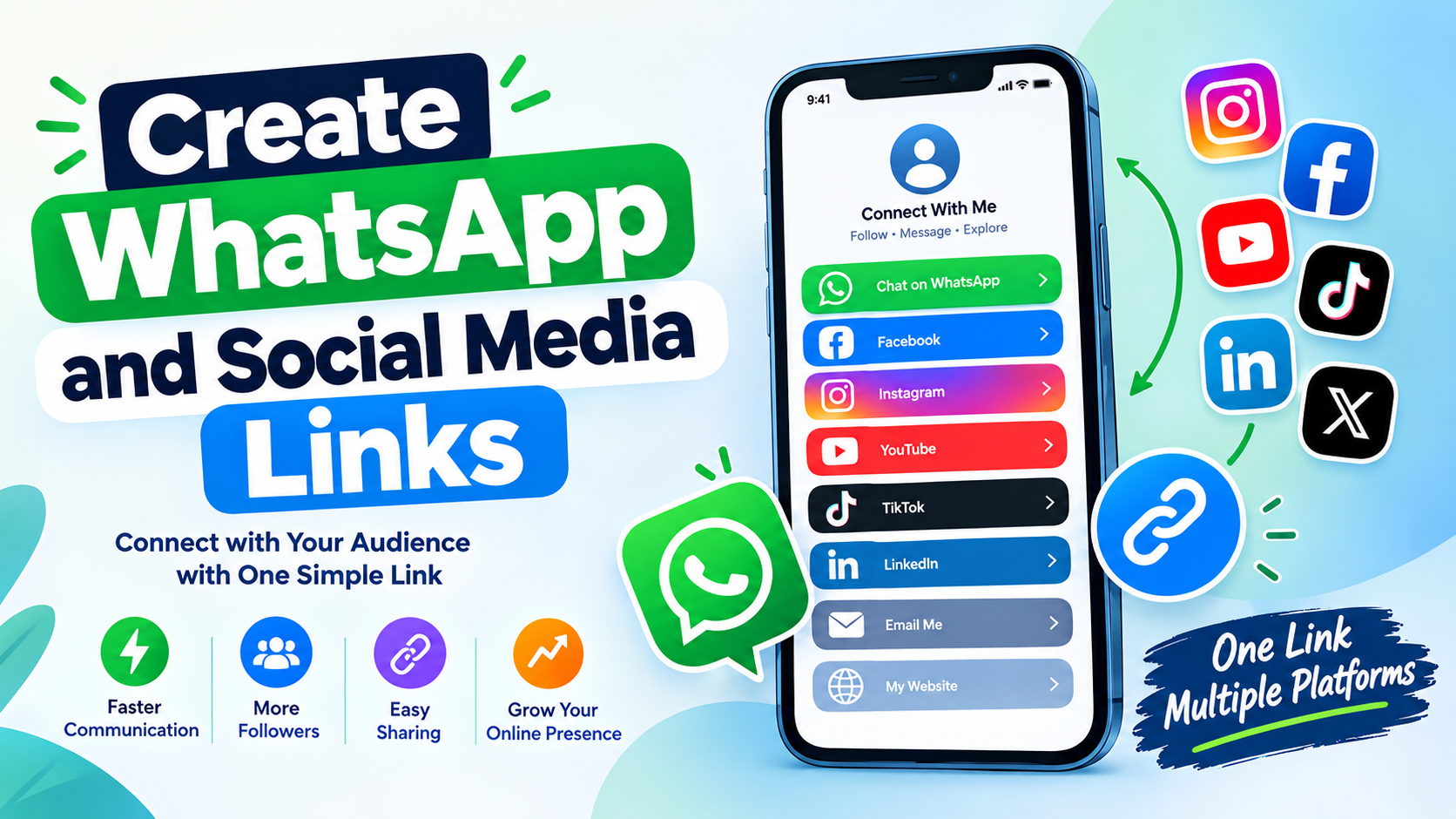
Create WhatsApp and Social Media Links is an easy and practical way to make your online communication more convenient. Instead of asking people to search for your social media profile, type your phone number, or manually find your account, you can provide direct links that take them to the correct destination.
Today, people use multiple platforms to communicate, promote businesses,create whatsapp, share content, and connect with audiences. WhatsApp can be useful for direct conversations, while social media platforms help users build communities, promote products, share videos, and maintain an online presence. Managing all these profiles can become difficult when every account has a different username or address.
Learning how to Create WhatsApp and Social Media Links can solve this problem by bringing important online destinations together. You can create a direct WhatsApp contact link and combine it with links to your public social profiles. This makes your online presence easier to access from websites, blogs, social profiles, digital business cards, email signatures, advertisements, and other platforms.
This complete guide explains how social media links work, how to create WhatsApp links, how to organize multiple profiles, and how to make your link-sharing strategy simple, professional, and user-friendly.
What Does Create WhatsApp and Social Media Links Mean?
When you Create WhatsApp and Social Media Links, you are creating direct web addresses that allow visitors to reach your WhatsApp contact or social media profiles without having to search for them manually.
A WhatsApp link can open a conversation with a particular phone number. A social media link can take visitors directly to a public profile, business page, channel, or other online destination.
For example, instead of telling someone to search for your social media username, you can provide a direct profile link.
Similarly, instead of asking someone to save your phone number before contacting you, a properly formatted WhatsApp link can provide a faster way to start a conversation.
This approach is useful for individuals, creators, freelancers, businesses, online sellers, bloggers, and anyone who maintains several online profiles.
Why Create WhatsApp and Social Media Links?
There are several reasons to Create WhatsApp and Social Media Links instead of sharing every profile separately.
The biggest advantage is convenience. Visitors can access your important platforms with fewer steps.
Other benefits include:
- Faster customer communication
- Easier social profile discovery
- Better online organization
- Convenient profile sharing
- Improved accessibility from mobile devices
- Easier promotion of multiple accounts
- More professional online presentation
- Simple contact options for customers and followers
When people can quickly find the right profile or contact method, they are less likely to leave because they cannot locate your account.
How a WhatsApp Link Works
A WhatsApp contact link uses a web address that contains the phone number associated with the WhatsApp account.
The phone number should normally use the international format.
For example, if a number belongs to a particular country, the country code should be included before the remaining number. The formatting requirements should be followed carefully so that the link works correctly.
Before you Create WhatsApp and Social Media Links, make sure that you understand the correct international format for your WhatsApp number.
Do not add unnecessary spaces, brackets, or punctuation if they are not supported by the link format.
How to Create a WhatsApp Link
Creating a WhatsApp link is straightforward.
Step 1: Choose the WhatsApp number
Decide which WhatsApp account you want people to contact.
If you are creating a link for a business, use the number that your customers can reach reliably.
Step 2: Add the country code
Use the complete international phone-number format.
This is important because WhatsApp links are designed to work across different countries.
Step 3: Build the link
Use the appropriate WhatsApp link structure and add the complete number.
Step 4: Test the link
Open the link in a browser and check that it directs to the correct WhatsApp conversation.
Step 5: Publish the link
After testing, you can add the link to your website, profile, contact page, or other suitable location.
These steps make it simple to Create WhatsApp and Social Media Links for personal or professional communication.
Create a WhatsApp Link With a Pre-Filled Message
Another useful feature is a pre-filled WhatsApp message.
A pre-filled message allows you to suggest an initial message when someone opens your WhatsApp link.
For example, a business could provide a link intended for product inquiries. The visitor may then see a suggested message such as:
“Hello, I would like more information about your product.”
This can make communication faster because the visitor does not need to type the initial message manually.
Pre-filled messages are particularly useful for:
- Customer inquiries
- Appointment requests
- Product questions
- Service requests
- Order information
- General support
When you Create WhatsApp and Social Media Links, a pre-filled message can make your WhatsApp contact option more useful.
Create Social Media Profile Links
Social media profile links work similarly to website links. Instead of sending visitors to a general search page, you provide the direct address of your profile.
Depending on the platform, a profile link may contain your username or another account identifier.
Before publishing a social link, make sure the profile is public and that the address is correct.
A broken social link can prevent visitors from finding your account.
If you manage several platforms, keep a list of your current profile addresses. This makes it easier to update your link page whenever you change a username or create a new account.
Create WhatsApp and Social Media Links in One Place
One of the best ways to Create WhatsApp and Social Media Links is to organize them on one central page.
Instead of publishing many separate URLs, you can create a simple page containing buttons for your most important destinations.
For example:
Contact on WhatsApp
Visit Website
Follow on Instagram
Visit Facebook
Watch Videos
Follow TikTok
Send Email
This creates a convenient digital hub.
Visitors can choose the platform they prefer without searching for your username.
Who Can Benefit From Social and WhatsApp Links?
Almost anyone with an online presence can benefit.
Businesses
Businesses can use WhatsApp links to make customer communication easier.
Content Creators
Creators can connect followers with multiple social profiles.
Freelancers
Freelancers can provide clients with their portfolio, social profiles, and contact information.
Bloggers
Bloggers can connect their website with their social accounts.
Online Sellers
Sellers can provide direct communication options for customer questions.
Personal Users
Individuals can share selected public profiles with friends, communities, or professional contacts.
The goal is always the same: make online communication easier and reduce unnecessary steps.
Benefits for Small Businesses
Small businesses often rely on direct communication with customers.
Customers may have questions about prices, availability, services, delivery, appointments, or products.
A direct WhatsApp link gives them a simple way to start a conversation.
Social links can provide additional information. For example, a customer might visit a business profile to see updates, photos, announcements, or other public content.
This is why Create WhatsApp and Social Media Links can be useful as part of a small business’s online presence.
However, businesses should make sure that their contact number is actively monitored. A direct contact option is only valuable when customers receive appropriate responses.
Benefits for Content Creators
Content creators often use several platforms at the same time.
A creator may publish videos on one platform, short content on another, and community updates somewhere else.
Without organized links, followers may have difficulty finding the creator’s other accounts.
A centralized link page solves this problem.
When you Create WhatsApp and Social Media Links, you can provide followers with a simple collection of your important online destinations.
Keep the page clean and put your most important platform near the top.
Benefits for Freelancers
Freelancers can use social and WhatsApp links as part of their professional identity.
A freelancer might include:
- Portfolio
- Website
- Professional profile
- Social media
- Work samples
This allows potential clients to move from discovery to communication quickly.
A professional link page should contain only useful information. Avoid filling the page with inactive or unrelated profiles.
Benefits for Online Sellers
Online sellers frequently communicate with customers through messaging platforms.
A direct WhatsApp link can be useful for questions about:
- Product availability
- Pricing
- Delivery
- Orders
- Custom requests
- Product details
Social media profiles can also help customers discover products and updates.
A seller can therefore Create WhatsApp and Social Media Links to provide customers with multiple convenient ways to interact.
How to Add Social Links to a Website
Website owners can place social links in several locations.
Common areas include:
- Website footer
- Contact page
- About page
- Author profile
- Header
- Landing page
- Business page
The links should have clear labels.
For example, instead of displaying an unclear technical URL, use a button labeled “Contact Us on WhatsApp.”
Similarly, use labels such as “Instagram,” “Facebook,” or “YouTube” for social destinations.
Clear labels help visitors understand what will happen when they click.
How to Make Your Links Mobile-Friendly
Mobile optimization is extremely important because many people access websites and social profiles using smartphones.
When you Create WhatsApp and Social Media Links, make sure your link page is easy to use on smaller screens.
Good mobile design should include:
- Large clickable buttons
- Readable text
- Adequate spacing
- Fast loading
- Simple navigation
- Responsive layout
- Clear button labels
Avoid placing many tiny links close together because they can be difficult to tap on a phone.
Common WhatsApp Link Mistakes
Several mistakes can prevent a WhatsApp link from working.
Incorrect number
Always check that you entered the correct phone number.
Wrong country code
The country code must be accurate.
Extra characters
Unnecessary spaces or symbols can cause formatting problems.
Inactive WhatsApp account
Make sure the number is actually associated with an active WhatsApp account.
Failure to test
Always test your link before publishing it.
These simple checks can prevent unnecessary problems after you Create WhatsApp and Social Media Links.
Common Social Media Link Mistakes
Social links can also have problems.
A common issue is using an old username after changing the profile address.
Another problem is accidentally linking to the wrong account.
Before publishing a link, verify:
- Account name
- Username
- Profile address
- Account ownership
- Public accessibility
- Destination
If a social account is deleted or renamed, update your central link page.
Privacy Considerations
Before you Create WhatsApp and Social Media Links, think carefully about privacy.
A public WhatsApp link can make the associated phone number accessible to people who receive or discover the link.
If you prefer to keep your personal number private, consider using a separate number for public communication.
Only publish information that you intentionally want to make accessible.
Never publish passwords, verification codes, private account information, or other sensitive details on a public page.
How to Make a Professional Link Page
A professional link page should be simple.
Start with your name or business name.
Add a short description explaining who you are or what you offer.
Then add your most important links.
For example:
Your Name
Digital Creator & Blogger
Contact on WhatsApp
Visit Website
Follow Instagram
Watch YouTube
Follow Facebook
This structure is easy to understand.
Avoid excessive animations, unnecessary graphics, or dozens of buttons.
Organizing Links by Importance
Not every link needs equal visibility.
Place your primary destination first.
If WhatsApp is your main communication method, place it at the top.
If your website is your primary business destination, put the website first.
For content creators, the main content platform may deserve the first position.
The purpose of Create WhatsApp and Social Media Links is not to create a huge collection of URLs. It is to make important destinations easy to access.
Using Links in Social Media Bios
Many social platforms provide an area where users can share a website or link.
This is an ideal place to use your centralized link page.
Instead of changing your profile whenever you want to promote a different destination, you can keep one central link and update the destinations inside it.
This can save time and provide followers with a consistent way to find your content.
Using WhatsApp Links on Contact Pages
A website contact page can include a dedicated WhatsApp button.
For example:
Need assistance? Contact us on WhatsApp.
This gives visitors a clear action.
The button should point to the correct number and should be tested regularly.
Businesses should also make sure their listed operating hours and response expectations are accurate.
SEO and Social Links
Social links can improve website usability, but they should not be treated as a guaranteed SEO ranking method.
Google rankings depend on many factors.
Important SEO considerations include:
- Helpful content
- Original information
- Search intent
- Website structure
- Mobile usability
- Page performance
- Relevant internal links
- Clear titles
- Descriptive headings
- Good user experience
The main purpose of Create WhatsApp and Social Media Links is convenience and accessibility.
A well-designed link page can support your broader online strategy, but simply adding social links will not automatically make a website rank higher.
Best Practices for Create WhatsApp and Social Media Links
Follow these best practices when setting up your links.
Use accurate information
Every link should lead to the intended destination.
Keep the page simple
Visitors should not have to search through dozens of buttons.
Prioritize important links
Put your primary action first.
Test everything
Check every link before publishing it.
Update regularly
Remove old or inactive accounts.
Protect your privacy
Only publish contact information you are comfortable sharing.
Optimize for mobile
Make buttons easy to tap and text easy to read.
Use descriptive labels
Tell visitors exactly what each button does.
How to Test Your Link Page
Testing should be part of your publishing process.
Open the page on your computer and smartphone.
Click every button.
Check that:
- WhatsApp opens correctly
- Social profiles are correct
- Website links work
- Email links work
- Buttons are readable
- The page loads properly
- No links produce errors
If you make changes later, test the affected links again.
Create WhatsApp and Social Media Links for Marketing Campaigns
Create whatsapp and social links. Businesses can also use centralized links in marketing campaigns.
For example, a campaign can direct visitors to a page containing a WhatsApp contact option and several social profiles.
This gives visitors choices.
Someone who wants immediate assistance can choose WhatsApp, while another visitor may prefer to explore the business’s social profile first.
A clear link structure can therefore support different user preferences.
Create WhatsApp and Social Media Links for Networking
Networking is another useful application.
Professionals can provide a single link containing their website, professional profile, social accounts, and preferred communication method.
Instead of exchanging several addresses individually, they can simply share one link.
This is particularly useful during online meetings, conferences, collaborations, and professional introductions.
See Also: https://ayaanletech.org/mobe-code-61-how-to-use/
FAQs
What is the easiest way to Create WhatsApp and Social Media Links?
The easiest approach is to create a direct WhatsApp link using the correct international phone format and then organize it with your public social profile links on a central page.
Can I Create WhatsApp and Social Media Links without coding?
Yes. Basic WhatsApp links do not require programming. You can also manually organize social profile links on a simple webpage or link page.
Can a Create WhatsApp link open a chat directly?
A properly formatted WhatsApp contact link can direct users toward a conversation with the specified WhatsApp number.
Can I add multiple social media accounts?
Yes. You can include multiple public social profiles on a central link page.
Is it safe to share a WhatsApp link?
It can be safe when used appropriately, but remember that the linked phone number is intended for public contact. Do not publish a personal number if you do not want it shared.
Can I add a pre-filled message?
Yes. WhatsApp links can support pre-filled messages when the URL is formatted and encoded correctly.
Why is my WhatsApp link not working?
Check the phone number, country code, URL formatting, and WhatsApp account status. Also test the link from another device.
Can businesses use these links?
Yes. Businesses can use WhatsApp and social profile links to make customer communication and profile discovery easier.
Do social links help Google rankings?
Social links can improve usability and connectivity, but they do not guarantee higher Google rankings. SEO depends on many other website and content factors.
How many links should I add?
There is no universal number. Add the platforms that are genuinely useful to your audience and remove inactive or unnecessary accounts.
Final Thoughts
Learning how to Create WhatsApp and Social Media Links can make your online presence significantly easier to navigate. A direct WhatsApp link can provide a convenient communication option, while social profile links can help visitors discover your public accounts without searching manually.
The most effective approach is to keep everything simple. Use accurate contact information, verify every social profile, test your links, and organize your most important destinations at the top of the page.
For businesses, these links can support customer communication. For creators, they can connect audiences across different platforms. For freelancers, they can provide a convenient professional contact hub. For personal users, they can simplify the process of sharing selected public profiles.
The key is not to create as many links as possible. The goal is to provide the right links in a clear and useful format.
When you Create WhatsApp and Social Media Links carefully, visitors can find your preferred communication channels faster, access your public profiles more easily, and enjoy a better overall online experience.
Before publishing your final link page, check every destination, confirm your WhatsApp number, remove outdated profiles, and make sure the page works properly on mobile devices. A clean, accurate, and easy-to-use link page can become a valuable part of your online presence.



