


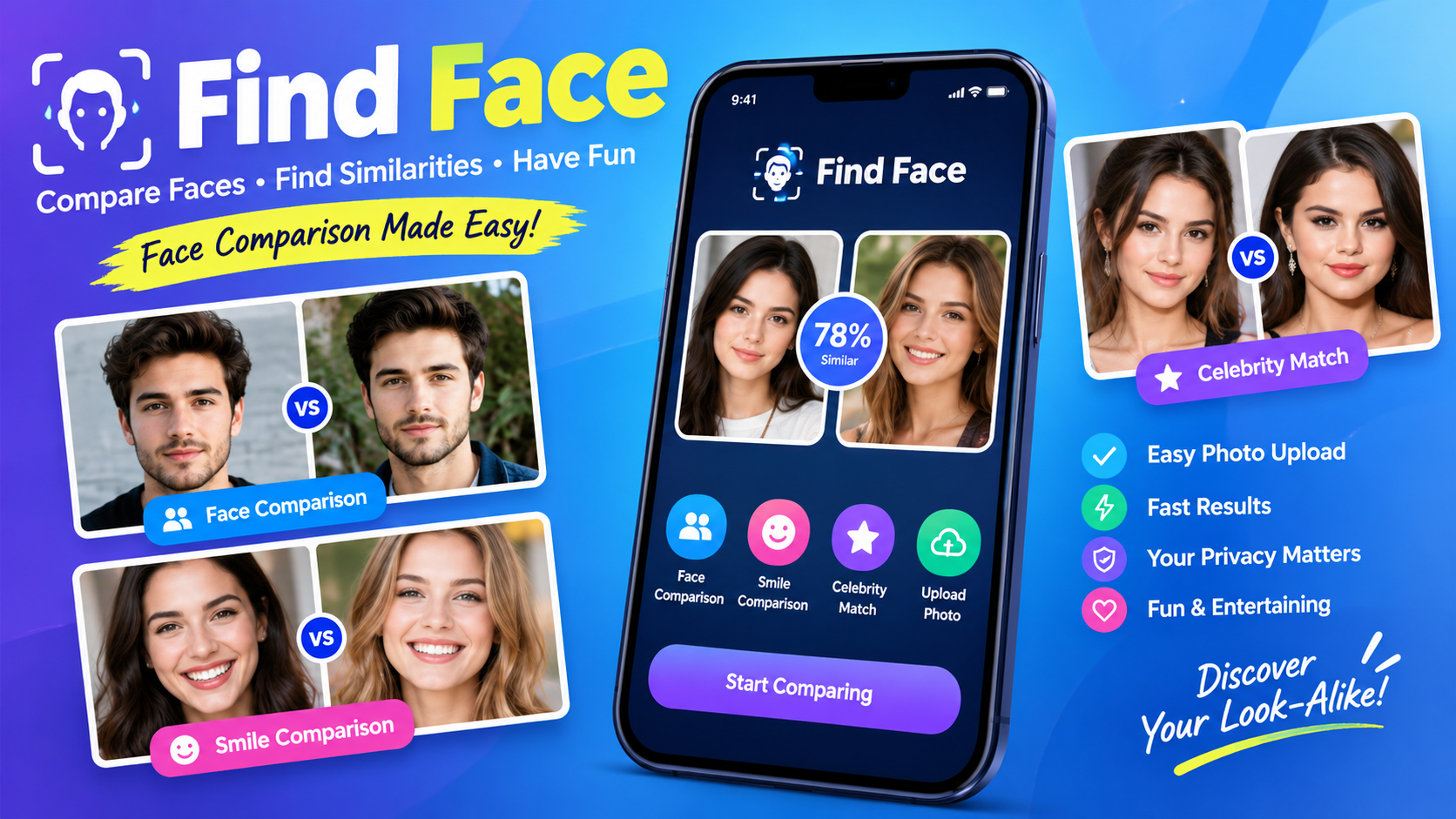
Finding similarities between two faces has become an interesting way to explore modern smartphone technology. What once required careful observation can now be supported by facial analysis tools that compare visible characteristics and produce results quickly. Find Face is designed around this idea, giving users a simple way to compare faces, explore similarities, and have fun with photographs.
The concept is straightforward. A user selects or uploads photographs, the application analyzes the available facial information, and the comparison produces a result that can help users understand how similar two faces may appear. Whether you want to compare yourself with a friend, check similarities between family members, or explore whether you resemble a celebrity, Find Face provides an entertaining way to experiment with facial comparison.
The application also focuses on different types of comparisons. In addition to standard face-to-face comparisons, it includes a smile comparison concept and celebrity resemblance features. This makes the experience more interactive than simply uploading a photograph and receiving a single result.
Because facial recognition technology can involve sensitive visual information, users should also understand privacy and responsible usage. A face is personal information, so photographs should only be uploaded or shared when appropriate permission exists.
This guide explains what Find Face is, how its main features work, how to use it, what to consider before uploading photographs, and why facial comparison technology has become increasingly popular.
What Is Find Face?
Find Face is a facial comparison application designed to let users examine similarities between photographs of different people. Its primary purpose is entertainment and curiosity, allowing users to compare two faces and explore the results generated by facial analysis.
The basic experience is intended to be simple. Instead of requiring complicated technical knowledge, the user can choose photographs and begin a comparison. The application then works with the visual information contained in those images to produce a comparison result.
One of the most appealing aspects of Find Face is that it can be used in several different situations. Friends can compare their faces, family members can explore similarities, and users can experiment with celebrity look-alike comparisons.
It is important to understand that facial similarity does not necessarily mean two people are related, nor does a similarity result establish a person’s identity. Facial comparison should therefore be treated as an entertainment or visual-analysis feature rather than definitive proof about a person’s identity or relationship.
How Find Face Works
The general process behind Find Face is based on analyzing facial characteristics visible in photographs. Modern facial-analysis systems can examine different aspects of an image, such as the overall shape of the face, relative positioning of facial features, and other visual patterns.
When a photograph is uploaded, the system may first identify the face within the image. It can then examine the available facial characteristics and compare them with another photograph.
The exact algorithms and scoring methods can vary between applications. A similarity score should therefore be understood as the result of a particular system’s analysis rather than an absolute measurement of human appearance.
Image quality can also influence results. Clear photographs with visible faces generally provide better material for comparison than blurry, heavily edited, dark, or partially covered images.
With Find Face, users can experiment with different photographs to see how image quality, facial expression, lighting, and camera angles may influence a comparison.
Face-to-Face Comparison
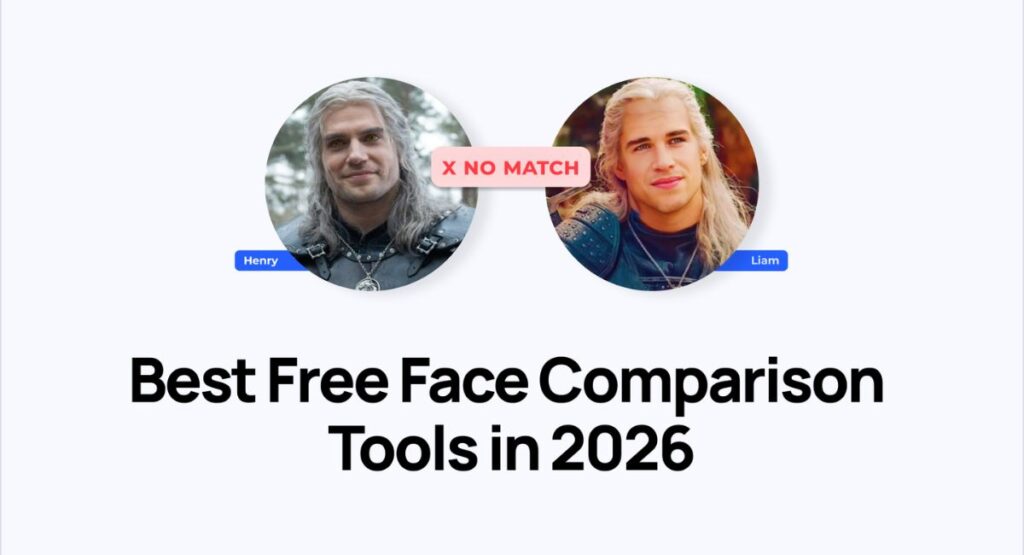
The main feature associated with Find Face is face-to-face comparison. This allows users to place two photographs into a comparison process and explore their visual similarities.
For example, two friends may wonder whether they look alike. Instead of relying only on opinions, they can use a facial comparison tool to generate an additional perspective.
Family members can also use face comparison as a fun activity. Parents, siblings, cousins, and other relatives may enjoy comparing photographs and discussing which facial characteristics appear similar.
The comparison can also be useful for people who are interested in photography. Different photographs of the same person can produce noticeably different impressions depending on lighting, angle, expression, and camera quality.
When using Find Face, users should remember that a similarity result is influenced by the photographs selected. Two images showing similar angles may produce a different result from two images taken under completely different conditions.
Smile Comparison
Another interesting feature is smile comparison. A smile can dramatically change the appearance of a face, making it an entertaining subject for comparison.
With Find Face, users can experiment with photographs showing different smiles and compare how the system interprets them. Friends can create their own friendly smile competition, while family members can compare different expressions.
Smile comparison is primarily a recreational feature. A brighter or wider smile does not necessarily mean that one person has a better smile than another. Facial expressions are subjective, and photographic conditions can strongly influence how a smile appears.
Lighting, camera position, image resolution, and facial expression can all affect the visual result.
The fun comes from comparing the results and discussing them with friends rather than treating the score as an objective judgment of attractiveness.
Celebrity Look-Alike Comparisons
Celebrity resemblance is another reason people enjoy facial comparison applications. Many users have wondered whether they resemble an actor, musician, athlete, influencer, or other public figure.
Find Face can be used for this type of entertainment by comparing a user’s photograph with a photograph associated with a celebrity. The resulting similarity can provide an interesting conversation starter.
Celebrity comparisons should not be interpreted as confirmation that two people actually look identical. Different photographs can produce different outcomes, and celebrity images often involve professional lighting, makeup, styling, camera equipment, and editing.
The most enjoyable approach is to treat the feature as a fun experiment. Users can try different photographs and see how the results change.
Easy Photo Upload
An important part of any photo comparison application is the upload process. If selecting photographs is complicated, users may quickly lose interest.
Find Face is presented as a simple photo-upload experience. Users can select images from their device gallery and use them for facial comparison.
For the best possible result, users should consider the quality of the photographs before uploading them.
Good photographs generally have:
- A clearly visible face
- Reasonable lighting
- Minimal blur
- A front-facing or recognizable angle
- Limited obstruction
- Sufficient image resolution
Photographs with sunglasses, masks, extreme shadows, heavy filters, or unusual angles may make facial analysis more difficult.
Users should also avoid uploading photographs that they do not have permission to use.
Why Image Quality Matters
The quality of a photograph can significantly influence computer-based visual analysis. A human may recognize a person even when a photograph is blurry, but automated systems may have fewer usable visual details.
For example, consider two photographs of the same person. One is a clear portrait taken in good lighting. The other is a low-resolution image taken at night. A comparison system may produce different results because the available visual information is not the same.
When using Find Face, choosing suitable photographs can therefore improve the consistency of the experience.
Users should not assume that a surprising result means the technology is necessarily wrong. It may simply reflect differences in the images.
Find Face for Friends and Family
One of the easiest ways to enjoy facial comparison technology is with friends and family.
Two friends can compare their faces and see whether the result matches what they expected. Siblings can compare photographs to explore similarities. Parents and children can use the feature as a lighthearted way to discuss inherited facial characteristics.
These activities are best treated as entertainment rather than scientific analysis.
Facial appearance is influenced by many factors, including genetics, age, expression, hairstyle, camera angle, and lighting. A comparison application only sees the visual information available in the photographs.
The social aspect can make Find Face more enjoyable because users can share their results and discuss them together.
Find Face and Privacy
Privacy should always be considered when using applications that work with photographs of people’s faces.
A face photograph can be sensitive personal information. Users should therefore understand what happens to an image before uploading it to any service.
The original page describes the application as prioritizing privacy and states that photographs are processed locally on the device. However, users should still review the application’s current privacy information and permissions before using it, especially if the app or download source has changed.
A responsible approach includes:
- Only uploading photographs you are allowed to use.
- Avoiding unnecessary photographs of other people.
- Reviewing permissions before installation.
- Checking privacy information.
- Avoiding suspicious download sources.
- Removing photographs when appropriate.
- Being careful when sharing comparison results publicly.
Privacy becomes particularly important when children or people who have not provided permission appear in photographs.
Responsible Use of Facial Comparison
Facial comparison can be entertaining, but it should be used responsibly.
A similarity result should never automatically be interpreted as proof of someone’s identity. Facial comparison tools can make mistakes, especially when photographs are low quality or conditions are unusual.
Users should also avoid using facial-analysis results to make important decisions about another person.
For example, a similarity result should not be used as definitive evidence for identity verification, employment decisions, financial decisions, legal conclusions, or accusations.
Find Face is most appropriate for casual comparisons, entertainment, curiosity, and personal experimentation.
How to Use Find Face
Getting started with a facial comparison application is generally straightforward.
Step 1: Prepare Your Photographs
Select two photographs containing clearly visible faces. Try to choose images with reasonable lighting and minimal obstruction.
Step 2: Open the Application
Launch the application and locate its face comparison functionality.
Step 3: Upload the First Photograph
Select the first image from your device gallery or available photo-selection interface.
Step 4: Upload the Second Photograph
Choose the second photograph you want to compare.
Step 5: Start the Comparison
Begin the comparison process and allow the application to analyze the selected images.
Step 6: Review the Result
Look at the generated comparison result and consider how the photographs may have influenced it.
Step 7: Try Different Images
For entertainment, you can repeat the process using different photographs and compare how the results change.
Step 8: Share Carefully
If you decide to share a result, make sure everyone shown in the photographs is comfortable with the image being shared.
Tips for Better Face Comparison Results
Several simple practices can make facial comparison experiments more useful.
Use Clear Photos
High-quality photographs provide more visible information than blurry images.
Choose Similar Angles
Comparing two photographs taken from similar angles can create a more consistent visual comparison.
Use Good Lighting
Avoid extremely dark photographs or images with harsh shadows covering facial features.
Avoid Heavy Filters
Beauty filters and strong editing can change facial characteristics and may influence the result.
Keep the Face Visible
Photographs where the face is partially hidden may provide less useful information.
Try More Than One Photograph
One photograph does not always represent how a person normally looks. Trying multiple images can provide a broader perspective.
Find Face for Entertainment
The strongest use case for Find Face is entertainment. Facial comparison can turn ordinary photographs into a small interactive activity.
Friends can create comparison challenges. Family members can compare their resemblance. Users can explore celebrity look-alike ideas. Smile comparisons can become a friendly competition.
These simple activities demonstrate how artificial intelligence and computer vision can be integrated into everyday smartphone experiences.
The technology may be advanced behind the scenes, but the user experience can remain simple.
Advantages of Find Face
There are several reasons users may enjoy this type of application.
Simple Concept
The idea is easy to understand. Upload photographs and compare faces.
Social Experience
Results can become conversation starters between friends and family.
Multiple Comparison Options
The combination of face, smile, and celebrity comparison provides more variety than a single comparison mode.
Quick Interaction
The original page describes the results as fast, allowing users to receive comparison feedback without a complicated workflow.
Photo-Based Experience
Users can work with photographs already stored on their devices rather than needing specialized equipment.
Beginner Friendly
The concept does not require technical knowledge about artificial intelligence or facial recognition.
Limitations to Understand
No facial comparison system should be considered perfect.
Results can vary depending on image quality, camera angle, facial expression, lighting, resolution, and other factors.
A person’s appearance also changes naturally over time. A childhood photograph and a current photograph may look very different even though they belong to the same individual.
Different hairstyles, glasses, makeup, facial hair, and accessories can also affect visual appearance.
For this reason, users should interpret Find Face results as approximate comparisons rather than unquestionable facts.
Is Find Face Accurate?
The answer depends on what is meant by accuracy.
A facial comparison application can identify visual similarities between photographs, but a similarity result should not be treated as guaranteed proof of identity.
Accuracy may vary depending on the photographs being compared and the underlying technology.
Clear, well-lit images with visible facial features generally provide better conditions for analysis than poor-quality photographs.
Users should also remember that resemblance and identity are different concepts. Two unrelated people can look very similar, while two relatives may look quite different.
Is Find Face Safe to Use?
Safety depends on the version of the application, its permissions, its download source, and its current privacy practices.
Before installing or using any application that handles photographs, users should check where it comes from and review the requested permissions.
It is also wise to avoid providing unnecessary access to personal information.
The original Find Face page emphasizes privacy and describes local photo processing, but users should independently review the application’s current privacy information before uploading sensitive photographs.
Can Find Face Identify a Person?
Facial comparison and identity verification are not the same thing.
A comparison tool can estimate visual similarity between photographs, but that does not necessarily establish who a person is.
This distinction is important because facial recognition technology can sometimes produce false matches or misleading results.
For casual entertainment, comparing similarities can be interesting. For serious identity-related situations, users should rely on appropriate official verification methods rather than an entertainment-focused facial comparison result.
Can You Compare Yourself With a Celebrity?
Celebrity comparison is one of the most entertaining applications of facial-analysis technology.
Users can choose a personal photograph and compare it with an image of a celebrity to see whether the system detects visual similarities.
The result can be fun to discuss with friends, especially when several different celebrities produce different similarity scores.
Remember that celebrity photographs often have professional lighting, makeup, styling, and editing, so results can change depending on the selected image.
Can You Compare Two Friends?
Yes, face-to-face comparison is one of the main concepts behind Find Face.
Two friends can select their photographs and run a comparison. The result can be used as a fun activity or conversation starter.
For the fairest experiment, both users can choose photographs with similar lighting, camera angles, and facial expressions.
Can You Compare Family Members?
Family comparisons can also be entertaining. Parents, siblings, and other relatives can compare photographs and discuss which features appear similar.
However, a facial comparison result does not prove a genetic relationship. It simply reflects visual characteristics detected in the selected images.
Find Face and Modern AI Technology
Facial analysis is part of a much broader field of computer vision and artificial intelligence.
Modern image-processing systems can detect patterns within photographs and use mathematical models to analyze visual information.
Applications can use these technologies for many purposes, including organization, accessibility, photography, entertainment, and security.
A consumer-focused facial comparison tool brings some of these concepts into an easy-to-understand experience.
Find Face demonstrates how complex image-analysis concepts can be presented through a simple smartphone interface.
See Also: https://ayaanletech.org/screen-name/
FAQs
What is Find Face?
Find Face is a facial comparison application designed to let users compare faces in photographs and explore visual similarities.
How does Find Face compare faces?
The application analyzes visual characteristics in selected photographs and generates a comparison result. The exact result can vary depending on image quality and other factors.
Can Find Face compare two people?
Yes. Face-to-face comparison is one of the primary features described for the application.
Can Find Face compare smiles?
The application includes a smile comparison feature that allows users to experiment with different smiling photographs.
Can Find Face compare a person with a celebrity?
Yes. The application describes a celebrity comparison feature for exploring possible visual resemblance with famous people.
What photographs work best?
Clear, well-lit photographs with visible faces generally provide better conditions for facial analysis.
Is Find Face a professional identity verification tool?
It should not be treated as definitive identity verification. A facial similarity result is not the same as official identity confirmation.
Does Find Face require technical knowledge?
No. The concept is designed around a simple photo-selection and comparison process, making it accessible to general smartphone users.
Should I upload someone else’s photograph?
Only use photographs when you have appropriate permission. Respecting other people’s privacy is especially important when facial images are involved.
Why can comparison results change?
Results can change because of lighting, facial expression, camera angle, image quality, hairstyle, accessories, and other visual differences.
Is Find Face accurate?
The usefulness of any comparison depends on the photographs and technology being used. Results should be considered approximate rather than absolute.
Can I share my comparison results?
You can share results when appropriate, but make sure the people appearing in the photographs are comfortable with their images being shared.
Final Thoughts
Find Face offers an entertaining way to explore facial similarity through photographs. Its focus on face-to-face comparison, smile comparison, celebrity resemblance, easy photo selection, and quick results gives users several ways to experiment with facial analysis.
The best way to use the application is responsibly. Choose clear photographs, respect other people’s privacy, review application permissions, and remember that similarity results are not the same as definitive identity verification.
Whether you are comparing yourself with a friend, checking family resemblance, experimenting with different smiles, or wondering which celebrity you resemble, facial comparison can turn ordinary photographs into an engaging activity.
As computer vision continues to become part of everyday mobile technology, applications like Find Face show how advanced visual-analysis concepts can be transformed into simple and accessible experiences for everyday users.



