


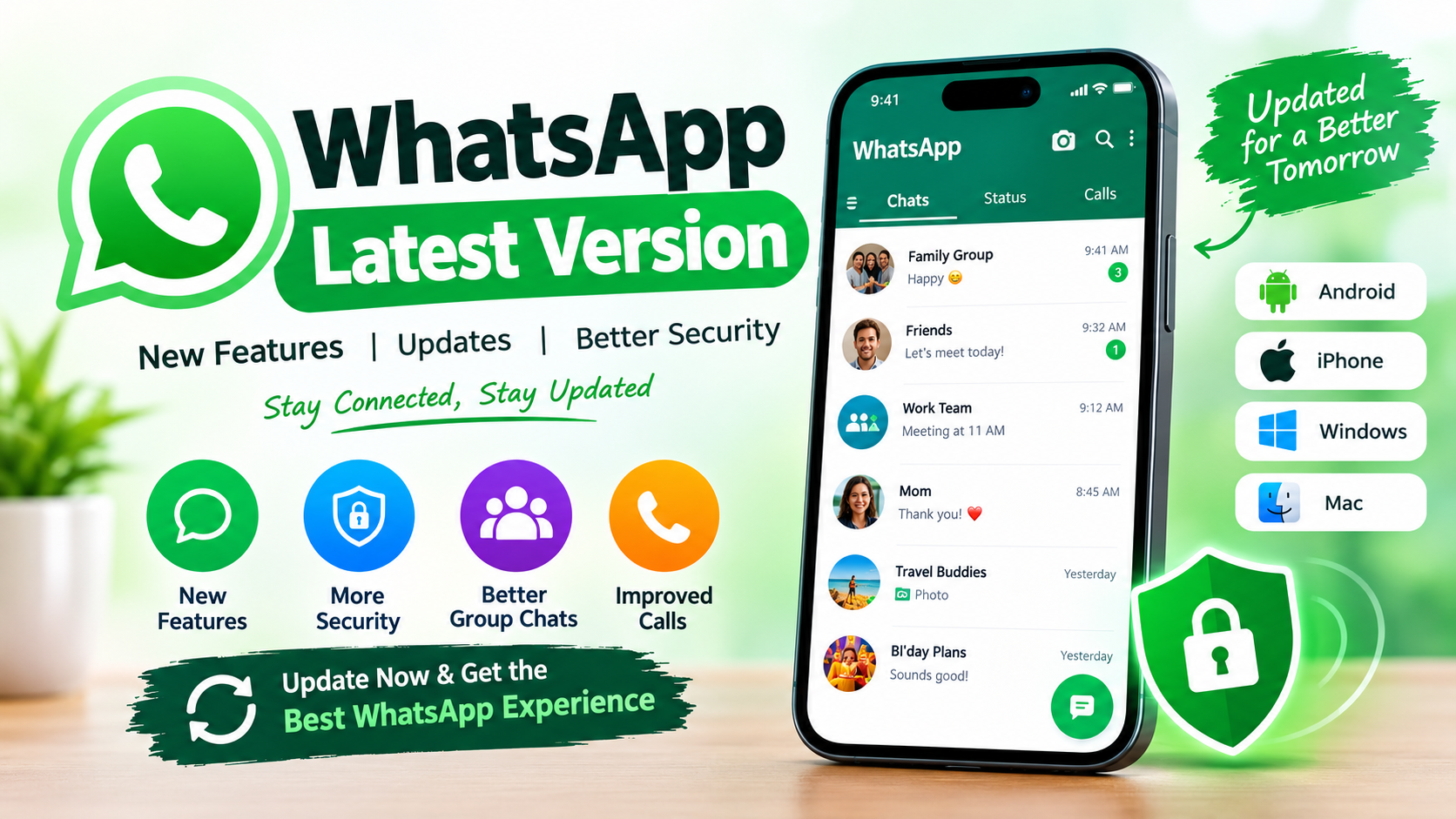
WhatsApp continues to be one of the most widely used messaging applications for personal communication, business conversations, voice calls, video calls, communities, and group chats. Because the application receives frequent improvements, many users search for the WhatsApp latest version when they want better performance, new features, security updates, and compatibility with newer smartphones.
Keeping WhatsApp updated is important because newer releases can include feature improvements, bug fixes, security changes, and compatibility updates. WhatsApp itself recommends using the most up-to-date version because new versions contain the latest features and bug fixes.
In this guide, we explain everything you need to know about the WhatsApp latest version, including how updates work, how to update WhatsApp on Android and iPhone, supported operating systems, new features, privacy considerations, troubleshooting steps, and ways to make sure you are using the official application.
What Is the WhatsApp Latest Version?
The WhatsApp latest version is the newest officially available release of WhatsApp for your particular device and operating system. The version number can differ between Android, iPhone, Windows, Mac, and beta releases, so users should not assume that one version number applies to every platform.
WhatsApp regularly publishes updates through official app stores and its own download channels. These updates can introduce new communication features, improve existing tools, fix technical problems, and strengthen security.
For most users, the best approach is simple: install WhatsApp from an official source and keep automatic updates enabled. This allows the application to receive new releases without requiring you to manually check every day.
The WhatsApp latest version may also be released gradually. Some features can become available to certain users before others because WhatsApp sometimes rolls out changes over time. Therefore, installing the newest version does not always mean every new feature will immediately appear on every account.
Why Should You Use the WhatsApp Latest Version?
There are several important reasons to keep WhatsApp updated.
1. New Features
WhatsApp regularly adds improvements to messaging, groups, calls, media sharing, and other parts of the application. Using the WhatsApp latest version gives you the best opportunity to receive newly released features.
For example, a September 2026 Google Play listing says WhatsApp added an option to share recent group history with new members. It also lists improvements to group calls, including call transfers between mobile and desktop, waiting rooms for call links, and the ability to pin a participant into a larger tile. These features are being rolled out over time.
2. Bug Fixes
Older versions can contain problems that have already been corrected in newer releases. An update may improve crashes, message delivery, calls, notifications, media handling, or other technical issues.
Using the WhatsApp latest version can therefore help reduce problems caused by outdated software.
3. Security Improvements
Security is another major reason to keep messaging applications updated. Developers continuously review software for vulnerabilities and compatibility issues.
WhatsApp explains that it regularly stops supporting older operating systems so it can keep up with newer technology and security requirements.
4. Better Compatibility
As Android and iOS receive new operating-system updates, applications must also evolve. An older WhatsApp release may eventually have compatibility problems on newer devices.
Installing the WhatsApp latest version helps keep the application aligned with supported operating systems.
WhatsApp Latest Version and Android Compatibility
Android users should pay particular attention to operating-system support.
According to WhatsApp’s official Help Center, Android 5.0 and newer was previously supported, but beginning September 8, 2026, WhatsApp supports only Android 6 and newer.
This means users with very old Android devices may need to upgrade their operating system or device if WhatsApp is no longer supported.
The change is not simply about the WhatsApp application itself. Modern applications depend on operating-system capabilities, security updates, device functionality, and newer technologies. When an operating system becomes too old, continuing to support it can make development and security more difficult.
If your Android phone is running an older version, check your device’s software-update section before assuming that WhatsApp itself is broken.
WhatsApp Latest Version and iPhone Compatibility
iPhone users should also keep their operating system updated.
WhatsApp currently supports iPhones running iOS 15.1 and newer. However, WhatsApp states that starting November 30, 2026, only iOS 15.5 and newer will be supported.
If you have an older iPhone, check whether an iOS update is available. If your device cannot install a sufficiently recent iOS release, you may eventually need a newer device to continue receiving WhatsApp support.
WhatsApp also recommends using the newest available operating-system version for the best experience.
How to Update WhatsApp on Android
Updating WhatsApp on Android is usually straightforward.
Step 1: Open Google Play Store
Open the Google Play Store on your Android smartphone.
Step 2: Search for WhatsApp
Search for WhatsApp Messenger using the official application listing.
Step 3: Check for an Update
If a new release is available, you should see an Update button.
Tap it and wait for the installation to finish.
Step 4: Open WhatsApp
After installation, open WhatsApp and check whether the application works normally.
Google Play remains the primary option for updating WhatsApp. WhatsApp’s official documentation also explains that automatic updates can be enabled, while users can manually update when necessary.
How to Update WhatsApp on iPhone
Updating WhatsApp on an iPhone is also simple.
- Open the Apple App Store.
- Search for WhatsApp Messenger.
- Open the official application listing.
- Tap Update if an update is available.
- Wait until the installation is completed.
- Open WhatsApp and continue using the application.
WhatsApp recommends using the most recent version because updates contain new features and bug fixes. It also advises users to maintain a strong internet connection and back up their chat history before updating.
Automatic Updates for WhatsApp
Automatic updates are convenient because they reduce the need to manually check for every release.
WhatsApp’s Android Help Center says automatic updates are enabled by default after accepting its Terms of Service. WhatsApp also notes that Meta Preloads can automatically update the application over Wi-Fi.
If you prefer to control updates yourself, you can disable automatic updating and receive notifications when a new WhatsApp version becomes available.
For most people, leaving automatic updates enabled is the easiest way to stay close to the WhatsApp latest version.
Important Features in the Latest WhatsApp Updates
The WhatsApp latest version can include different improvements depending on your device and account.
Improved Group Conversations
WhatsApp continues to improve group communication. Recent Google Play information says users can choose to share recent group history with new members when adding them to a group.
This can make it easier for new participants to understand an ongoing conversation without requiring existing members to repeat everything.
Better Group Calls
Recent WhatsApp updates have also introduced additional group-call functionality. Google Play currently lists the ability to transfer calls between mobile and desktop, add waiting rooms for call links, and pin a participant to a larger tile.
These improvements can be particularly useful for users who rely on WhatsApp for work, study, family communication, and group discussions.
Messaging Improvements
WhatsApp updates frequently refine the messaging experience. Depending on the release and platform, users may see improvements to text messaging, media sharing, reactions, group interactions, and other communication tools.
Because features can be rolled out gradually, not every user receives every feature at the same time.
Privacy and Security
Privacy remains an important part of modern messaging applications. Updates can improve how the application interacts with supported operating systems and security technologies.
This is another reason users should avoid relying on extremely old versions of WhatsApp.
WhatsApp Latest Version for Older Phones
If WhatsApp stops working on an older phone, the problem may not necessarily be the application itself.
The device could be running an unsupported operating system.
As of September 8, 2026, WhatsApp’s official support information says Android 6 and newer are required.
If your phone is running Android 5 or an older release, first check whether your manufacturer provides a software upgrade.
If there is no supported operating-system update, you may need to move WhatsApp to a newer compatible device.
How to Check Your Android Version
You can usually check your Android version by opening:
Settings → About Phone → Android Version
The exact menu name can vary by manufacturer.
After checking the operating-system version, compare it with WhatsApp’s current support requirements.
If your phone uses Android 6 or newer, it meets the current Android operating-system requirement stated by WhatsApp.
How to Check Your iOS Version
On an iPhone, open:
Settings → General → About
Look for the iOS Version entry.
You can also check:
Settings → General → Software Update
If a newer iOS release is available for your device, installing it can improve compatibility with current applications.
Is It Safe to Download WhatsApp From Third-Party Websites?
Users searching for the WhatsApp latest version may encounter many websites offering APK files or modified versions.
It is safer to use official distribution channels whenever possible.
The official WhatsApp website provides access to WhatsApp downloads, while Android users can use Google Play and iPhone users can use the Apple App Store.
Third-party modified applications can introduce additional risks, including unknown software changes, privacy concerns, malware, or account problems.
For a normal WhatsApp installation, there is generally no reason to use an unofficial modified application when the official version is available.
WhatsApp Latest Version vs. Modified WhatsApp Apps
Modified WhatsApp applications may advertise extra customization, themes, privacy settings, or additional controls.
However, users should understand that these versions are not the same as the official WhatsApp application.
The official WhatsApp release is developed and distributed through supported channels. If security, privacy, reliability, and account safety are important, the official application is the better choice.
Searching for the WhatsApp latest version should therefore mean looking for the newest official release rather than an unknown modified APK.
What to Do If WhatsApp Will Not Update
Sometimes users tap the update button but nothing happens.
Try the following solutions:
Check Your Internet Connection
Make sure your phone has a stable Wi-Fi or mobile-data connection.
Free Storage Space
Insufficient storage can prevent an application from downloading or installing an update.
Delete unnecessary files, videos, or unused applications if your storage is almost full.
Restart Your Phone
A simple restart can sometimes resolve temporary software or app-store problems.
Check Your Operating System
If your phone uses an unsupported operating system, updating WhatsApp may not solve the problem.
Try Again Later
Some updates can take time to become available in specific regions. WhatsApp’s official documentation notes that updates may not be available in certain regions because of local regulations.
What to Do If WhatsApp Stops Working After an Update
If WhatsApp does not work correctly after installing the WhatsApp latest version, do not immediately delete the application.
First, restart your phone.
Then check:
- Internet connection
- Available storage
- Operating-system version
- App permissions
- WhatsApp server status
- Whether another update is available
If the issue continues, make sure your important chats are backed up before reinstalling WhatsApp.
WhatsApp specifically recommends backing up and saving chat history before updating in its manual-update guidance.
Does Updating WhatsApp Delete Chats?
A normal WhatsApp application update is not intended to delete your chats.
However, it is still sensible to maintain a current backup, especially before performing major troubleshooting steps such as uninstalling and reinstalling the application.
Your backup strategy should be part of your regular WhatsApp maintenance routine.
Do not uninstall WhatsApp simply because a new version is available.
Why WhatsApp Updates Are Released Frequently
A messaging application used by millions of people has to support a huge range of devices, operating systems, network conditions, and user requirements.
Frequent releases allow developers to:
- Add new features
- Fix bugs
- Improve performance
- Address security issues
- Support newer operating systems
- Improve calling
- Refine group functionality
- Maintain compatibility with changing technology
This explains why the WhatsApp latest version can change frequently rather than remaining unchanged for long periods.
WhatsApp for Business and Professional Users
WhatsApp is also widely used for business communication.
Businesses can use WhatsApp to communicate with customers, answer questions, send information, and maintain conversations.
For professional users, keeping the application updated can be particularly important because communication interruptions may affect customer service.
Business users should also ensure that their device, operating system, backups, and account settings remain properly configured.
WhatsApp Latest Version for Tablets and Linked Devices
WhatsApp supports selected devices that can be linked to a main account. WhatsApp’s official documentation mentions support for selected iPads, Android tablets, and Wear OS smartwatches.
Linked devices can be useful for people who switch between phones, computers, tablets, and other supported hardware.
However, compatibility can vary depending on the device and software version, so users should check official WhatsApp information when setting up a new device.
How to Keep WhatsApp Running Smoothly
Installing the WhatsApp latest version is only one part of maintaining a good experience.
You should also:
- Keep your phone’s operating system updated.
- Maintain enough free storage.
- Use a stable internet connection.
- Back up important chats.
- Avoid suspicious APK files.
- Keep automatic updates enabled if convenient.
- Use the official WhatsApp application.
- Restart the phone if temporary problems occur.
- Check app permissions when features stop working.
- Replace unsupported devices when necessary.
These simple practices can prevent many common application problems.
See Also: https://ayaanletech.org/advance-ai-advanced-artificial-intelligence/
FAQs
What is the WhatsApp latest version?
The WhatsApp latest version is the newest officially released WhatsApp build available for your device and platform. The exact version number can differ between Android, iPhone, desktop, and beta channels.
How can I get the WhatsApp latest version?
The safest method is to update WhatsApp through the official Google Play Store on Android or the Apple App Store on iPhone. WhatsApp also provides official download options through its website.
Is WhatsApp free to update?
WhatsApp application updates are generally provided through official app-distribution channels without a separate update purchase.
Why can I not see a new WhatsApp feature?
Features may be rolled out gradually, so updating the application does not necessarily make every new feature immediately available to every account.
Does WhatsApp support old Android phones?
Support depends on the Android version. As of September 8, 2026, WhatsApp states that Android 6 and newer are supported.
What iOS version does WhatsApp support?
WhatsApp currently supports iOS 15.1 and newer, with support moving to iOS 15.5 and newer beginning November 30, 2026.
Should I download WhatsApp from an APK website?
For most users, the safest choice is to install WhatsApp through official sources rather than unknown third-party APK websites.
Why does WhatsApp ask me to update?
An update request can appear when your current version is too old or when WhatsApp requires a newer release for compatibility, security, or functionality.
Can I use WhatsApp without updating?
An older version may continue working for some time, but eventually an unsupported version or operating system can cause problems. WhatsApp recommends using the most up-to-date version.
Final Thoughts
The WhatsApp latest version is important for users who want the newest features, better compatibility, bug fixes, and ongoing security improvements. WhatsApp continues to evolve, with recent updates adding improvements to group history and group calling while support requirements are also changing for older operating systems.
Android users should pay particular attention to the September 8, 2026 support change, when WhatsApp moved to Android 6 and newer as its supported Android requirement. iPhone users should also be aware of the upcoming iOS 15.5 requirement beginning November 30, 2026.
For the best experience, keep both your smartphone operating system and WhatsApp application updated. Use official download channels, maintain regular backups, and avoid questionable modified versions.
If you want the newest WhatsApp features and the strongest compatibility available for your device, keeping your application close to the WhatsApp latest version is one of the simplest steps you can take.



