


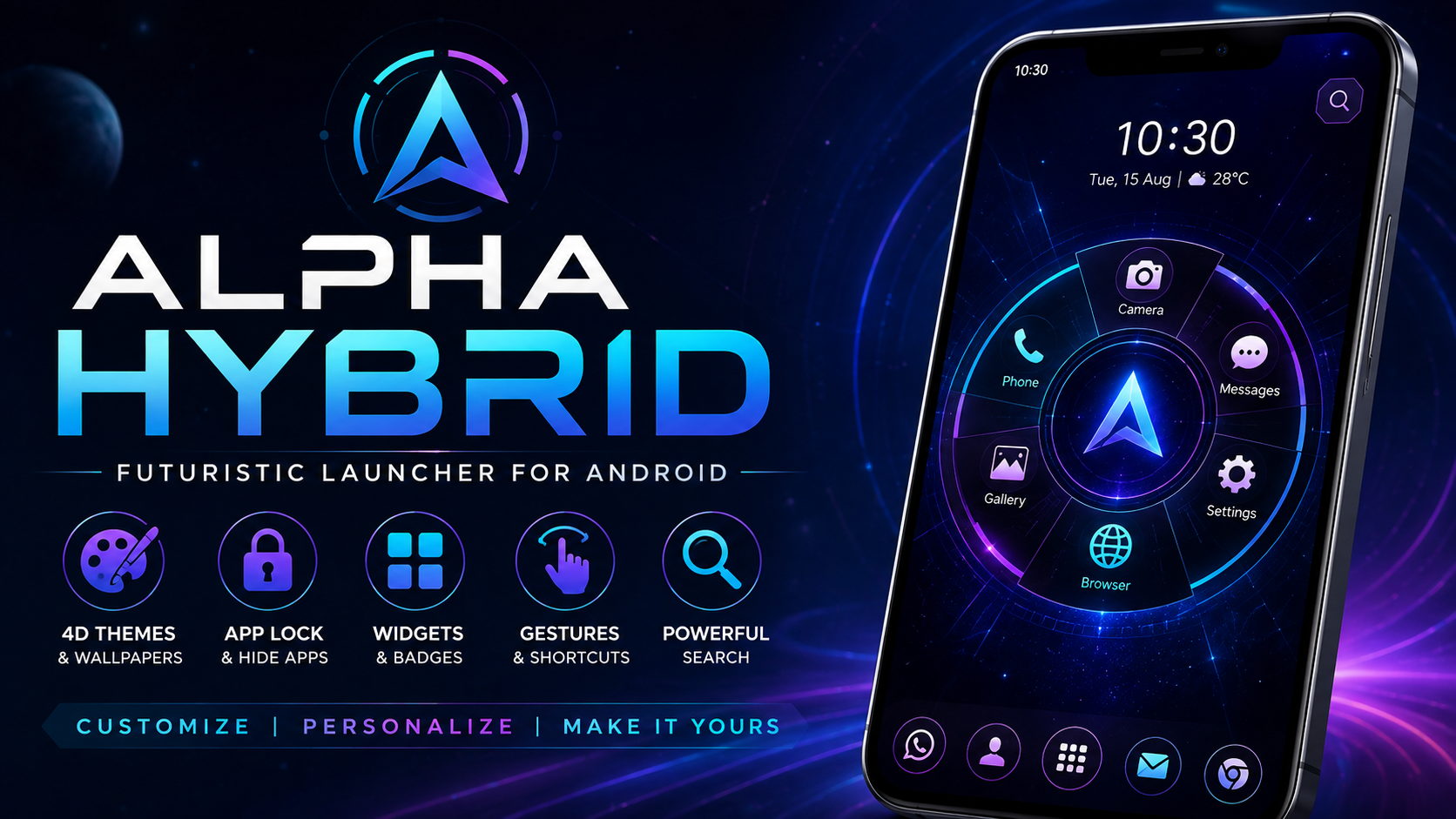
If you want to give your Android phone a completely different appearance, Alpha Hybrid is a launcher designed around futuristic visuals, customization, quick access, and a distinctive home-screen experience. Instead of using a traditional Android home screen, the launcher provides a more interactive interface where apps, widgets, themes, wallpapers, gestures, and other controls can be arranged in a personalized style.
A launcher is more than a simple wallpaper or icon pack. It can change the way you interact with your phone every day. Alpha Hybrid focuses on making that interaction more visual while keeping frequently used applications and information accessible from the home screen.
The app is described as a home-screen replacement with features including themes, icon customization, wallpapers, app locking and hiding, widgets, gestures, search, notification badges, and additional personalization tools. Current public app information also identifies it as Alpha Hybrid Launcher 4D theme, developed by AppTech Launcher Studios Inc.
If you are searching for an Alpha Hybrid guide before installing or using the launcher, this article explains its main features, customization options, installation considerations, performance, privacy considerations, and frequently asked questions.
What Is Alpha Hybrid?
Alpha Hybrid is an Android launcher and personalization application that replaces or enhances the traditional home-screen experience. Its main purpose is to give users greater control over how their Android interface looks and behaves.
The launcher emphasizes a futuristic design rather than a conventional grid-based home screen. Its interface can organize applications in a distinctive circular style, while themes, wallpapers, fonts, widgets, icons, and gestures can be adjusted according to individual preferences.
The idea behind Alpha Hybrid is simple: instead of accepting the default appearance supplied by a smartphone manufacturer, users can create a more personalized environment.
The application combines several customization functions into one launcher experience. Depending on the available device and version, users can access options such as:
- Futuristic home-screen designs
- 4D-style themes
- Wallpapers and live wallpapers
- Icon packs
- DIY customization
- App locking
- App hiding
- Widgets
- Notification badges
- Gesture controls
- Search functionality
- Calendar and weather information
- Category-based application organization
- Font customization
- Multiple language support
The current Google Play listing describes the launcher as a home-screen replacement and customization application and highlights themes, icon packs, app locking, app hiding, wallpapers, widgets, gestures, and search.
Why Is Alpha Hybrid Popular With Android Users?
Android users have different expectations from their home screens. Some prefer a simple interface with only essential icons, while others want animated wallpapers, unusual layouts, colorful themes, widgets, and additional shortcuts.
Alpha Hybrid is aimed more toward users who enjoy personalization.
One of its biggest attractions is the ability to move away from a standard Android launcher design. The futuristic appearance gives the phone a different identity, while the customization tools allow users to modify the interface according to their preferences.
Another important advantage is that several personalization functions are available from the same launcher. Instead of treating the home screen, wallpaper, icons, widgets, and app organization as completely separate tasks, the launcher brings many of these functions together.
This can make the Android experience feel more consistent.
The app has also accumulated millions of downloads on Google Play, indicating substantial interest in this style of Android customization.
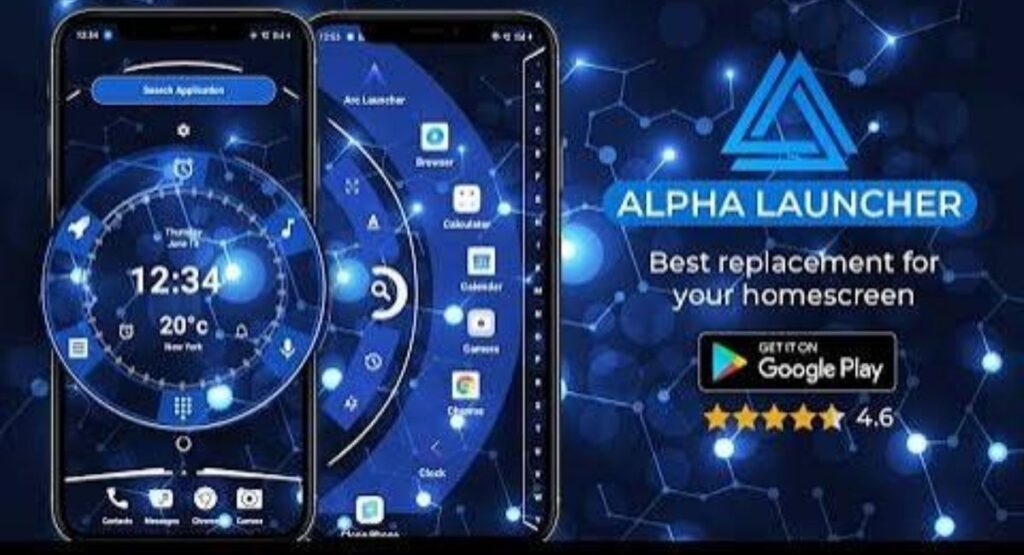
Alpha Hybrid 4D Themes
Themes are one of the most noticeable parts of Alpha Hybrid.
A theme can change the overall visual identity of the launcher. Rather than displaying the standard Android interface, users can choose from futuristic designs and other visual styles.
The launcher promotes premium futuristic themes, wallpapers, live wallpapers, and DIY customization tools.
Themes can be useful for users who regularly become bored with the default appearance of their phone. Instead of manually changing individual elements, a suitable theme can create a more unified visual style.
A theme may influence elements such as:
- Background appearance
- Icons
- Fonts
- Interface elements
- Visual effects
- Launcher sounds
- Widget presentation
The exact options available can depend on the installed version and device.
Futuristic Home Screen Design
The home screen is the part of the launcher you interact with most frequently. Alpha Hybrid attempts to make this area more visually distinctive.
Its circular-style application presentation separates it from conventional launcher layouts. Instead of relying entirely on rows and columns, the interface can organize applications in a rotating or circular arrangement.
This approach can be particularly appealing to people who enjoy futuristic interfaces.
The design also attempts to make application navigation more interactive. Users can browse applications through the launcher interface rather than simply relying on a conventional app drawer.
A visually different home screen can make an older Android phone feel refreshed without changing the phone’s physical hardware.
Alpha Hybrid Icon Customization
Icons are another important part of Android personalization.
A launcher can change how application icons appear without requiring the user to replace the applications themselves. Alpha Hybrid supports icon packs and customization options intended to create a consistent visual appearance.
This can be useful when the default icons on a phone have different shapes, colors, or design languages.
By applying a compatible icon style, users can create a more unified home screen.
Icon customization is especially useful when combined with a theme. A futuristic wallpaper paired with matching icons can create a more polished interface than using unrelated visual elements.
Wallpapers and Live Wallpapers
Wallpapers have a major effect on how a smartphone looks.
Alpha Hybrid includes wallpaper customization and supports live wallpaper-related features. The purpose is to allow users to create a more dynamic background instead of relying on the standard image supplied with the device.
Static wallpapers can provide a clean appearance, while live wallpapers can make the home screen feel more animated.
However, users should consider battery consumption when using animated visual effects. On some devices, continuously active animations can consume more battery or system resources than a static background.
For users who prioritize battery life, a simpler wallpaper configuration may be preferable.
Alpha Hybrid DIY Customization
One of the more interesting ideas behind Alpha Hybrid is DIY customization.
Instead of forcing every user into the same design, customization tools allow users to experiment with different visual combinations.
This can include selecting wallpapers, icons, themes, fonts, widgets, and other interface elements.
DIY customization is valuable because Android smartphones are used by people with very different preferences. A design that looks excellent to one person may be distracting to another.
With customization controls, users can build a home screen that fits their own style.
For example, someone may prefer:
- A dark futuristic background
- Minimal icons
- A small weather widget
- Gesture-based navigation
- Limited home-screen shortcuts
Another user may prefer:
- Bright themes
- Larger widgets
- More application shortcuts
- Animated wallpapers
- More visual effects
The flexibility of Alpha Hybrid makes this type of experimentation possible.
App Lock and Privacy Features
Smartphones often contain personal applications and information. A launcher that provides application-locking functionality can therefore be useful for people who want an additional layer of control over access to selected apps.
Alpha Hybrid advertises app-locking and fingerprint-related protection features.
The exact behavior can vary depending on Android version, device manufacturer, permissions, and the installed launcher version.
Users should remember that an app-lock feature is not necessarily a replacement for the security mechanisms built into Android. A strong device password, PIN, pattern, or biometric lock should remain enabled.
Before granting sensitive permissions, users should also review the permission explanations and privacy information associated with the application.
Hide Apps With Alpha Hybrid
Another useful personalization feature is app hiding.
Some Android users prefer not to display every installed application on their home screen or application list. Hiding selected apps can create a cleaner interface and can also reduce visual clutter.
For example, users may have applications that they rarely open. Keeping those applications hidden while retaining access when needed can make the launcher easier to navigate.
The app’s current listing includes app-hiding functionality among its customization features.
It is important to understand that hiding an application does not necessarily uninstall it or make its data inaccessible. Users should treat app hiding primarily as an interface and privacy convenience rather than a complete security system.
Widgets and Notifications
Widgets provide information without requiring users to open a full application.
Alpha Hybrid supports system widgets and provides its own widget-related functionality. It also supports notification badges and information such as calendar and weather notifications.
Widgets can make a home screen more useful.
For example, a weather widget can display current conditions, while a calendar widget can show upcoming events. Notification badges can indicate that an application has unread information.
The key is balance.
Adding too many widgets can make the home screen crowded and may increase resource usage. A small selection of useful widgets is often easier to manage than filling every available space.
Gesture Controls
Gestures can make navigation faster.
Alpha Hybrid supports multiple gestures, including actions associated with tapping and swiping in different directions.
Instead of searching for a particular control, a user can perform a gesture to access a launcher function.
Gesture-based navigation can be especially useful on large-screen smartphones because it can reduce the need to reach small interface buttons.
However, accidental gestures can sometimes occur. Users should configure gestures carefully and disable any action that interferes with normal phone usage.
Alpha Hybrid Search
Searching for an application or file can become difficult when a smartphone contains dozens or hundreds of installed applications.
The launcher includes a search feature designed to provide access to different categories of information. The current app description says Alpha Search can search across areas such as web content, applications, contacts, files, settings, and Google search.
This can reduce the amount of time required to find something.
Instead of manually scrolling through application pages, users can enter a search query and locate the relevant result.
Search functionality is particularly useful for people who install many applications.
Application Organization
A customized launcher should not only look good; it should also help users find applications.
Alpha Hybrid provides category-based organization features. Its public description mentions predefined categories for organizing applications.
This can make a large collection of apps easier to navigate.
For example, applications can be grouped conceptually around categories such as communication, entertainment, productivity, utilities, or other functions.
Organizing applications reduces the need to remember exactly where an icon is located.
Language Support
Android users live in many different countries and speak different languages.
The application description highlights support for numerous languages and states that the launcher can provide language-related functionality across a broad range of locales.
Language support can make an application more approachable for international users.
The exact language availability may vary by version, so users should check the installed release for the options available on their device.
Fonts and Sounds
Visual customization does not have to stop with wallpapers and icons.
Alpha Hybrid also promotes customized fonts and futuristic sounds as part of its personalization experience.
Changing fonts can subtly alter the personality of the interface. Similarly, interface sounds can make interactions feel different.
Users who prefer a quiet smartphone experience can minimize unnecessary sounds, while users interested in a more immersive futuristic theme can experiment with additional audio effects.
Alpha Hybrid and Android Performance
One of the most important questions before installing any customized launcher is performance.
A launcher runs as part of the phone’s interface, so its behavior can affect how quickly the home screen responds.
Modern Android phones generally have enough processing power to handle feature-rich launchers, but performance can vary significantly between devices.
Factors that may influence performance include:
- RAM capacity
- Processor performance
- Android version
- Number of widgets
- Live wallpapers
- Animation effects
- Background applications
- Storage availability
- Device age
If the home screen becomes slow after enabling several visual effects, reducing animations and widgets may help.
A simpler configuration can provide a good balance between appearance and responsiveness.
Battery Usage Considerations
Battery usage is another consideration when using a feature-rich launcher.
Static themes generally require fewer ongoing resources than animated backgrounds and continuously updating widgets. Live wallpapers, frequent animations, and active information widgets may increase background activity.
This does not mean that every user will experience significant battery drain. Battery behavior depends on the individual device and configuration.
For better efficiency, users can start with a simple theme and add features gradually.
If battery life decreases noticeably, disable one feature at a time to identify what is responsible.
Is Alpha Hybrid Easy to Use?
The launcher provides many customization features, but a large number of options can initially feel unfamiliar.
Users who are accustomed to a standard Android launcher may need some time to understand the circular interface, gesture controls, theme settings, widgets, and organization options.
The best approach is to customize the launcher gradually.
Start with the home-screen layout and wallpaper. Then adjust icons and widgets. After becoming comfortable with navigation, experiment with gestures and additional customization.
This gradual approach prevents the interface from becoming overwhelming.
How to Install Alpha Hybrid on Android
Installation should always be performed carefully.
The safest approach is to obtain the application through a trusted distribution channel and verify that the package corresponds to the intended application.
The official Google Play listing currently identifies the application as Alpha Hybrid Launcher 4D theme and lists AppTech Launcher Studios Inc. as the developer.
A general installation process is:
Step 1: Check Your Android Device
Before installing Alpha Hybrid, confirm that your Android device meets the requirements shown for the version you intend to use.
Compatibility can change between releases.
Step 2: Obtain the Application
Use a trusted application source and make sure the application name and developer information match the expected listing.
Avoid downloading modified packages from unknown sources.
Step 3: Install the Application
Open the downloaded or provided installation package and follow Android’s installation instructions.
If Android displays a security warning, stop and verify the source before continuing.
Step 4: Open Alpha Hybrid
After installation, open the launcher and follow its initial setup instructions.
You may be asked to choose the launcher as your preferred home application.
Step 5: Configure the Home Screen
Start with a basic theme and wallpaper.
After the launcher is working correctly, customize icons, widgets, gestures, and other features.
Step 6: Review Permissions
Some launcher functions may require additional Android permissions. Review each requested permission carefully and only enable functionality that you understand and need.
The app’s public description specifically discusses accessibility access for certain global actions and launcher functions.
Alpha Hybrid Permissions and Privacy
Privacy is an important consideration for any application that interacts closely with the Android interface.
A launcher may need access to certain system functions to provide features such as gestures, screen actions, notifications, or app management.
The current application description explains that accessibility access is required for certain global actions, including going back, opening notifications, taking screenshots, and double-tapping to lock the screen.
Before enabling accessibility or other sensitive permissions, users should read the application’s current privacy policy and permission explanations.
Android permission behavior can also vary by operating-system version.
Do not automatically grant every permission simply because an application requests it. Instead, understand what the permission does and whether it is necessary for the feature you want to use.
Alpha Hybrid Version Information
Version numbers can change as developers publish updates.
Current public information lists Alpha Hybrid Launcher 4D theme at version 15.7, with the Google Play listing showing an update in June 2026.
Third-party APK information also lists version 15.7 and describes the update as containing minor bug fixes and improvements.
Because application versions change over time, users should check the current listing before installation rather than relying on an old version number displayed on an older article.
This is especially important when searching for an Alpha Hybrid APK, because old packages may not provide the same compatibility, features, or security improvements as a current release.
Common Problems With Alpha Hybrid
Like any complex launcher, Alpha Hybrid may not behave identically on every Android phone.
Potential problems can include:
Launcher Not Becoming Default
Some Android phones require users to manually select the preferred home application in system settings.
Widgets Not Appearing Correctly
Widgets can depend on Android permissions and the original application’s compatibility with third-party launchers.
Gestures Not Responding
Gesture functionality may require specific permissions or accessibility access.
Battery Consumption
Live wallpapers, animations, and frequently updating widgets may increase resource usage.
Interface Crashes
A launcher can sometimes conflict with a particular Android version, manufacturer interface, or third-party application.
If a problem occurs, restarting the device, checking permissions, updating the launcher, or temporarily reducing customization can help identify the cause.
How to Make Alpha Hybrid Look Better
The best-looking home screen is not necessarily the one with the most effects.
A clean configuration can often look more professional.
Try the following approach:
- Select one primary theme.
- Choose a wallpaper that does not make icons difficult to read.
- Use a consistent icon style.
- Keep only essential widgets.
- Organize applications into logical categories.
- Enable only useful gestures.
- Avoid excessive animation.
- Keep frequently used applications easy to reach.
- Review notification badges regularly.
- Test the launcher for several days before making major changes.
This approach can produce a futuristic appearance without making the interface difficult to use.
Alpha Hybrid for Different Types of Users
For Customization Fans
Users who enjoy changing wallpapers, icons, fonts, themes, and layouts can find plenty of options to experiment with.
For Minimalist Users
Although the launcher has many visual features, users can create a simpler configuration by using fewer widgets and a restrained theme.
For Older Phones
Performance depends on the device, but reducing animations and live effects can make a feature-rich launcher more manageable on older hardware.
For Large App Collections
Search and category-based organization can make it easier to locate applications.
For Users Who Like Futuristic Designs
The futuristic interface is one of the central characteristics of the launcher and is likely to be the biggest reason for choosing it over a conventional home-screen design.
Advantages of Alpha Hybrid
There are several reasons users may consider Alpha Hybrid:
- Futuristic home-screen appearance
- Extensive theme customization
- 4D-style visual themes
- Wallpaper options
- Icon customization
- App hiding
- App locking
- Widgets
- Notification badges
- Gesture controls
- Search functionality
- Application organization
- Multiple customization options
- Support for different languages
- Personalization through fonts and sounds
The Google Play listing confirms many of these features and describes the application as a home-screen replacement focused on customization.
Things to Consider Before Using Alpha Hybrid
Despite its feature set, Alpha Hybrid may not be ideal for everyone.
Users who prefer an extremely simple Android interface may find the additional animations and customization options unnecessary.
People using older or low-memory devices should also test performance before enabling many resource-intensive features.
Privacy permissions should be reviewed carefully, particularly when enabling accessibility functionality.
Finally, users should understand that third-party launchers can change the appearance and behavior of the Android home screen substantially. If you prefer the exact interface supplied by your phone manufacturer, a customized launcher may feel unfamiliar.
Alpha Hybrid vs a Standard Android Home Screen
The main difference is customization.
A standard Android launcher generally focuses on basic application access, widgets, wallpapers, and system integration.
Alpha Hybrid adds a much stronger visual and personalization component.
The difference becomes especially noticeable when themes, circular layouts, gestures, icons, and wallpapers are enabled.
For users who want something visually different, this can be a major benefit.
For users who value simplicity above everything else, the standard launcher may remain preferable.
FAQs
What is Alpha Hybrid?
Alpha Hybrid is an Android launcher focused on home-screen customization, futuristic designs, themes, wallpapers, widgets, gestures, application organization, and additional personalization tools.
Is Alpha Hybrid an Android launcher?
Yes. It is presented as a home-screen replacement and personalization launcher. The current Google Play listing identifies it as Alpha Hybrid Launcher 4D theme.
Does Alpha Hybrid support themes?
Yes. Themes are one of its major customization features, including futuristic and 4D-style visual designs.
Can Alpha Hybrid hide applications?
The application description includes app-hiding functionality among its personalization tools.
Does Alpha Hybrid provide app locking?
Yes. App-locking functionality is advertised as part of the launcher experience.
Does Alpha Hybrid support widgets?
Yes. The launcher supports system widgets as well as launcher-specific widget features.
Does Alpha Hybrid support gestures?
Yes. Its listed features include multiple gesture actions such as tapping and directional swipes.
Is Alpha Hybrid free?
The current Google Play listing presents the application as containing ads and offering in-app purchases.
What is the latest Alpha Hybrid version?
Public information currently lists version 15.7, with the Google Play listing showing an update dated June 16, 2026.
Should I install an old Alpha Hybrid version?
Generally, users should prefer a current compatible release because updates can include fixes and compatibility improvements. Older releases may be useful only when there is a specific compatibility reason and the source is trustworthy.
Final Thoughts
Alpha Hybrid is a feature-rich Android launcher designed for people who want more control over the appearance and behavior of their smartphone home screen. Its combination of futuristic themes, 4D-style designs, wallpapers, icons, widgets, gestures, application organization, app locking, and hiding tools makes it substantially different from a basic Android launcher.
The strongest reason to use Alpha Hybrid is personalization. Users can experiment with different layouts, themes, wallpapers, icons, fonts, widgets, and gestures until the interface matches their preferred style.
At the same time, customization should be balanced with performance, battery usage, and privacy. Users should review permissions carefully, especially when enabling accessibility-related functionality, and should obtain the application from a trusted source.
For Android users who enjoy futuristic interfaces and want to transform the standard home screen into a more distinctive experience, Alpha Hybrid is worth exploring. Its wide range of customization options makes it possible to create anything from a simple personalized home screen to a highly visual futuristic interface.
Before installing, always check the current version, Android compatibility, permissions, developer information, and available features. Public app information currently lists version 15.7, demonstrating why keeping articles updated is important when publishing an Android app guide.
If your goal is to make your Android phone look different while also improving the way you organize applications, access widgets, use gestures, and personalize your home screen, Alpha Hybrid provides a broad collection of tools in one launcher experience.



