


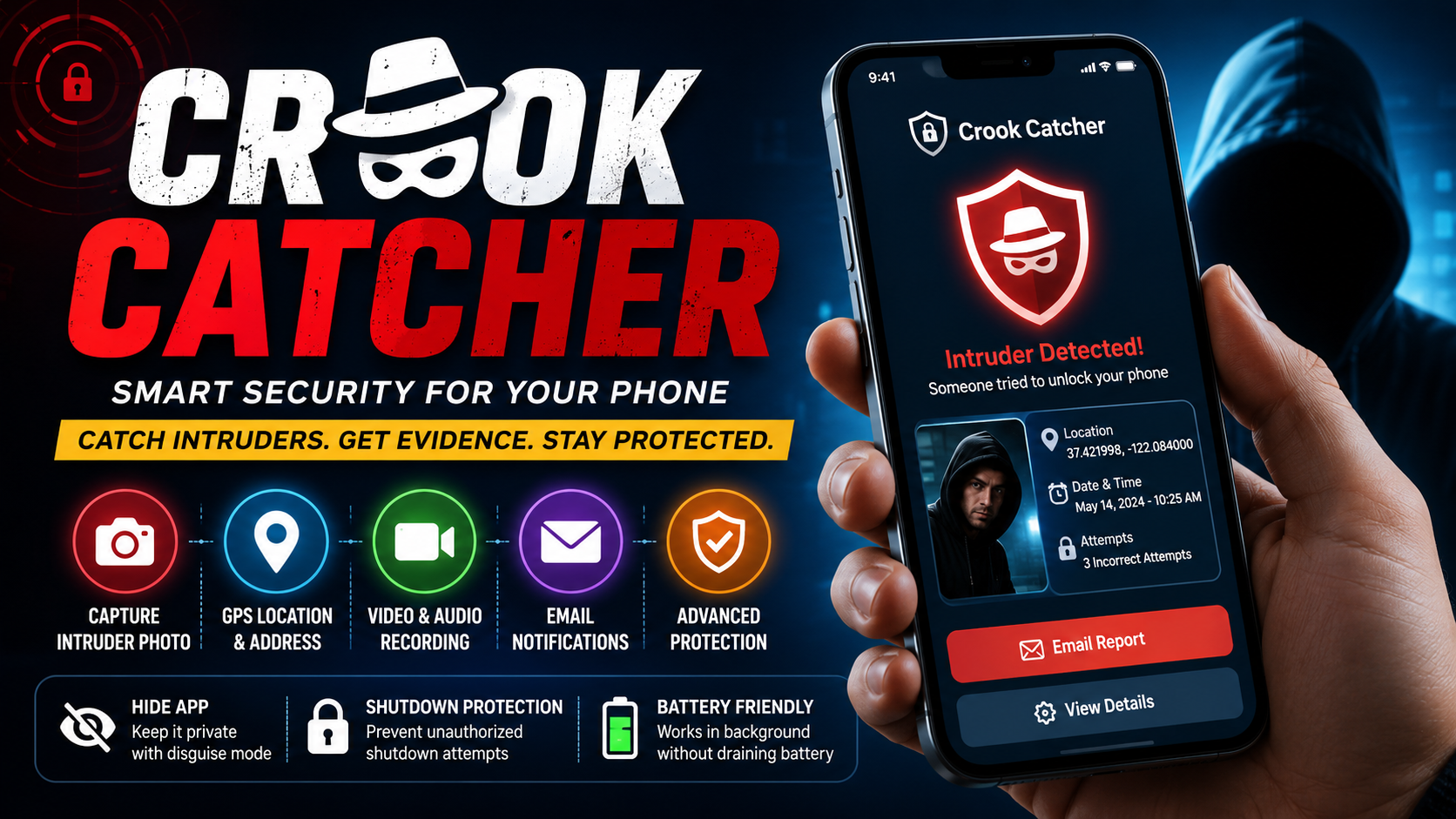
Crook Catcher is a phone security application designed to help users identify unauthorized attempts to access their devices. The basic idea behind Crook Catcher is simple: when somebody enters an incorrect password, PIN, or pattern on a protected phone, the application can react to the failed attempt and collect useful information about the person trying to access the device.
For many smartphone users, a lock screen is the first line of defense. A strong PIN, password, or pattern can prevent unwanted access, but users may still want to know what happened when someone attempted to unlock their phone. This is where Crook Catcher focuses its functionality.
The application is designed to work quietly in the background and monitor unsuccessful unlock attempts. Depending on the device and available permissions, it can capture a photo of an individual attempting to access the phone and provide additional information such as location details.
The concept behind Crook Catcher is especially useful for people who want an additional layer of awareness around their phone security. Instead of simply showing that an incorrect password was entered, the application can potentially provide more information about the failed access attempt.
The original application description explains that Crook Catcher can take a photo when someone enters the wrong password, PIN, or pattern and can send information that may include an image, GPS location, and estimated address.
How Does Crook Catcher Work?
The main function of Crook Catcher is based on detecting unsuccessful attempts to unlock a device.
A typical process can be understood in several simple steps:
- The user protects the smartphone with a password, PIN, or pattern.
- Crook Catcher operates according to the permissions and settings available on the device.
- Someone enters an incorrect unlocking method.
- The application detects the unsuccessful attempt.
- Depending on the configuration and device capabilities, the application can capture an image.
- Additional information may be collected.
- The user can review the available information to understand the attempted access.
This approach makes the application different from a basic screen-locking feature. A traditional lock screen primarily prevents unauthorized access. Crook Catcher focuses on helping the owner identify what happened after an unsuccessful access attempt.
The exact behavior can depend on Android version, device manufacturer, permissions, and enabled features. Some experimental functions may not work on every device, which is important to keep in mind when configuring the application.
Why Use Crook Catcher?
Smartphones contain personal conversations, photos, documents, accounts, contacts, and other private information. Losing physical control of a phone for even a short period can create concern.
A strong lock screen is important, but users may also want information about unsuccessful access attempts.
This is one of the main reasons people may be interested in Crook Catcher.
The application provides a security-focused approach that can help users understand whether someone has tried to access their phone. Instead of relying only on the lock screen notification, users can potentially receive additional evidence about an attempted unlock.
Some of the major reasons to consider Crook Catcher include:
- Detection of incorrect unlock attempts
- Intruder photo capture
- Potential location information
- Email-based notifications
- Additional security-oriented features
- Background operation
- Battery-conscious operation
- Support for different device security situations
These features make Crook Catcher an interesting option for users who want more visibility into failed phone-access attempts.
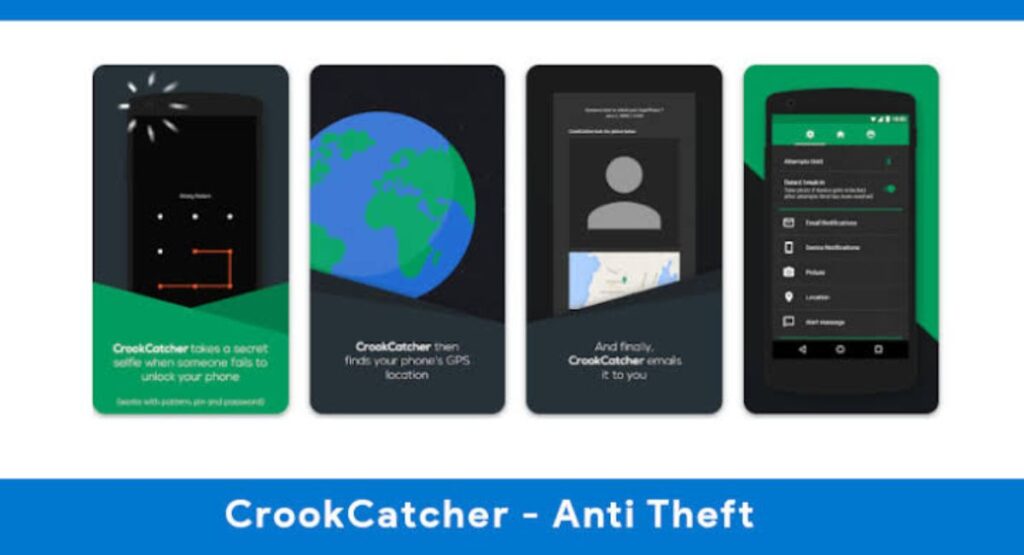
Crook Catcher Intruder Detection
One of the most recognizable features of Crook Catcher is its focus on intruder detection.
When an incorrect password, PIN, or pattern is entered, the application can respond to the failed attempt. According to the original page, the application can take a photo of the person attempting to unlock the phone.
This can be useful in several situations.
For example, imagine that you leave your phone on a desk while you step away. When you return, you notice that someone may have attempted to unlock it. A normal lock screen may tell you that an incorrect attempt occurred, but it may not tell you who made the attempt.
With Crook Catcher, the intended purpose is to provide additional information that can help the phone owner understand the situation.
The captured information can potentially help answer questions such as:
- Was someone trying to access the phone?
- When did the attempt happen?
- Was an image captured?
- Where was the device located?
- How many unsuccessful attempts occurred?
The usefulness of these features depends on device compatibility, permissions, and configuration.
Photo Capture Feature
The photo capture feature is one of the central ideas behind Crook Catcher.
When someone enters an incorrect unlocking method, the application may use the device camera to capture an image of the person attempting access. The purpose is to give the phone owner a visual record of the unsuccessful attempt.
This can be particularly useful when the owner wants to identify who interacted with the device.
A photo-based security alert can provide more context than a simple failed-login notification. However, users should remember that camera behavior depends on the device and operating-system restrictions.
For the best experience, the necessary permissions should be correctly configured, and the device should support the relevant feature.
GPS and Location Information
Another important part of Crook Catcher is its ability to work with location information.
The original description states that the application can send a GPS location and estimated address along with intruder information.
Location information can provide additional context about an unsuccessful access attempt.
For example, if a phone is misplaced or accessed somewhere unexpected, location information may help the owner understand where the event took place.
However, GPS accuracy can vary. Indoor environments, weak signals, device settings, and permission restrictions can all influence location accuracy.
Therefore, location information should be treated as useful supporting information rather than a guarantee of an exact physical position.
Email Notifications
Crook Catcher can also use email as part of its notification approach.
The original page describes sending an email containing information such as an intruder photo, GPS location, and estimated address.
Email notifications can be useful because the information does not necessarily need to remain only on the phone.
If configured correctly, the user can receive information about an attempted access event and review it later.
Before relying on email notifications, users should make sure their email-related settings and permissions are correctly configured. Network connectivity can also affect whether information is delivered successfully.
Video and Audio Evidence
The application description also highlights additional intruder-detail functionality involving video with sound.
This expands the security concept beyond a single photograph.
Video and audio can potentially provide more context about an event. Instead of having only one image, users may have a more detailed record of what occurred.
However, these features may be more dependent on the phone model and operating-system restrictions. The original page specifically notes that experimental features may not work on all devices.
Users should therefore test the application after setup rather than assuming every feature will operate identically on every smartphone.
Advanced Security Features
Crook Catcher is not limited to basic failed-password detection. The original description also mentions additional security-oriented functionality.
One example is the ability to hide applications using disguised symbols and names.
The purpose of such functionality is to make the security application less obvious to another person using the device.
This can be useful for users who prefer a less visible security setup.
However, users should understand that advanced security features can require additional permissions. Whenever an application requests sensitive permissions, those permissions should be reviewed carefully before they are enabled.
Protection Against Attempts to Shut Down the Phone
Another feature mentioned on the original Crook Catcher page is protection related to attempted shutdown actions.
The application uses permissions to help identify certain actions from the lock screen.
The purpose of this type of feature is to keep the security mechanism useful when someone attempts to interfere with the device.
However, Android devices differ considerably in how they handle power controls, lock-screen behavior, background applications, and permissions. As a result, users should consider this feature device-dependent.
Battery-Friendly Operation
A security application that constantly runs in the background could potentially affect battery life. Crook Catcher is designed around a different approach.
The original page describes the application as battery-friendly and indicates that it remains inactive unless an unlock attempt triggers its functionality.
This design can help reduce unnecessary background activity.
For users who care about battery performance, this is an important consideration. A security tool should provide useful protection without unnecessarily consuming resources.
Actual battery usage can still vary based on smartphone hardware, Android version, permissions, camera activity, location services, and other settings.
Crook Catcher and Phone Privacy
Security and privacy should always be considered together.
Because Crook Catcher can interact with functions such as the camera and location, users should understand the permissions they grant to the application.
Camera access can involve capturing images.
Location access can involve collecting information about where a device is located.
Email functionality can involve transmitting security information.
For this reason, users should configure the application carefully and only provide permissions required for the features they want to use.
A good security setup is not simply about activating every available feature. It is about understanding what each feature does and deciding which options are appropriate.
How to Set Up Crook Catcher
Setting up Crook Catcher should be approached carefully.
First, make sure your smartphone has a secure screen-lock method such as a PIN, password, or pattern.
Next, install and open the application.
After opening it, review the available settings and permissions. Depending on your device, the application may request access to functions required for security monitoring.
Important permissions can include access related to:
- Camera
- Location
- Notifications
- Background operation
- Device security functions
Enable only the permissions needed for the features you want.
After configuration, perform a controlled test. Lock your phone and enter an incorrect password or pattern according to the application’s supported behavior.
Then check whether the expected security response occurs.
Testing is important because Android devices can handle permissions and background processes differently.
How to Test Crook Catcher
A simple test can help determine whether Crook Catcher is working correctly.
Start by making sure the phone is unlocked.
Confirm that the application is configured and that the necessary permissions have been granted.
Then lock the device.
Use an incorrect PIN, password, or pattern once.
After the attempt, unlock the phone normally and check whether the expected information was recorded.
If the application supports notifications or email alerts, check whether those functions operate as expected.
If a feature does not work, review the application’s permissions and device settings.
Avoid repeatedly entering incorrect passwords unnecessarily because security settings can vary between devices.
Common Crook Catcher Problems
Although Crook Catcher is designed to provide security-related functionality, users may encounter problems.
1. Photo Is Not Captured
If no photo is captured after an unsuccessful unlock attempt, check whether camera permission is enabled.
Also verify whether the phone’s Android version or manufacturer restrictions affect background camera functionality.
2. Location Is Missing
If location information is unavailable, make sure location services are enabled and the application has the necessary permission.
GPS accuracy can also vary depending on the environment.
3. Email Is Not Received
If an alert email does not arrive, check the application’s email configuration and make sure the phone has an active internet connection.
Also verify that the destination email information is entered correctly.
4. Background Operation Stops
Some phones aggressively restrict background applications to improve battery life.
If Crook Catcher stops responding after the phone has been idle, check the device’s battery-optimization and background-activity settings.
5. Experimental Features Do Not Work
The original page warns that experimental features may not work on every device.
This means that a feature working on one smartphone does not necessarily mean it will work in exactly the same way on another.
Is Crook Catcher Easy to Use?
The basic concept of Crook Catcher is straightforward.
Users protect their phone with an existing screen-lock method and configure the application to respond to failed access attempts.
The more advanced features may require additional setup because they can depend on permissions and device settings.
For beginners, the best approach is to start with the basic security functionality and then test additional features one at a time.
This makes it easier to identify which setting is responsible if something does not work as expected.
Crook Catcher for Lost or Misplaced Phones
A phone can be misplaced in many situations.
It may be left at home, in an office, inside a vehicle, or somewhere else.
If another person finds the phone, the owner may want to know whether someone attempted to access it.
Crook Catcher is designed to provide information about unsuccessful unlock attempts, which can potentially be useful in these circumstances.
The application should not be considered a replacement for general device-security practices. Users should still maintain a strong lock method and use the security features provided by their phone.
Benefits of Crook Catcher
There are several potential benefits to using Crook Catcher.
Intruder Awareness
The application can help users become aware of unsuccessful attempts to access their phones.
Photo Evidence
Supported configurations may capture an image after an incorrect unlock attempt.
Location Details
Location information can provide additional context when available.
Email Alerts
Email-based notifications can make it easier to review security events.
Additional Security Options
Advanced functionality gives users more control over how security events are handled.
Battery-Conscious Design
The application is described as battery-friendly because it is intended to remain inactive until relevant activity occurs.
Things to Consider Before Using Crook Catcher
Although Crook Catcher can add an extra layer of security awareness, users should keep several things in mind.
First, application behavior can vary by smartphone.
Second, some features depend on permissions.
Third, experimental features may not work on every device.
Fourth, location information may not always be perfectly accurate.
Finally, security applications should be configured responsibly.
Users should understand what information is collected, where it is stored or sent, and which permissions are enabled.
Crook Catcher vs. Basic Phone Locking
A normal phone lock protects access to the device.
Crook Catcher focuses on what happens when someone attempts to bypass that protection by entering an incorrect password, PIN, or pattern.
These two approaches can work together.
The phone’s built-in lock screen provides the primary barrier.
Crook Catcher can provide additional awareness about unsuccessful attempts.
This makes the application more focused on monitoring attempted access rather than simply preventing access.
Tips for Better Phone Security
Using Crook Catcher is only one part of a broader phone-security strategy.
Users should also:
- Use a strong PIN or password.
- Avoid sharing the device passcode.
- Keep the phone’s operating system updated.
- Review application permissions regularly.
- Avoid granting unnecessary permissions.
- Use a secure email account for security notifications.
- Test security features after configuration.
- Keep important information backed up.
- Lock the phone whenever leaving it unattended.
A layered approach generally provides better protection than relying on a single security feature.
FAQs
What is Crook Catcher?
Crook Catcher is a phone security application designed to detect unsuccessful attempts to unlock a smartphone and, depending on configuration and device support, collect information about the attempted access.
How does Crook Catcher detect an intruder?
It is designed to respond when someone enters an incorrect password, PIN, or pattern on the protected device.
Can Crook Catcher take a photo?
The application’s description states that it can capture a photo when someone enters an incorrect unlocking method.
Can Crook Catcher provide location information?
Yes. The original description states that GPS location and an estimated address can be included with security information.
Does Crook Catcher use email alerts?
The original application description includes email delivery of intruder-related information.
Does Crook Catcher record video?
The application description mentions video with sound as part of its intruder-detail features. Availability can depend on the device and feature support.
Will every Crook Catcher feature work on every phone?
Not necessarily. The original page specifically states that experimental features may not work on all devices.
Does Crook Catcher consume a lot of battery?
The application is described as battery-friendly and intended to remain inactive unless relevant activity occurs. Actual battery consumption can vary by device and configuration.
Is Crook Catcher useful for phone security?
It can be useful for users who want additional information about unsuccessful attempts to access their smartphone, particularly when photo or location features are supported.
Final Thoughts on Crook Catcher
Crook Catcher provides a security-focused approach for smartphone users who want more information about failed unlock attempts. Instead of simply blocking an incorrect password, PIN, or pattern, the application is designed to help users identify and understand attempted access.
Its main concept is straightforward: detect an unsuccessful unlock attempt and, where supported, provide additional information such as an intruder photo, location details, or email notification.
The application also describes additional features involving video, sound, application hiding, shutdown-related protection, and battery-conscious operation. However, users should remember that device compatibility and Android restrictions can influence how these features work. The original page also notes that experimental features may not work on every device.
For the best experience, users should configure Crook Catcher carefully, review permissions, test the important functions, and maintain a strong phone lock.
Ultimately, Crook Catcher is designed to add another layer of awareness to smartphone security. If you want to know more than simply whether an incorrect unlock attempt occurred, its combination of attempted-access detection, photo capture, location information, and notification features can make it a useful security-oriented tool.
Key Features at a Glance
- Incorrect password detection
- Incorrect PIN detection
- Incorrect pattern detection
- Intruder photo capture
- GPS location information
- Estimated address information
- Email notifications
- Video and audio functionality
- Additional security options
- Application hiding functionality
- Shutdown-related protection
- Battery-conscious operation
- Security-event awareness
With proper configuration and realistic expectations about device compatibility, Crook Catcher can serve as an additional security layer for Android smartphone users who want greater visibility into unauthorized access attempts.



