


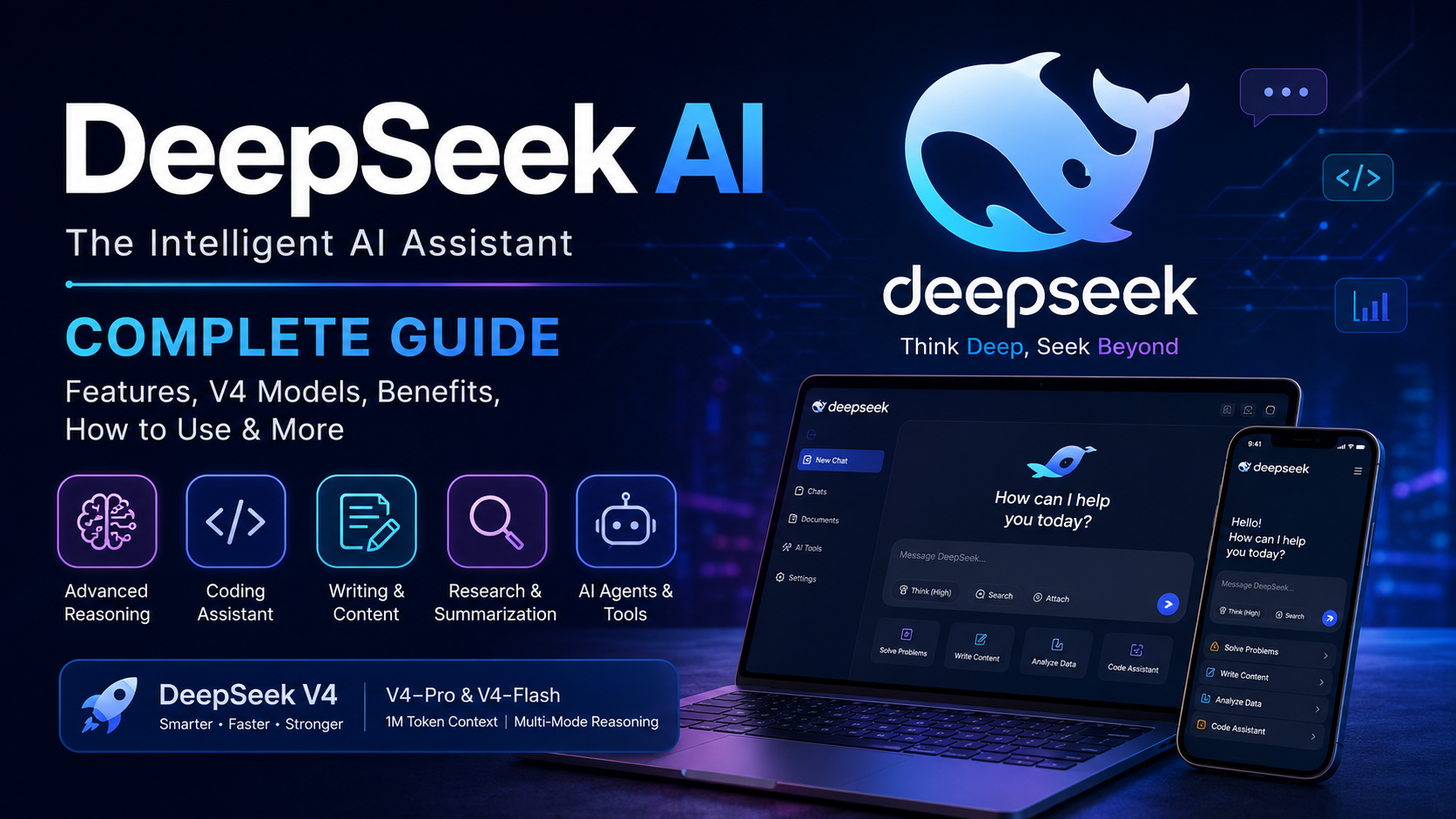
DeepSeek is an intelligent artificial intelligence assistant designed to help users with questions, writing, reasoning, coding, research, learning, and many other everyday tasks. As AI technology continues to develop, DeepSeek has become an important tool for people who want fast and practical assistance from an AI system.
Whether you are a student, writer, developer, researcher, content creator, business owner, or everyday smartphone user, DeepSeek can help simplify many tasks. The platform provides access to advanced AI models through its web experience, mobile application, and developer API. The official DeepSeek website currently highlights the V4 generation, including V4-Pro and V4-Flash, with a strong focus on reasoning, long-context processing, and agent capabilities.
In this complete guide, we will explain what it is, how its works, its major features, benefits, common uses, mobile experience, coding capabilities, safety considerations, and practical tips for getting better results.
What Is DeepSeek?
It is an artificial intelligence platform built around large language models. It allows users to communicate with an AI assistant through natural-language prompts. Instead of searching manually for information or completing every task from scratch, users can describe what they need and ask the AI to help.
The platform is designed for a wide range of tasks. You can use this to explain difficult topics, generate ideas, summarize information, write content, solve problems, analyze text, assist with programming, and support research.
It’s official platform currently offers web access, a mobile application, an API platform, and other developer-focused products. Its latest V4 generation is available across the official ecosystem.
One reason it attracts attention is its emphasis on reasoning and efficient AI models. The company also publishes information about its models, research, and training methods, giving developers and researchers more insight into how its technology is developed.
DeepSeek at a Glance
Here is a simple overview:
- Name: DeepSeek
- Category: Artificial Intelligence
- Main purpose: AI assistance and intelligent conversations
- Uses: Writing, learning, coding, reasoning, research, brainstorming, and productivity
- Platforms: Web, mobile app, and API
- Current generation: DeepSeek V4
- Major models: DeepSeek-V4-Pro and DeepSeek-V4-Flash
- Context capability: Up to 1 million tokens for current V4 API models
- Developer access: Available through the DeepSeek API
- Reasoning: Supported through dedicated thinking modes
- Developer features: Tool calling, structured output, and agent-oriented capabilities
The exact features and pricing can change asit continues to update its models and services, so users should check the official information for the latest version.
Why Is It Popular?
The growth of its is connected to the increasing demand for practical AI tools. People want technology that can help them complete work faster without requiring advanced technical knowledge.
It can be useful because users can interact with it using ordinary language. You do not necessarily need to understand programming or artificial intelligence to start a conversation.
For example, a student can ask for a simple explanation of a difficult lesson. A writer can request ideas for an article. A developer can ask for help understanding code. A business owner can use it for brainstorming. A researcher can use it to organize information and explore concepts.
Another important area is reasoning. It has developed models specifically designed to improve performance on tasks requiring more deliberate analysis. The V4 generation also introduces multiple thinking modes and agent-oriented capabilities.
Main Features of DeepSeek
1. Intelligent AI Conversations
The basic feature of DeepSeek is its conversational AI experience.
You can type a question or instruction and receive an AI-generated response. The system attempts to understand the meaning of your prompt and provide an appropriate answer.
Instead of using complicated commands, you can write something naturally.
For example:
Explain this topic in simple words.
Or:
Give me five ideas for a technology article.
Clear prompts usually produce better results because the AI has more information about what you want.
2. Advanced Reasoning
Reasoning is one of the major areas associated with modern models.
Some problems require more than simply producing a quick response. Mathematics, programming, logic, planning, and complex analysis can require multiple steps of reasoning.
The current V4 model family supports different reasoning modes, including non-thinking and deeper thinking options. The official model information describes three reasoning modes for V4: Non-Think, Think High, and Think Max.
This gives users greater flexibility depending on the type of task.
For a simple question, a fast response may be enough. For a complex problem, a deeper reasoning mode can be more appropriate.
3. Coding Assistance
It can also be useful for programmers and developers.
AI-assisted programming can help users understand code, identify possible errors, generate examples, explain programming concepts, and create solutions based on instructions.
A beginner might ask:
Explain this Python code line by line.
An experienced developer might ask:
Help me identify the possible problem in this function.
It’s newer models also focus strongly on agent capabilities and coding-related tasks. The official V4 announcement highlights improved agentic coding capabilities and developer integrations.
However, developers should always review AI-generated code before using it in a real project. AI can produce incorrect logic, security problems, outdated assumptions, or code that does not match the project’s requirements.
4. Long-Context Processing
Another important capability is context length.
The current V4 models support up to a 1-million-token context according to it’s official model and API documentation.
A large context window can be useful when working with substantial amounts of information.
For example, users may want an AI system to work with:
- Long documents
- Large research materials
- Extensive code
- Detailed project instructions
- Multiple sections of a document
- Large amounts of text
Long-context capabilities can reduce the need to divide large tasks into many small conversations.
5. Writing Assistance
It can help with many writing-related tasks.
Users can ask for:
- Blog ideas
- Article outlines
- Explanations
- Drafts
- Summaries
- Grammar improvements
- Rewriting
- Product descriptions
- Study notes
- Social media ideas
- Professional messages
The quality of the result depends heavily on the prompt. A short instruction may produce a general response, while a detailed instruction can produce something much closer to the user’s requirements.
For example, instead of saying:
Write an article.
You can say:
Write a beginner-friendly article about artificial intelligence using short paragraphs, clear headings, examples, and an informative tone.
The second prompt gives the AI much more direction.
6. Research and Learning
It can also work as a learning assistant.
Students can use it to understand concepts that may be difficult when reading textbooks or notes.
For example:
Explain photosynthesis in easy words.
Or:
Explain the difference between assets and liabilities with examples.
You can also ask the AI to turn a difficult topic into:
- Bullet points
- Short notes
- Questions and answers
- Revision material
- Examples
- Step-by-step explanations
This makes AI useful for learners who prefer simple explanations.
However, important academic facts should still be checked against reliable educational sources. AI-generated answers can sometimes contain mistakes.
DeepSeek for Students
Students can use it for many educational purposes.
One of the most useful applications is simplifying difficult information.
A student can provide a complicated paragraph and ask the AI to explain it in easier language. This can make revision more manageable.
It can also help students create study plans.
For example:
Create a seven-day revision plan for my business law exam.
The AI can organize subjects into daily sections.
Students can also use it to create practice questions:
Create 20 short questions about accounting ratios and provide answers at the end.
Another useful approach is active learning. Instead of simply asking the AI for answers, students can ask it to test them.
For example:
Ask me five questions about this topic one at a time and tell me where I need improvement.
This can make studying more interactive.
DeepSeek for Content Creators
Content creators can use it to speed up the planning stage of content production.
It can help generate:
- Topic ideas
- Article structures
- Video ideas
- Headlines
- Descriptions
- FAQs
- Social media concepts
- Content calendars
- Short summaries
For example, a technology blogger could ask:
Give me 20 article ideas about mobile applications.
The user can then select the strongest ideas and develop them further.
AI should be treated as an assistant rather than a replacement for human judgment. Original experience, accurate information, editing, and useful insights are still important for creating high-quality content.
DeepSeek for Developers
Developers can use this for several stages of software development.
It can help explain unfamiliar code, suggest approaches, create examples, and assist with debugging.
A developer might ask:
Explain why this JavaScript function is returning an unexpected result.
Or:
Create a basic example of an API request in Python.
The AI can then provide an explanation or sample implementation.
For larger development projects, the developer should provide relevant context, requirements, expected behavior, and limitations.
The current API also supports advanced features such as tool calls and structured output, while the V4 platform is designed for building applications and workflows.
DeepSeek for Business and Productivity
Businesses can use AI to reduce repetitive work and organize information.
Possible uses include:
- Drafting internal documents
- Creating ideas
- Summarizing text
- Preparing meeting notes
- Generating templates
- Brainstorming marketing ideas
- Organizing information
- Supporting customer-service workflows
- Assisting software development
The key benefit is not simply generating text. AI can help users move from an idea to a structured result more quickly.
For example, instead of starting a business proposal from a blank page, a user can provide the main requirements and ask it to create an initial structure.
The human can then review, edit, and improve the document.
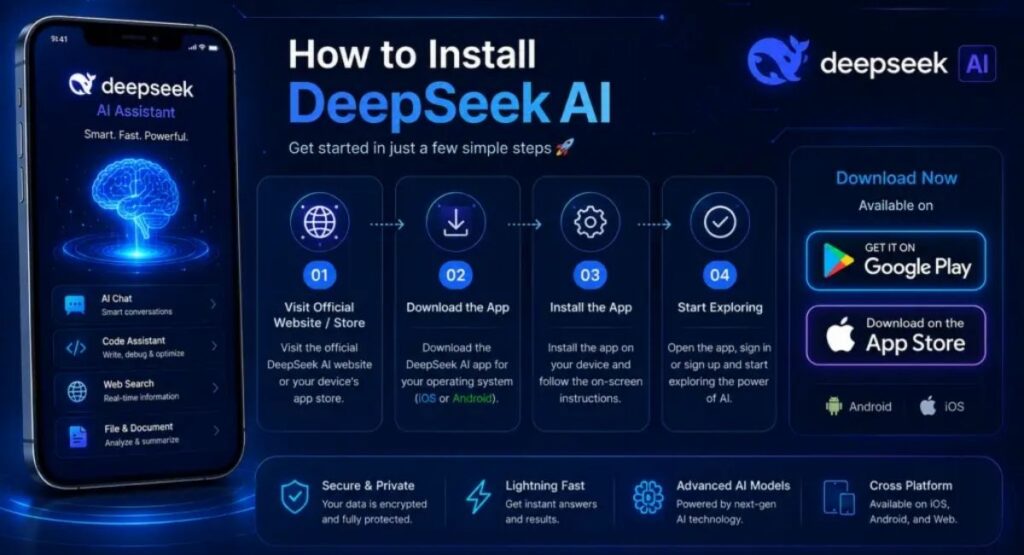
DeepSeek Mobile App
It is also available as a mobile application.
The official introduction of the app described features including account login, synchronized chat history, web search, Deep-Think mode, file uploading, and text extraction.
A mobile AI assistant can be useful because users can access conversations while using a smartphone.
You can use the app for quick questions, learning, writing ideas, problem solving, or other everyday tasks.
When installing an AI application, it is important to use official distribution channels and verify the application name carefully. DeepSeek itself advises users to download its app through official channels.
How to Use DeepSeek
Using DeepSeek is generally straightforward.
Step 1: Open DeepSeek
Start the official DeepSeek web experience or the official mobile application.
Step 2: Sign In
Depending on the available option, create an account or sign in.
Step 3: Start a Conversation
Enter your question or instruction in the chat box.
Step 4: Explain What You Need
Be specific about the result you want.
For example:
Explain artificial intelligence to a beginner in 300 words using simple examples.
This is better than simply writing:
AI.
Step 5: Improve the Result
If the first answer is not exactly what you need, continue the conversation.
You can ask:
Make it shorter.
Or:
Explain this with an example.
Or:
Rewrite this in easier English.
This conversational process allows you to gradually improve the result.
How to Write Better DeepSeek Prompts
Good prompts are one of the most important parts of using AI effectively.
A useful prompt normally includes four things:
- Task – What should the AI do?
- Context – What information does it need?
- Format – How should the answer look?
- Audience – Who is the content for?
For example:
Write a beginner-friendly explanation of digital marketing for college students. Use simple English, short paragraphs, examples, and five headings.
This is much more useful than:
Explain digital marketing.
You can also ask DeepSeek to revise its response.
For example:
Make this explanation easier to understand.
Or:
Turn these paragraphs into bullet points.
Or:
Give me a shorter version for revision.
DeepSeek for Problem Solving
AI can be useful for breaking complicated problems into smaller steps.
When dealing with a difficult task, you can ask DeepSeek to explain the process step by step.
For example:
Explain how to solve this accounting problem step by step and show the formula used.
This can make the process easier to understand.
However, users should not automatically assume every AI calculation is correct. For mathematics, accounting, finance, programming, or other technical work, important results should be checked independently.
DeepSeek and AI Reasoning
Reasoning is an important part of the latest DeepSeek generation.
Traditional chatbot interactions often focus on generating a direct answer. Reasoning-focused systems are designed to spend more effort on complex tasks.
DeepSeek’s V4 model family provides different thinking modes, allowing the experience to be adjusted depending on the task.
This can be particularly useful for:
- Mathematics
- Logic
- Programming
- Planning
- Technical analysis
- Complex questions
- Multi-step tasks
The goal is not simply to make every response longer. Instead, deeper reasoning can be useful when the problem itself requires more analysis.
DeepSeek V4
DeepSeek V4 is the latest major model generation highlighted by the official DeepSeek platform.
The V4 release introduced DeepSeek-V4-Pro and DeepSeek-V4-Flash. DeepSeek describes V4 as a major step toward more efficient long-context processing and stronger agent capabilities.
DeepSeek-V4-Pro is positioned for more demanding tasks, while V4-Flash is designed to provide faster and more efficient processing.
The official model documentation lists a 1-million-token context length and different reasoning modes for the V4 family.
This makes the latest generation particularly interesting for developers and users working with large amounts of information.
DeepSeek API for Developers
DeepSeek is not limited to normal conversations.
Developers can integrate DeepSeek models into applications using the API.
The official API platform provides access to the V4 model family and features designed for application development, workflows, and agent-based systems.
The API documentation currently lists features including tool calls, JSON output, and large context support. Pricing is based on token usage and can change over time.
This means developers can build their own AI-powered applications rather than using DeepSeek only through the standard chat interface.
Benefits of DeepSeek
There are several reasons users may find DeepSeek useful.
Easy Interaction
Users can communicate using normal language without learning complicated commands.
Multiple Use Cases
One AI assistant can support writing, learning, programming, research, brainstorming, and productivity.
Reasoning Capabilities
Modern DeepSeek models are designed to handle more complex reasoning tasks.
Large Context
The current V4 generation supports a very large context window, which is useful for lengthy documents and complex projects.
Developer Access
Developers can use the API to integrate DeepSeek models into applications and workflows.
Continuous Development
DeepSeek continues to release new models and research, meaning its capabilities can evolve over time.
Things to Keep in Mind When Using DeepSeek
Although DeepSeek can be useful, users should understand its limitations.
AI Can Make Mistakes
An AI-generated response may sound convincing while still being incorrect.
Always verify important information.
Do Not Share Sensitive Information
Users should think carefully before entering private, confidential, financial, business, or personal information into an AI service.
DeepSeek’s privacy documentation states that it collects information related to conversations and account use as described in its privacy policy.
Review AI-Generated Code
Never automatically deploy AI-generated code without testing it.
Check Important Facts
For academic, legal, financial, medical, or business decisions, use appropriate authoritative sources and professional judgment.
Is DeepSeek Good for Everyday Use?
For many everyday AI tasks, DeepSeek can be a useful assistant.
It can help when you need an explanation, an idea, a draft, a summary, a programming suggestion, or help organizing information.
The biggest advantage is flexibility. The same AI system can be used for different types of work throughout the day.
For example, a student can use it for study notes in the morning, a writer can use it for content planning, and a developer can use it for coding assistance later.
The quality of the experience depends heavily on how clearly the user explains the task.
Tips for Getting Better Results from DeepSeek
To make your conversations more productive, follow these simple tips:
Give Clear Instructions
Tell DeepSeek exactly what you want.
Add Context
Provide background information when it matters.
Specify the Format
Tell it whether you want paragraphs, tables, bullet points, steps, or another format.
Mention the Audience
Explain whether the response is for a beginner, student, professional, customer, or developer.
Ask for Examples
Examples can make complicated explanations easier to understand.
Review the Response
Do not publish or use important AI-generated information without checking it.
Continue the Conversation
If the first answer is not ideal, refine your request rather than starting again.
FAQs
What is DeepSeek?
DeepSeek is an artificial intelligence platform that provides AI-powered conversations and models for tasks such as reasoning, writing, coding, research, and productivity.
Is DeepSeek an AI assistant?
Yes. DeepSeek provides an AI assistant experience that allows users to ask questions and interact with AI models through natural-language conversations.
Can DeepSeek help with coding?
Yes. DeepSeek models are designed for coding and reasoning tasks, and the current V4 generation places particular emphasis on agentic coding capabilities.
Can students use DeepSeek?
Yes. Students can use DeepSeek to understand concepts, create study materials, generate practice questions, summarize information, and explore difficult subjects.
Is DeepSeek available on mobile?
Yes. DeepSeek has an official mobile application, and its official app documentation describes features such as chat history synchronization, Deep-Think mode, web search, file upload, and text extraction.
What is DeepSeek V4?
DeepSeek V4 is the current major model generation highlighted by DeepSeek. It includes V4-Pro and V4-Flash models and focuses on reasoning, long-context processing, and agent capabilities.
Can developers use DeepSeek?
Yes. Developers can access DeepSeek models through the official API and use them to build applications, workflows, and AI-powered tools.
Can DeepSeek always provide correct answers?
No AI system should be treated as perfectly accurate. Users should verify important information before relying on it.
Final Thoughts
DeepSeek is a powerful AI platform that can assist with many different types of work. From answering questions and explaining difficult concepts to helping with writing, programming, research, and complex reasoning, it provides a flexible way to interact with modern artificial intelligence.
The latest DeepSeek V4 generation expands the platform with stronger reasoning, large-context processing, and agent-oriented capabilities. Official information shows that V4 is available through the DeepSeek ecosystem, including web, mobile, and API access.
For beginners, the best way to start is simple: ask clear questions, provide enough context, and improve your prompts when the first response is not exactly what you need.
For students, DeepSeek can become a useful learning assistant. For writers and creators, it can support brainstorming and drafting. For developers, its API and coding capabilities can help build AI-powered applications.
At the same time, responsible use remains important. Always review AI-generated information, protect sensitive data, test generated code, and verify important facts.
As artificial intelligence continues to evolve, tools like DeepSeek are becoming increasingly useful for everyday productivity. Learning how to communicate effectively with AI can help users get better results and make these technologies more valuable in education, work, development, and personal projects.



