


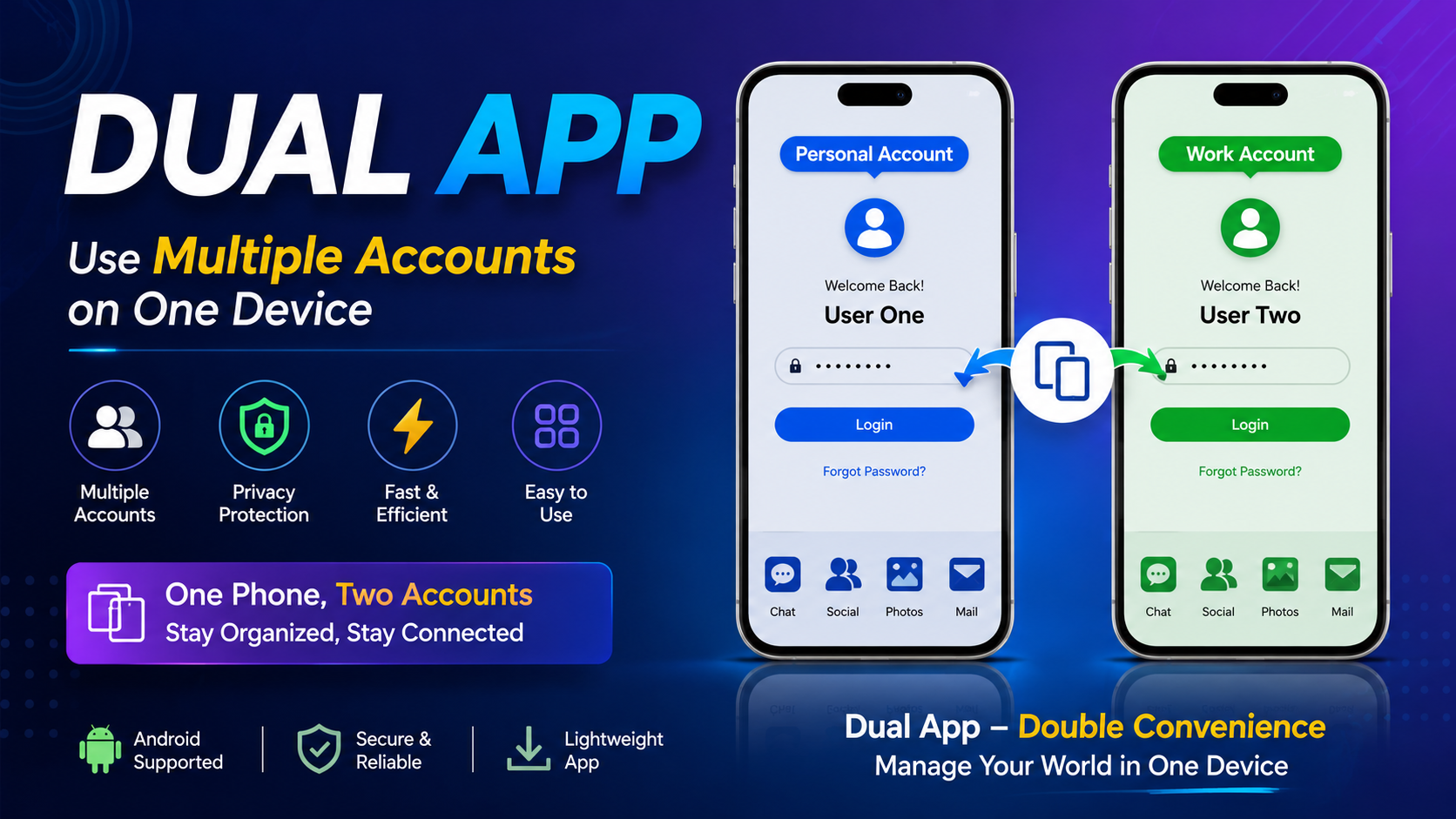
Using more than one account on the same smartphone can be difficult when an application normally allows only one account at a time. This is where Dual App can be useful. A Dual App feature or app-cloning solution allows users to create a separate copy of an application so they can manage different accounts on the same device.
For people who use separate personal and professional accounts, manage multiple profiles, or need more than one login, Dual App provides a convenient way to keep accounts separated. Instead of constantly logging out from one account and signing in to another, users can access different copies of the same application.
The idea behind Dual App is simple. It creates an additional environment for a supported application while keeping the original application available on the phone. This means users can have two separate app spaces and sign in to different accounts.
In this complete guide, we will explain what Dual App is, how it works, its important features, benefits, setup process, privacy considerations, common problems, and useful tips for getting a better experience.
What Is Dual App?
Dual App is a feature or application designed to allow users to run multiple instances of supported applications on one smartphone. The main purpose is to make it easier to use more than one account without repeatedly switching between logins.
Normally, when an app supports only one active account, you may need to sign out before accessing another account. This can become inconvenient when you regularly use two or more accounts.
A Dual App solution creates a separate copy of the selected application. The original application remains available, while the cloned version works as an additional app space.
For example, a person may want to keep one account for personal communication and another account for work. With Dual App, separate app copies can make this arrangement easier to manage.
The exact features and supported applications can vary depending on the phone, operating system, and Dual App solution being used.
How Does Dual App Work?
The basic concept behind Dual App is application cloning. When you select a supported application, the Dual App system creates another instance of that application.
The original application continues to work normally. The second copy is treated as a separate application environment, allowing you to sign in with another account.
The process generally works in the following way:
- Open the Dual App feature or application.
- Select the application you want to duplicate.
- Enable the cloning option.
- Wait for the additional application copy to be created.
- Open the cloned application.
- Sign in with your second account.
- Use both application copies independently.
This makes account management much easier because you do not have to continuously remove and add accounts.
It is important to understand that a cloned application does not necessarily mean that the original application has been modified. In many cases, the system provides an additional environment for the selected app.
Why Do People Use Dual App?
There are many reasons why users may want to use Dual App technology.
One of the biggest reasons is convenience. Managing two accounts from one smartphone can save time and reduce the frustration of repeatedly switching accounts.
Another reason is organization. Users can keep different accounts separate instead of mixing personal and professional activities in one application.
For example, someone who maintains a personal account and a work account may prefer to keep both environments available at the same time.
Dual App can also be useful for users who manage multiple profiles, pages, projects, or online communities.
Instead of carrying multiple phones, users may be able to manage supported accounts from one device.
Main Features of Dual App
A good Dual App solution can provide several useful features. The exact features depend on the device and the particular implementation, but the following are among the most useful capabilities.
1. Multiple Application Instances
The main feature is the ability to create an additional copy of a supported application.
This allows the original and cloned versions to exist on the same device.
Each instance can potentially be connected to a different account.
2. Multiple Account Management
Dual App makes multiple-account management more convenient.
Instead of logging out of one account every time you want to access another, you can open the appropriate application copy.
This is particularly useful for people who regularly work with separate accounts.
3. Easy Account Separation
Keeping accounts separate can improve organization.
For example, one application copy can be used for personal activities while the second copy can be reserved for another purpose.
Separate app instances make it easier to identify which account you are currently using.
4. Simple Access
After creating a cloned application, it can usually be accessed directly from the phone’s application area.
This removes the need to repeatedly open a cloning tool whenever you want to use the second account.
5. Convenient Daily Use
The biggest advantage of Dual App is convenience.
Once everything is configured correctly, users can move between their accounts more quickly.
This can save time during daily activities.
6. Support for Different Applications
Depending on the Dual App solution, multiple types of applications may be supported.
However, not every application is guaranteed to work correctly with cloning technology. Compatibility can depend on the application, phone, operating system, and security requirements.
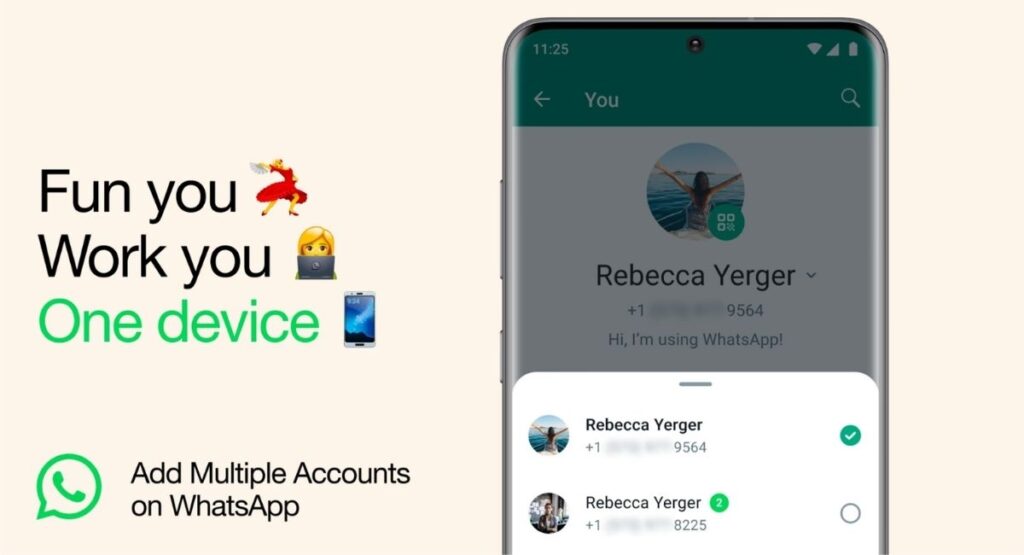
Benefits of Using Dual App
There are several advantages to using Dual App when you need multiple accounts.
Better Productivity
People who manage multiple accounts can save time by keeping different application instances available.
Instead of constantly signing out and signing back in, users can open the required copy.
This can make everyday account management more efficient.
Personal and Professional Separation
One of the most common reasons for using Dual App is to separate personal and professional activities.
Keeping separate accounts can help reduce confusion and make it easier to identify messages, notifications, and account activity.
One Device Instead of Two
Some users may consider carrying two smartphones simply because they need separate accounts.
When supported, Dual App functionality can reduce the need for a second device.
A single smartphone can provide access to multiple application environments.
Faster Account Switching
Traditional account switching can take several steps.
With separate application instances, switching between accounts may become as simple as opening a different application icon.
Better Organization
Separate app copies can help users organize their accounts more effectively.
Instead of combining everything into one account, each application instance can have its own login and purpose.
How to Set Up Dual App
Setting up Dual App is generally straightforward, although the exact steps can vary.
A typical setup process looks like this:
Step 1: Open Dual App
Start by opening the Dual App feature or cloning application available on your device.
Step 2: Select an Application
Look through the list of applications that can be duplicated.
Choose the application for which you want to create another instance.
Step 3: Enable Cloning
Turn on the cloning or duplication option.
The system may take a short amount of time to prepare the additional application.
Step 4: Open the New App Copy
Once the process is finished, locate the newly created application copy.
It may have a different icon or visual indicator so you can distinguish it from the original.
Step 5: Sign In
Open the cloned application and sign in with the second account.
The original application can continue using the first account.
Step 6: Test Both Accounts
After setup, open both applications and confirm that each account works correctly.
Check notifications, messages, and other important functions before relying on the setup for daily use.
Dual App for Personal and Work Accounts
One of the most practical uses of Dual App is separating personal and work accounts.
For example, you may want one account for private communication and another for professional communication.
Using separate application instances can make this easier to manage.
Instead of placing everything inside one account, you can maintain separate environments.
This can also make notifications easier to understand. When you see a notification from one application copy, you can immediately know which account it belongs to.
For people who frequently move between personal and professional activities, this organization can be valuable.
Dual App and Social Accounts
Multiple-account users can benefit significantly from application cloning.
Some people manage more than one social profile for different purposes. They may have personal profiles, professional profiles, project accounts, or other accounts.
Switching accounts repeatedly can become inconvenient.
A Dual App setup may allow supported applications to operate separately, making it easier to access the appropriate profile.
However, users should always follow the rules and terms of the applications they use. Creating multiple app instances does not remove the requirements or restrictions of the original application.
Dual App and Gaming Accounts
Gaming is another area where multiple-account management may be useful.
Some players maintain separate gaming profiles for different purposes. A cloned application can potentially make it easier to keep those accounts separate.
However, compatibility can vary significantly between games.
Some games may not work properly inside a cloned environment because of security systems, account protection, or technical limitations.
Therefore, users should test compatibility before depending on a Dual App setup.
Is Dual App Safe?
Safety depends on the specific Dual App implementation, the permissions it requires, and the source from which it is obtained.
Users should always pay attention to application permissions.
If a cloning application requests access that does not appear necessary for its purpose, consider whether that permission is appropriate.
It is also important to keep your smartphone and applications updated.
Avoid installing unknown or modified software simply because it promises additional cloning features.
A safer approach is to use trusted device features or reputable application sources whenever possible.
Privacy Considerations When Using Dual App
Privacy should always be considered when using application cloning technology.
A cloned application may have access to information associated with its account, depending on the permissions granted to it.
Users should review:
- Application permissions
- Notification access
- Storage access
- Contact access
- Account permissions
- Background activity
- Device security settings
Only enable permissions that are necessary for the application to function.
If you no longer need a cloned application, removing it can also help reduce unnecessary background activity and storage usage.
Dual App and Storage Space
One important consideration is storage.
Creating another application instance may require additional storage because the cloned environment can contain its own data, cache, settings, and downloaded files.
If you use multiple cloned applications, the storage requirement can increase.
Users with limited storage should regularly check their available space.
Removing unnecessary files and unused application copies can help maintain sufficient storage.
Dual App and Battery Usage
Running multiple application instances can also affect battery consumption.
If both applications are active in the background and regularly synchronize data, they may use additional system resources.
Battery impact depends on the applications, device, notification settings, and background activity.
If battery usage becomes a concern, review the background settings for the cloned applications.
You can also disable unnecessary notifications or background activity when those features are not required.
Common Dual App Problems
Although Dual App can be convenient, users may occasionally experience problems.
Understanding common issues can make troubleshooting easier.
Cloned App Does Not Open
If the cloned application does not start, first restart the phone.
Then check whether the application and device software are updated.
If the problem continues, remove the cloned copy and create it again.
Notifications Are Not Working
Notifications may fail if background activity is restricted.
Check notification permissions and battery optimization settings.
Make sure the cloned application is allowed to run in the background when necessary.
Application Keeps Crashing
Crashes can occur because of compatibility problems, insufficient storage, outdated software, or conflicts with the cloning environment.
Try clearing unnecessary cache data and restarting the application.
If that does not work, recreate the cloned application.
Login Problems
Some applications may restrict multiple instances or detect cloned environments.
If a login does not work, verify that your account details are correct.
The problem may also be related to application compatibility rather than the Dual App feature itself.
Too Much Storage Usage
If several applications are cloned, storage usage can increase quickly.
Check the storage section of your device and remove cloned applications that you no longer need.
Tips for Getting Better Results With Dual App
To get a smoother experience, follow a few simple practices.
Keep Your Phone Updated
Operating system updates can improve compatibility, security, and stability.
Keep Applications Updated
Outdated applications may have compatibility problems with cloning environments.
Avoid Unnecessary Clones
Only duplicate applications that you genuinely need.
Keeping fewer cloned applications can reduce storage and battery usage.
Monitor Permissions
Review the permissions granted to both original and cloned applications.
Keep Enough Free Storage
Maintain sufficient free space so applications can operate properly.
Use Strong Account Security
Each account should have appropriate security settings.
Do not share passwords or sensitive login information.
Dual App vs. Regular Account Switching
Both methods can provide access to multiple accounts, but the experience is different.
With regular account switching, you normally use one application and change accounts inside it.
This can be convenient when the application provides a reliable built-in account-switching feature.
With Dual App, separate application instances can provide a clearer separation between accounts.
The better option depends on your needs.
If you rarely switch accounts, regular account switching may be enough.
If you frequently use multiple accounts, having separate application copies may be more convenient.
Who Should Use Dual App?
Dual App can be useful for several types of users.
Professionals
Professionals who maintain separate work and personal accounts can benefit from account separation.
Small Business Owners
Business owners may need to manage different accounts for different activities.
Social Media Users
People with multiple supported profiles can find application cloning convenient.
Gamers
Players who use multiple supported gaming accounts may appreciate separate application instances.
Families
Users who need separate accounts on one device may find a Dual App solution useful when supported.
Who May Not Need Dual App?
Not everyone needs application cloning.
If you only have one account and rarely switch between profiles, the additional application copy may provide little benefit.
Similarly, users with limited storage or older devices may prefer to avoid running multiple application instances.
Before using Dual App, consider whether the convenience is worth the additional storage and resource usage.
Important Things to Remember
Before creating a second application instance, remember a few important points.
First, compatibility is not universal.
Second, cloned applications may use additional storage and battery power.
Third, privacy depends on permissions and how the application is configured.
Fourth, account policies still apply.
Finally, keep your device and applications updated to maintain a stable and secure environment.
FAQs
What is Dual App?
Dual App is a feature or application-cloning solution that allows users to create an additional instance of a supported application so multiple accounts can be used on one device.
Can Dual App run two accounts?
Yes, the purpose of Dual App is to make it possible to use separate accounts through different application instances, provided the selected application supports the cloning environment.
Is Dual App useful for work and personal accounts?
Yes. One of its most practical uses is keeping personal and professional accounts separate on the same smartphone.
Does Dual App use more storage?
It can. A cloned application may require additional space for application data, cache, settings, and downloaded content.
Does Dual App affect battery life?
It can increase battery usage if multiple application instances remain active in the background and regularly synchronize data.
Can every application be cloned?
No. Compatibility depends on the device, operating system, application, and cloning technology.
Why is my cloned application not working?
Possible reasons include compatibility issues, outdated software, insufficient storage, restricted permissions, or application security restrictions.
Can I remove a cloned application?
Yes. A cloned application can generally be removed when you no longer need it. The exact removal process depends on the device or Dual App solution being used.
Is Dual App good for multiple accounts?
For users who regularly manage multiple accounts, Dual App can be a convenient solution because it reduces the need for constant sign-outs and account switching.
Final Thoughts on Dual App
Dual App provides a practical way to manage multiple supported application accounts from one smartphone. Instead of repeatedly logging out and signing in, users can create a separate application instance and keep different accounts more organized.
The biggest advantage of Dual App is convenience. It can be useful for personal and professional account separation, multiple profiles, account management, and other situations where two application environments are helpful.
At the same time, users should consider storage, battery usage, compatibility, permissions, privacy, and account policies before using a cloned application.
A good setup starts with choosing only the applications you actually need, checking compatibility, reviewing permissions, and keeping your device updated.
If you frequently manage more than one account, Dual App can make your daily smartphone experience simpler and more organized. By keeping different accounts in separate application spaces, you can spend less time switching between logins and more time using the accounts you need.
In short, Dual App is designed around a simple idea: one smartphone can provide access to multiple supported application environments. When used carefully and responsibly, this approach can be a useful tool for people who need greater flexibility in managing their digital accounts.



