


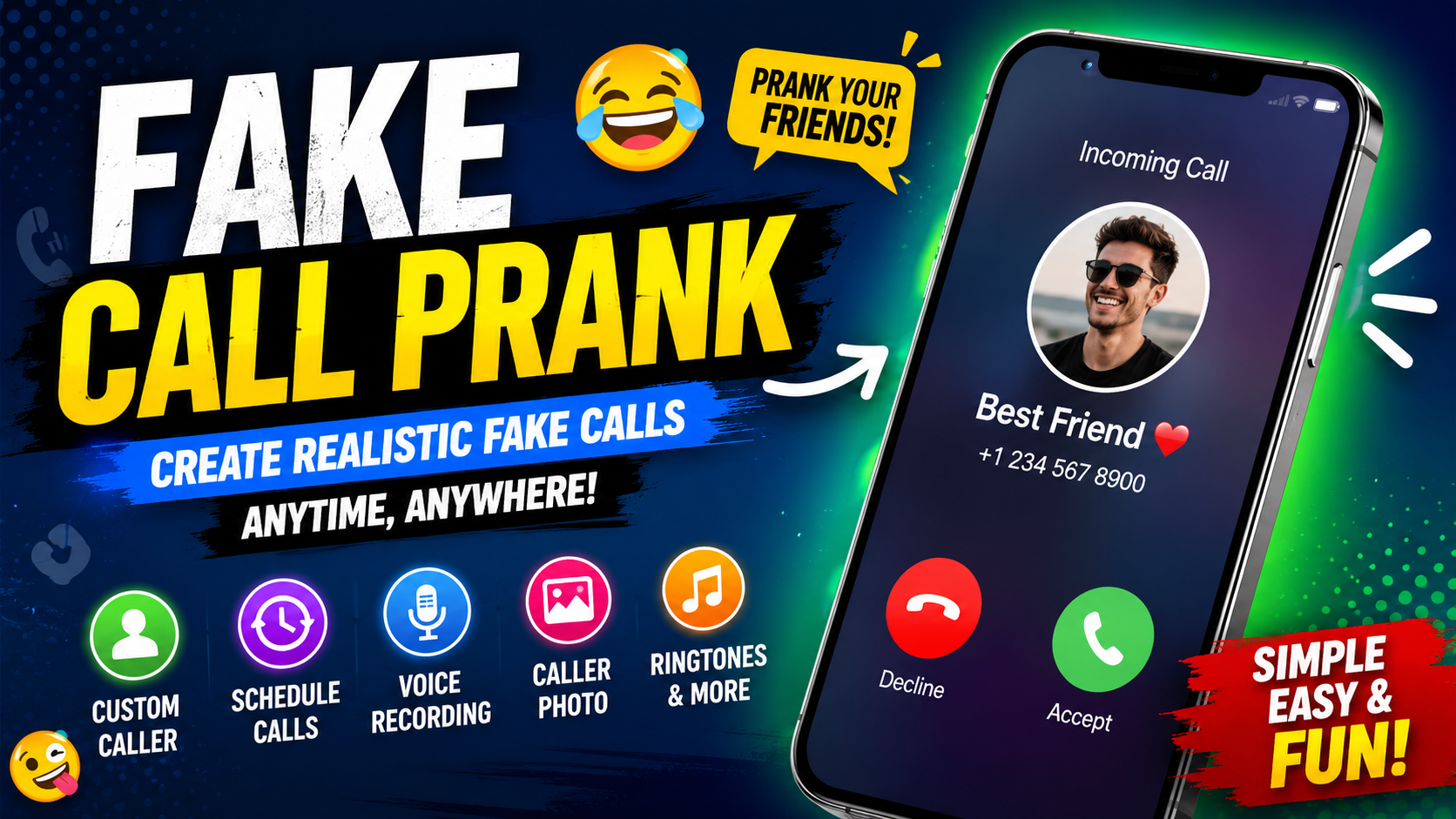
A Fake Call Prank can be a simple and entertaining way to simulate an incoming phone call on an Android device. Instead of waiting for someone to actually call, you can prepare a simulated call with customized caller information, a selected photo, a ringtone, and a specific time. This makes it possible to create funny situations with friends, practice different scenarios, or give yourself a convenient reason to step away from an uncomfortable conversation.
Modern fake-call applications are designed around simulation. They do not create genuine telephone calls or connect you to another person. Instead, they reproduce the appearance and behavior of an incoming call on your device for entertainment purposes. Current Android app listings describe options such as setting the caller’s name and number, selecting a caller picture, choosing a character, setting a ringtone, selecting a voice, and recording your own voice.
For Android users looking for an easy Fake Call Prank, the most useful features are usually customization and scheduling. A good setup allows you to decide who appears to be calling, when the simulated call should arrive, what the screen looks like, and what happens when you answer. Some versions also provide voice-recording features and different call-screen styles.
This guide explains what a Fake Call Prank is, how it works, the most useful features to look for, how to prepare a realistic simulation, and how to use the app responsibly.
What Is a Fake Call Prank?
A Fake Call Prank is an Android-based call simulation tool that creates the appearance of an incoming phone call without requiring an actual caller. Instead of receiving a real telephone connection, the application displays a simulated incoming-call interface on the phone.
The basic concept is straightforward. You choose the information that should appear on the screen, select a time for the simulation, and start the process. When the selected time arrives, the phone displays the simulated call.
Depending on the application and Android version, you may be able to customize the caller name, phone number, profile picture, ringtone, character, call theme, and voice. Some applications also allow you to record your own audio so that a voice can play after the simulated call is answered.
The main purpose is entertainment. For example, you might prepare a funny scenario with a friend, create a surprise during a casual gathering, or simulate a call to help end an awkward conversation.
However, it is important to understand the difference between a simulated call and a real call. A Fake Call Prank does not actually contact the person whose name or number appears on the screen. It is simply a visual and audio simulation generated by the application.
Why Is Fake Call Prank Popular?
The popularity of fake-call applications comes from their simplicity. You do not need another person to make the call, and you can usually prepare the simulation in advance.
Another reason is customization. A basic simulated call can look much more convincing when you add a caller name, picture, ringtone, and voice. Current app descriptions commonly highlight these customization options as core features.
Scheduling is another useful feature. Instead of activating the fake call immediately, you can select a delay or a particular time. Some applications offer short countdown options such as 10 or 30 seconds, while other versions support longer timers or scheduled calls.
The combination of timing and customization makes a Fake Call Prank more flexible than simply displaying a fake call screen manually.
Main Features of Fake Call Prank
1. Custom Caller Name
One of the most useful features is the ability to choose the name displayed on the simulated incoming call.
You can create a fictional caller or use a general description such as “Friend,” “Manager,” “Family,” or “Mystery Caller.” The exact options depend on the application.
A customized caller name makes the simulation easier to understand at a glance because the incoming-call screen can immediately communicate who is supposedly calling.
2. Custom Caller Number
Some fake-call applications allow you to enter a number that appears alongside the caller name.
This can make the screen more personalized, but it should always be treated as simulated information. A displayed number does not mean that the number actually belongs to or contacted you.
For responsible use, avoid presenting a fake number as proof that a real person contacted you.
3. Caller Photo
A caller photo can make the simulated call visually more recognizable.
Some applications let you choose an image from your gallery, while others provide built-in characters or caller images. Current app descriptions specifically mention selecting a caller picture and, in some cases, choosing a character such as a fictional role.
If you use a real person’s photograph, it is better to use it only for harmless entertainment and avoid creating situations that could damage that person’s reputation.
4. Scheduled Calls
Scheduling is one of the most practical features of a Fake Call Prank.
Instead of pressing a button and immediately displaying the simulated call, you can select a delay or scheduled time. Depending on the application, available options can range from a few seconds to several minutes or a specific time.
For example, you could prepare a call before entering a social situation and schedule it to appear after a short delay.
5. Custom Ringtones
Sound contributes significantly to the experience.
Some fake-call applications allow you to select a ringtone or use the default ringtone. A familiar ringtone can make the simulation feel more natural because the sound resembles the normal incoming-call behavior of the phone.
Keep the volume at a reasonable level, especially when using the application around other people.
6. Voice Recording
Some versions provide a voice-recording feature.
You can prepare a short audio message that plays after the simulated call is answered. Current listings mention both selecting a voice and recording your own voice for use in the simulation.
For example, you could create a fictional conversation between two characters for a joke.
A recorded voice can make the experience more interactive, but it should not be used to impersonate someone in a harmful or deceptive situation.
7. Different Call Themes
Some fake-call applications provide multiple call-screen styles or themes.
A theme may change the appearance of the simulated incoming call, including the layout, buttons, caller image, and overall interface.
The purpose is to make the simulation fit the style of your Android device or the scenario you are creating.
8. Lock-Screen Simulation
Depending on Android compatibility and application permissions, some fake-call tools can display simulated calls while the device is locked or when the application is running in the background. Several current app listings advertise lock-screen or background behavior as features.
However, Android behavior differs between manufacturers and operating-system versions. Battery optimization, notification settings, overlay permissions, and background restrictions can affect whether a scheduled simulation appears correctly.
9. Fake Call History
Some applications maintain an internal history of simulated calls.
This can help you review previously created scenarios or check which calls have been scheduled.
It is important to understand that an application’s internal history is not necessarily the same thing as your phone’s genuine telecommunications call history.
10. Easy Interface
A good Fake Call Prank application should not require complicated configuration.
Most users want to create a simulation quickly. A simple interface generally includes fields for caller information, customization options, a timer, and a start or schedule button.
The fewer unnecessary steps there are, the easier it is to prepare a prank.
How Fake Call Prank Works
The process behind a fake call is different from an actual cellular or internet phone call.
A real phone call requires communication between devices or telecommunications systems. A simulated call does not. The application simply creates an incoming-call-style screen and associated sounds or notifications locally on the device.
The general process looks like this:
- Open the application.
- Choose the fake caller.
- Enter or customize caller information.
- Select a photo if available.
- Choose a ringtone.
- Add a voice or recording if supported.
- Select when the call should appear.
- Start or schedule the simulation.
- Wait for the selected time.
- Interact with the simulated call.
This is why fake-call applications can be useful without requiring the other person to participate.
How to Set Up a Fake Call Prank
Setting up a Fake Call Prank is generally straightforward.
Step 1: Open the App
Start the fake-call application on your Android phone.
Look for an option such as “Simulate Call,” “Fake Call,” “Call Now,” or a similar button. The wording can vary between applications.
Step 2: Select the Caller
Choose the person, character, or fictional caller that you want to display.
If the application supports contact selection, you may be able to choose an existing contact. Alternatively, you may be able to enter a custom name manually.
Step 3: Customize the Caller
Add the caller name, number, and image where available.
Avoid using sensitive information or creating a simulation that could be mistaken for an official emergency, financial, or security communication.
Step 4: Select a Ringtone
Choose a suitable ringtone.
If the application provides multiple options, select one that matches the type of scenario you are creating.
Step 5: Add a Voice
If voice support is available, select a built-in voice or record your own.
A short recording is often enough for a simple joke. There is no need to create a complicated conversation.
Step 6: Choose the Timing
Select whether the fake call should happen immediately or after a delay.
Some applications provide preset delays such as 10 or 30 seconds, while others offer custom timers or scheduled calls.
Step 7: Start the Simulation
Confirm your settings and activate the simulated call.
Once the selected time arrives, the application should display the fake incoming call according to the features supported by your Android device.
Best Fake Call Prank Ideas
There are many harmless ways to use a simulated call.
Mystery Caller
Create a fictional mystery caller and ask your friends to guess who is supposedly calling.
Funny Character
Choose a fictional character and create a humorous incoming call.
Surprise Scenario
Prepare a fake call before meeting friends and use it as part of a planned joke.
Conversation Escape
A simulated call can provide a harmless way to step away from an uncomfortable social situation. However, it should not be used to deceive people in serious circumstances.
Practice Scenario
You can also use a simulated call to practice answering calls or test how a call interface appears on your phone.
Fake Call Prank for Android
Android is particularly suitable for this type of application because Android devices provide different notification, overlay, sound, and background controls.
However, not every Android phone behaves identically.
Samsung, Xiaomi, Google Pixel, OnePlus, Oppo, Vivo, and other Android devices can have different battery-management and permission systems. As a result, a scheduled Fake Call Prank may work differently depending on the device.
If a scheduled simulation does not appear, check whether the application has permission to display notifications and whether battery optimization is preventing it from running in the background.
You should only grant permissions that are relevant to the application’s advertised features.
Does Fake Call Prank Make a Real Phone Call?
No.
A fake-call application is designed to simulate an incoming call. Current app listings explicitly state that the fake-call feature does not represent a genuine incoming telephone call.
The caller displayed on the screen is therefore not actually contacting your device.
This distinction is important because users should never rely on a simulated call as evidence that someone genuinely called them.
Does Fake Call Prank Need Internet?
Internet requirements depend on the specific application and its features.
Some fake-call applications advertise offline operation because the basic simulation happens directly on the phone.
However, features such as advertisements, downloading additional content, synchronization, or online services may require an internet connection.
The safest approach is to check the permissions and feature requirements of the particular version you are using.
Privacy and Permissions
Before installing any Android application, review the permissions it requests.
A fake-call tool may request access to features related to contacts, notifications, audio, or displaying content over other applications, depending on how it works.
Not every permission is automatically dangerous, but unnecessary permissions deserve attention.
For example, if an application only needs to simulate a call but asks for unrelated access, consider whether that access is genuinely required.
Current app listings also show that data-safety declarations can differ between applications, so users should review the information provided for the exact application they intend to install.
Safe and Responsible Use
A Fake Call Prank should be used for harmless entertainment.
Do not use a simulated call to:
- Impersonate emergency services.
- Threaten another person.
- Create false evidence against someone.
- Fraudulently represent a bank, government agency, employer, or authority.
- Harass someone.
- Cause unnecessary panic.
- Mislead people in situations involving safety or serious consequences.
A simple prank should remain a joke.
The best fake-call experiences are the ones where everyone can laugh afterward.
Fake Call Prank vs Real Call
The difference is easy to understand.
A real call connects you with another person through a communication network or calling service. A Fake Call Prank only simulates that experience locally on your device.
A fake call can imitate:
- Caller name
- Caller photo
- Caller number
- Ringtone
- Incoming-call screen
- Timer
- Voice recording
- Call theme
But it does not establish a genuine conversation with the person displayed on the screen.
Understanding this difference prevents confusion and helps you use the application appropriately.
Common Problems With Fake Call Prank Apps
Scheduled Call Does Not Appear
This can happen when Android restricts background activity.
Check notification permissions, battery optimization, background restrictions, and any required display permissions.
No Sound
Check the phone’s media and ringtone volume. Also verify that the application has selected the correct ringtone.
Call Screen Looks Different
Android manufacturers customize their operating systems. A simulated interface may therefore look different on different devices.
Voice Does Not Play
Check whether microphone or media permissions are required and whether a recording has actually been selected.
App Closes in the Background
Battery-saving settings can stop applications from running in the background. The exact solution depends on your phone manufacturer and Android version.
Tips for a Better Fake Call Prank
Keep the scenario simple.
A convincing setup does not require dozens of custom settings. Choose a recognizable caller name, an appropriate photo, a suitable ringtone, and a short delay.
Timing is also important. If the call appears immediately after you activate it, people may notice what happened. A short scheduled delay can make the scenario feel more natural.
Another useful tip is to avoid exaggerated situations. A simple fictional call is usually more entertaining than a scenario designed to cause fear or confusion.
Finally, remember that the purpose is entertainment.
FAQs
What is a Fake Call Prank?
A Fake Call Prank is an application or feature that simulates an incoming phone call on a device. It can display customized caller information and may include sounds, timers, photos, and voice recordings.
Is Fake Call Prank a real call?
No. It is a simulated call and does not mean that the displayed person actually called you. Current app descriptions make this distinction clear.
Can I customize the caller name?
Many fake-call applications allow users to customize the caller name. Some also support a number and caller photo.
Can I schedule a fake call?
Yes, scheduling is a common feature. Depending on the application, you may be able to choose a short countdown or a specific future time.
Can I add a fake caller photo?
Many applications provide this option. You may be able to choose an image from your device or select a built-in character.
Can I use my own voice?
Some applications provide voice-recording functionality, allowing you to prepare an audio recording for the simulated call.
Does Fake Call Prank work offline?
Some applications advertise offline functionality for their basic fake-call features. However, internet requirements can vary by application and feature.
Why does my scheduled fake call not appear?
Android battery optimization, background restrictions, notification settings, or missing permissions can prevent a scheduled simulation from appearing.
Is a fake call safe?
The basic concept is generally intended for entertainment, but users should review application permissions and privacy information before installation
Can a fake call appear on the lock screen?
Some applications advertise lock-screen support, but compatibility depends on the Android version, device manufacturer, permissions, and application implementation.
Final Thoughts
A Fake Call Prank can turn an ordinary Android phone into a simple entertainment tool for simulated incoming calls. With features such as custom caller names, numbers, photos, ringtones, voices, timers, and scheduling, users can create a variety of harmless scenarios without requiring an actual caller.
The most important thing to remember is that these applications simulate calls rather than create genuine telephone connections. Their purpose is entertainment, convenience, and playful scenarios—not deception involving serious or sensitive situations.
For the best experience, customize the caller information, select a suitable ringtone, choose a reasonable delay, and test the simulation before using it around friends. If something does not work, review Android’s notification, battery, background, and permission settings.
Used responsibly, a Fake Call Prank can be a simple and enjoyable way to add humor to everyday situations while keeping the experience completely under your control.
Key Takeaways
- Fake Call Prank applications simulate incoming calls.
- They do not create genuine telephone calls.
- Caller names and numbers can often be customized.
- Many versions support caller photos.
- Scheduled calls can create better timing.
- Ringtones can make simulations more recognizable.
- Some apps support recorded voices.
- Android permissions can affect background behavior.
- Device compatibility varies between manufacturers.
- Privacy and permissions should always be reviewed.
- Fake calls should be used for harmless entertainment.
- Serious impersonation, harassment, fraud, and harmful deception should be avoided.
If your goal is simply to create a funny simulated call on Android, a well-designed Fake Call Prank provides the basic tools needed to customize the caller, select the timing, and enjoy a controlled prank experience.



