


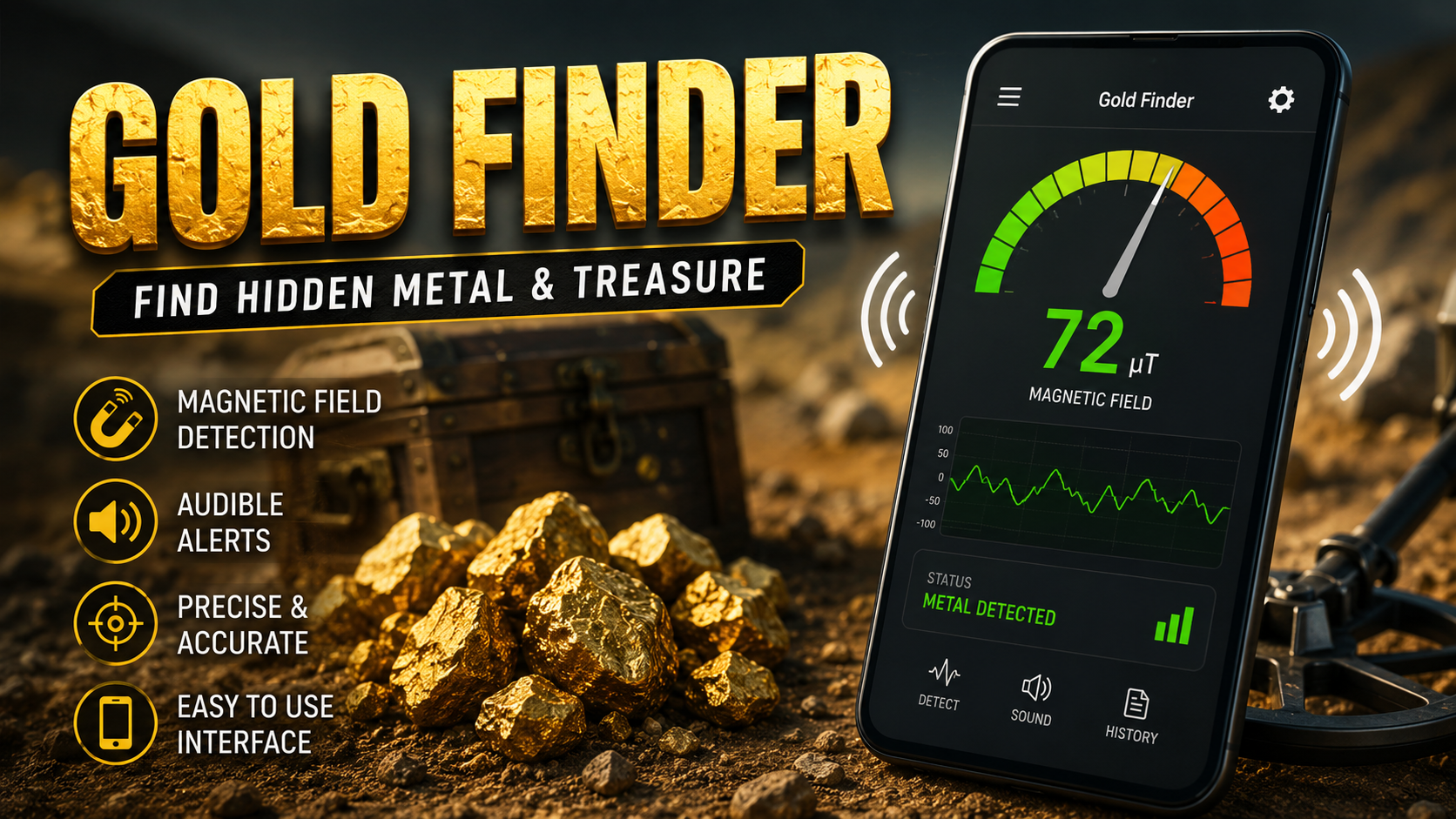
Finding hidden metal can be an interesting and useful activity, especially when you have an Android smartphone with the right built-in sensors. A Gold Finder app can turn a compatible smartphone into a simple magnetic-field detection tool for identifying changes around metal objects.
Modern smartphones contain several sensors designed for navigation, movement, orientation, and other functions. One of the most useful sensors for metal-detection applications is the magnetic sensor, commonly known as a magnetometer. A Gold Finder app can use this sensor to measure changes in the surrounding magnetic field and display those changes on the phone screen.
However, understanding what this type of application can and cannot detect is important. A smartphone-based detector is not the same as professional metal-detection equipment. It generally works by measuring magnetic-field changes rather than directly identifying gold by chemical composition.
The current Gold Finder & Metal Detector listing describes features including magnetic-field measurement, audible alerts, metal detection, stud detection, and a requirement for a functional magnetic sensor. The listing was updated on June 6, 2026. (Google Play)
This guide explains the concept behind a Gold Finder, its main features, how to use it, how to improve readings, common problems, and important limitations.
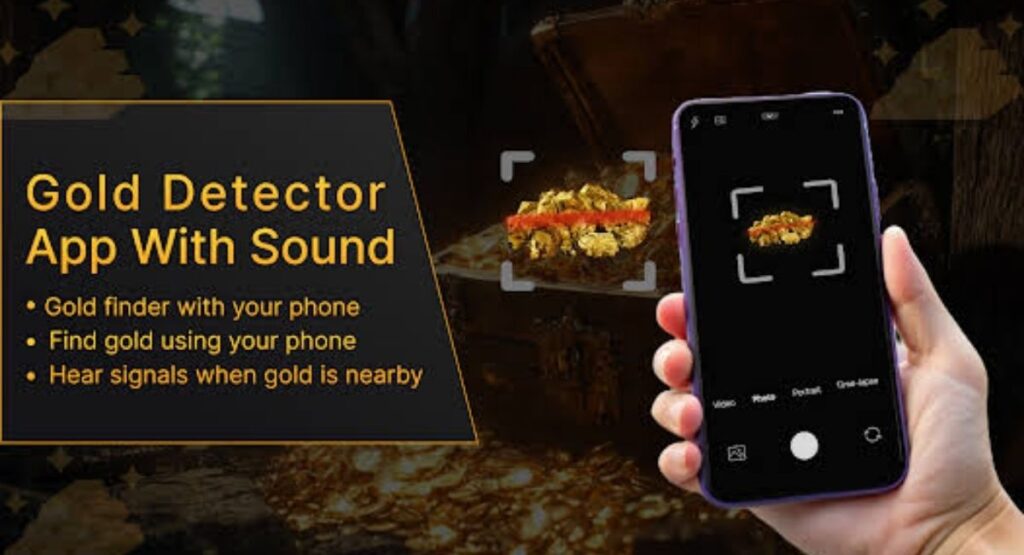
What Is Gold Finder?
A Gold Finder is an application designed to help users detect changes in magnetic fields using smartphone hardware.
The application itself does not create a powerful magnetic field or magically identify buried gold. Instead, it relies on the magnetic sensor already built into the smartphone. When the sensor detects a change in the surrounding magnetic field, the application can display the change through numbers, meters, graphics, vibrations, or sounds.
This makes a Gold Finder useful for basic metal-detection experiments and for locating certain magnetic or ferrous objects.
The effectiveness of the application depends heavily on the phone’s hardware. If a smartphone does not contain a magnetometer, the application cannot perform magnetic-field measurements correctly.
For this reason, checking sensor compatibility is one of the first things users should do.
How Does a Gold Finder App Work?
A smartphone-based Gold Finder generally works through the device’s magnetic-field sensor.
The magnetometer measures the strength and direction of magnetic fields around the phone. When you move the smartphone close to an object that affects the magnetic field, the sensor may register a change.
The application receives this sensor information and converts it into information that is easier for the user to understand.
For example, the application might display:
- Magnetic-field strength
- Numerical readings
- A visual meter
- Graphical changes
- Sound alerts
- Beeps when readings increase
- Detection indicators
The current app description explains that its detection system uses magnetic-field levels and audible alerts to help users notice nearby metal objects. (Google Play)
Can Gold Finder Really Find Gold?
This is one of the most important questions users ask.
A smartphone Gold Finder should not be treated as a guaranteed gold-identification device.
Gold itself is not strongly magnetic in the way iron and steel are. Therefore, a normal smartphone magnetometer cannot simply identify every piece of gold based on its presence alone.
If a gold object contains other materials, is associated with magnetic material, or causes an indirect change in the surrounding environment, the sensor may respond differently. But this does not mean the phone has chemically identified gold.
Therefore, it is better to understand the application as a magnetic-field detection tool rather than a professional gold-prospecting instrument.
This distinction can help users avoid unrealistic expectations.
Main Features of Gold Finder
A modern Gold Finder application can include several features designed to make magnetic detection easier.
1. Magnetic Field Measurement
The most important feature is magnetic-field measurement.
The phone’s magnetometer continuously measures changes in the magnetic environment. The application then presents those readings in a user-friendly interface.
When the phone approaches a magnetic object, the measurement can change.
This is particularly useful for identifying objects that produce noticeable magnetic interference.
2. Real-Time Detection
Real-time detection allows users to move their phone around an area while watching the sensor readings.
Instead of taking a single measurement, the application continuously monitors the magnetic field.
This makes it easier to notice sudden changes.
For example, you could move the phone slowly across a wall and observe whether the measurement increases in a particular location.
3. Sound Alerts
Some Gold Finder applications provide sound or beep alerts.
Instead of constantly looking at the screen, users can listen for changes in the alert.
The app listing specifically describes audible alerts that can notify users when metal is detected. (Google Play)
This can make scanning more convenient because your attention can remain focused on the area being inspected.
4. Visual Indicators
Visual indicators can make sensor readings easier to understand.
Depending on the application design, you may see a meter, graph, number, or animated detection indicator.
A rising value can indicate that the magnetic field has changed.
Users should remember that a higher reading does not automatically mean gold. It simply means the magnetic environment has changed.
5. Stud Detection
One useful application of magnetic-field detection is locating certain metal components behind walls.
The current listing describes the ability to detect studs, screws, cables, and other metallic objects. (Google Play)
This can be useful when checking a wall before drilling.
However, smartphone detection should not be considered a substitute for professional inspection when drilling into walls containing electrical wiring, plumbing, or other potentially hazardous infrastructure.
6. Simple Interface
A good Gold Finder should be easy to understand.
Users should be able to open the application, view the current measurement, and begin scanning without complicated configuration.
A simple interface is especially helpful for beginners who have never used a magnetic-field detector before.
How to Use Gold Finder on Android
Using a Gold Finder is generally straightforward.
Step 1: Install the Application
Install the Gold Finder application on a compatible Android smartphone.
Before beginning, make sure the application has been installed correctly and can access the required device sensors.
Step 2: Check the Magnetic Sensor
Your smartphone needs a functioning magnetometer.
If your phone does not have a magnetic sensor, the application will not be able to perform normal magnetic-field measurements.
The app’s current listing also states that a working magnetic sensor is required. (Google Play)
Step 3: Open Gold Finder
Launch the application and allow it to initialize.
Keep the phone away from large metal objects during the initial setup if possible.
Step 4: Establish a Baseline
Before scanning, observe the normal reading in an open area.
This gives you a reference point.
Step 5: Move the Phone Slowly
Move the smartphone gradually around the area you want to inspect.
Avoid making fast movements because sudden motion can make it harder to interpret changes.
Step 6: Watch the Reading
Pay attention to the displayed magnetic-field value.
If the number or indicator changes significantly, move the phone around the same area again to determine whether the change is consistent.
Step 7: Listen for Alerts
If sound detection is enabled, listen for changes in the alert.
A stronger or faster alert can indicate that the measured magnetic field has changed.
Step 8: Confirm the Reading
Never assume one unusual reading proves that an object has been detected.
Move the phone away and return to the same location.
If the reading changes consistently from different directions, you have stronger evidence that something nearby is affecting the magnetic field.
How to Get Better Results with Gold Finder
The quality of your results depends on several factors.
Keep the Phone Away from Magnetic Accessories
Phone cases containing magnets can interfere with the magnetometer.
Magnetic holders, wireless charging accessories, speakers, headphones, and other magnetic objects can also influence measurements.
For better results, remove unnecessary magnetic accessories before scanning.
Avoid Large Metal Objects
Cars, metal tables, steel furniture, tools, and other large metal objects can affect readings.
Try to perform your initial calibration in an area with minimal metal interference.
Move Slowly
Slow movements make changes easier to identify.
Instead of quickly waving the phone around, scan methodically.
Move across the area in the same direction and speed whenever possible.
Repeat the Scan
A single reading is not enough.
Scan the same area several times.
If you consistently get a similar response at the same location, the result becomes more useful.
Keep a Consistent Distance
Try to maintain a similar distance between the phone and the surface being scanned.
Magnetic-field strength can change rapidly as the phone moves closer to an object.
Gold Finder for Finding Metal Behind Walls
One of the practical uses of a magnetic sensor is identifying certain metallic components behind surfaces.
For example, screws and metal studs can sometimes produce noticeable magnetic changes.
You can slowly scan across the wall and look for areas where the reading changes.
However, users should be careful when working around walls.
A smartphone detector cannot guarantee that a wall is safe to drill. Electrical cables and pipes may not always produce the expected magnetic signature.
Before drilling, cutting, or modifying a wall, use appropriate safety procedures.
Gold Finder for Treasure Hunting
Treasure hunting is one of the reasons people become interested in Gold Finder applications.
A smartphone can be convenient because it is lightweight and already available in your pocket.
However, smartphone-based magnetic detection has important limitations.
Professional metal detectors are designed specifically for detecting metallic targets and can use specialized coils, frequencies, signal processing, discrimination systems, and other hardware.
A phone application is considerably simpler.
Therefore, Gold Finder is best viewed as an accessible tool for experimentation and basic magnetic-field detection rather than a replacement for dedicated prospecting equipment.
Understanding Magnetic Readings
A magnetic-field reading can change for many reasons.
Possible sources include:
- Iron objects
- Steel objects
- Screws
- Metal furniture
- Electrical equipment
- Magnetic accessories
- Speakers
- Electronic devices
- Vehicles
- Wiring
- Other magnetic materials
This means that an unusual reading does not automatically indicate something valuable.
Learning to recognize environmental interference is one of the most important skills when using a Gold Finder.
Why Gold Finder Readings Can Be Inaccurate
Several factors can influence smartphone magnetic sensors.
Phone Hardware
Different Android phones use different sensor hardware.
Some sensors are more sensitive than others.
Environmental Interference
Nearby electronics and metal objects can change the surrounding magnetic field.
Magnetic Phone Cases
A case with a built-in magnet can create a constant or changing interference pattern.
Incorrect Scanning Technique
Moving the phone too quickly or changing its orientation repeatedly can produce confusing readings.
Sensor Calibration
A poorly calibrated sensor may provide inconsistent measurements.
If the application provides calibration instructions, follow them carefully.
Gold Finder and Smartphone Compatibility
Not every Android phone is equally suitable for magnetic detection.
The most important requirement is a working magnetometer.
Before relying on the application, check whether your device supports a magnetic-field sensor.
The application itself may display a warning if the necessary sensor is unavailable or malfunctioning. (Google Play)
Other hardware characteristics can also affect the experience, including sensor quality, software support, and the physical design of the phone.
Gold Finder vs Professional Metal Detection
It is useful to understand the difference.
| Feature | Smartphone Gold Finder | Professional Metal Detector |
|---|---|---|
| Hardware | Smartphone sensors | Dedicated detection hardware |
| Portability | Very high | Varies |
| Magnetic-field measurement | Yes | Often uses specialized detection technology |
| Gold identification | Limited | Depends on detector |
| Deep detection | Very limited | Designed for greater detection capability |
| Setup | Simple | Can require configuration |
| Cost | Usually low | Can be considerably higher |
| Everyday convenience | Excellent | Lower |
A smartphone application has an important advantage: convenience.
You do not need to carry a separate device just to experiment with magnetic-field detection.
Common Problems When Using Gold Finder
The App Shows No Response
The first thing to check is whether your phone has a magnetometer.
If the sensor is missing, the application cannot operate as intended.
The Reading Is Always High
Move away from electronics, metal furniture, magnets, and other sources of interference.
Also check whether your phone case contains magnetic material.
The Reading Changes Randomly
Try holding the phone still and scanning slowly.
Random changes can come from movement or environmental interference.
Sound Alerts Keep Activating
If the alert is constantly active, move to an area with fewer metal and electronic objects.
Then establish a new baseline.
Results Differ Between Phones
This is normal.
Different smartphones can have different sensor hardware and sensitivity.
Tips for Beginners
If you are new to Gold Finder applications, start with simple tests.
Place a known metal object nearby and observe the reading.
Move the phone toward the object slowly.
Then move it away.
Repeat the process several times.
This teaches you how the application responds to changes in magnetic fields.
You can gradually experiment with different objects and distances.
The goal is not simply to get the highest number. The goal is to understand how the sensor behaves in different environments.
Is Gold Finder Easy to Use?
Yes, the basic concept is simple.
The application uses the phone’s magnetic sensor and provides information through its interface.
The current app listing emphasizes ease of use and a relatively simple detection process. (Google Play)
However, simple operation does not mean that every result will be accurate.
Users still need to understand the difference between magnetic-field detection and actual material identification.
Gold Finder Safety Tips
Although using a smartphone application is generally simple, scanning areas around walls and electrical equipment requires caution.
Do not assume that an application can identify every cable, pipe, or structural component.
Never rely exclusively on a smartphone application before drilling into an unknown wall.
Keep electronic devices and strong magnets away from situations where they could cause damage.
When searching outdoors, respect private property and local regulations.
Responsible use is always more important than getting a particular detection result.
FAQs
What is Gold Finder?
Gold Finder is a smartphone application that uses a compatible phone’s magnetic sensor to measure changes in the surrounding magnetic field.
Can Gold Finder detect real gold?
A smartphone magnetometer does not chemically identify gold. The application can detect magnetic-field changes, but a reading should not be interpreted as proof that gold is present.
Does every Android phone support Gold Finder?
No. The phone needs a functioning magnetic-field sensor, commonly called a magnetometer.
Can Gold Finder find metal?
It can help identify magnetic-field changes caused by certain nearby metal objects. Results depend on the phone’s sensor and the type, size, and distance of the object.
Can Gold Finder detect objects behind walls?
It may help identify some metallic objects behind walls, such as certain screws or metal components, but it should not be considered a guaranteed wall-scanning safety device.
Why does Gold Finder give different readings?
Magnetic readings can change because of distance, phone orientation, environmental interference, electronic equipment, and the quality of the smartphone sensor.
Does a higher reading mean more gold?
No. A higher magnetic-field reading does not prove that gold is present or indicate the amount of gold.
How can I improve detection?
Keep the phone away from magnetic accessories, establish a baseline, scan slowly, maintain a consistent distance, and repeat unusual readings.
Final Thoughts
A Gold Finder application can be an interesting way to explore the magnetic sensors already built into an Android smartphone. Its primary value comes from making magnetic-field measurements accessible without requiring specialized equipment.
The most important thing to understand is that the application is a sensor-based detection tool, not a magical gold scanner. The current application description specifically highlights magnetic-field measurement, audible alerts, metal detection, and compatibility with phones that have a working magnetic sensor. (Google Play)
For the best experience, start by checking your phone’s sensor compatibility. Remove magnetic accessories, move away from obvious sources of interference, establish a baseline, and scan slowly. When you see an unusual reading, repeat the measurement from different directions before drawing conclusions.
A Gold Finder can be useful for learning about magnetic fields, experimenting with smartphone sensors, and locating certain magnetic or metallic objects. At the same time, users should understand its limitations and avoid treating a smartphone reading as definitive proof of gold or as a replacement for professional detection equipment.
Used with realistic expectations, careful scanning techniques, and appropriate safety precautions, Gold Finder can provide a convenient and interesting introduction to smartphone-based metal and magnetic-field detection.



