


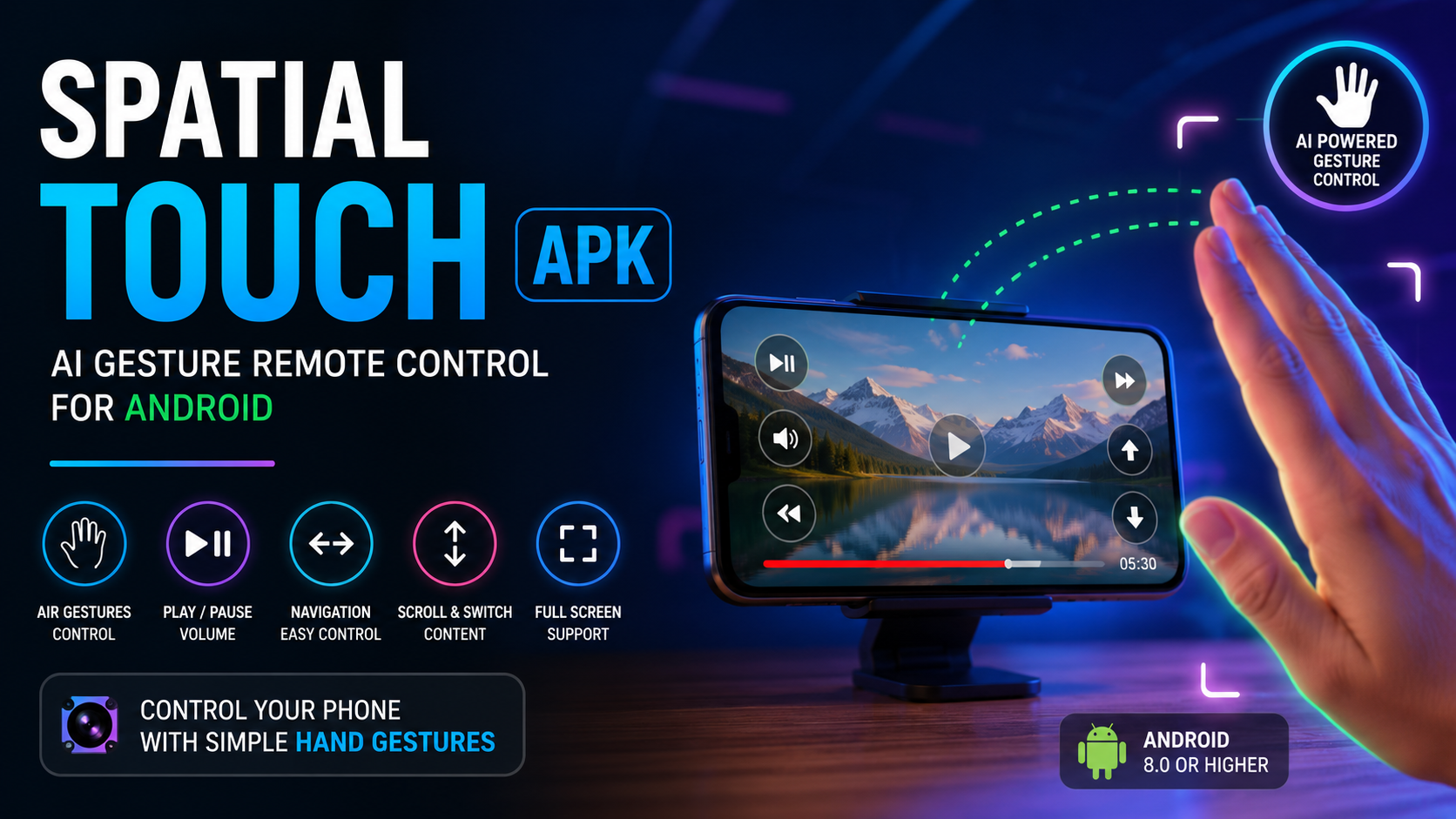
Controlling a smartphone or tablet normally requires touching the screen, but modern technology is making hands-free interaction much more practical. Spatial Touch APK is designed around this idea by allowing users to interact with supported media applications through hand movements and gesture recognition. Instead of repeatedly touching the display, users can perform specific gestures in front of the device to control actions such as playing or pausing content, changing volume, navigating videos, scrolling, and moving between content.
The concept behind Spatial Touch APK is simple: use the device camera and gesture recognition technology to understand selected hand movements and translate them into commands. This can be particularly convenient when the phone is placed on a table, when the user’s hands are occupied, or when touching the display is inconvenient.
The application focuses on making mobile entertainment more comfortable and interactive. Once configured correctly, users can use gestures from a short distance rather than reaching for the screen every time they want to perform a basic action.
This guide explains what Spatial Touch APK is, how it works, its main features, supported functions, requirements, permissions, installation considerations, advantages, limitations, and practical tips for getting the best experience on Android.
What Is Spatial Touch APK?
Spatial Touch APK is an Android application built around AI-assisted hand gesture recognition. Its primary purpose is to provide remote-style control of compatible media and social applications without requiring continuous physical interaction with the phone’s touchscreen.
The app uses the device camera to recognize predefined hand movements. After detecting a supported gesture, it translates that movement into an appropriate command. Depending on the application and configuration, gestures can be used for actions such as play and pause, navigation, volume adjustment, scrolling, and moving through short-form content.
The idea is especially useful for people who frequently watch videos while their smartphone is positioned away from them. Rather than picking up the device to pause a video or adjust the volume, users can make a gesture within the camera’s viewing area.
One of the main attractions of Spatial Touch APK is its emphasis on convenience. The application is intended to make routine media controls feel more natural while reducing the amount of direct screen interaction required.
How Does Spatial Touch APK Work?
The basic operation of Spatial Touch APK involves the device camera, gesture recognition, and accessibility-based controls. After the required permissions are configured, the application can recognize supported hand movements and associate them with specific commands.
The camera observes the area in front of the device while the feature is active. The gesture-recognition system processes the movement and determines whether it matches one of the supported gestures. When a valid movement is identified, the corresponding command can be sent to the controlled application.
For example, a simple hand movement can be assigned to navigation, while another gesture may control volume or scrolling. The exact behavior can depend on the supported application and the gesture configuration.
This approach creates a hands-free control layer between the user and the smartphone. Instead of physically touching a button, the user performs a movement that the application interprets as an instruction.
The original page describes the application as an AI-based hand gesture remote controller and explains that gesture processing is performed on the device.
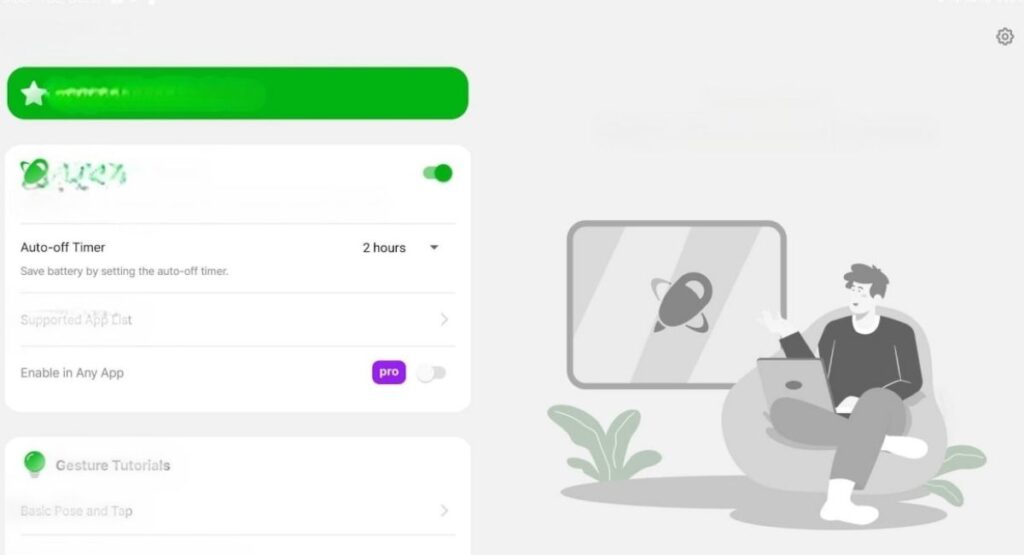
Why Use Spatial Touch APK?
There are many situations where touching a smartphone screen is inconvenient. A device may be sitting on a desk while the user is watching a video, or the user’s hands may be occupied with another task. In these situations, Spatial Touch APK can provide a more convenient way to interact with compatible content.
The application is particularly focused on media control. Instead of constantly reaching toward the phone, users can perform gestures from a short distance.
Another advantage is the flexibility of the control system. Different gestures can represent different commands, allowing users to perform multiple actions without physically navigating through menus.
The application can also make a phone or tablet feel more interactive. Gesture-based control creates an alternative to traditional touchscreen input and may be useful for people who enjoy experimenting with new ways of interacting with Android devices.
Main Features of Spatial Touch APK
1. Air Gesture Controls
The most important feature of Spatial Touch APK is air gesture control. Users can perform selected hand movements in front of the device to trigger supported actions.
Depending on the available controls, gestures can be used for playback, navigation, volume adjustment, scrolling, and other media functions.
This means the screen does not always need to be touched directly for basic control.
2. Remote Control From a Short Distance
Spatial Touch APK is designed to work when the user is not holding the phone directly. The source page describes remote operation at a distance of up to approximately two meters, although real-world performance can vary according to the device, camera position, lighting, and environment.
This feature can be useful when the smartphone is placed on a table or another stable surface.
3. Gesture Recognition
Gesture recognition is central to the experience. The application attempts to identify specific hand movements while minimizing accidental detections.
The source page also describes different hand-filter settings that can help balance easier gesture recognition with more stable operation.
This gives users greater control over how responsive the gesture system feels.
4. Background Activation
Another useful feature is background operation with supported applications. According to the existing page, the app can automatically activate when a supported application is launched instead of requiring users to manually open the controller each time.
This can make everyday use more convenient because the gesture-control feature is available when needed.
5. On-Device Processing
Privacy is an important consideration for any application that uses a camera. The original page states that Spatial Touch APK processes gesture information on the device and does not store or transmit captured images or videos externally. It also states that the camera is activated for supported use and disabled when the application is not in use.
Users should still review the permissions displayed on their own device and understand what access they are granting.
6. Multiple Gesture Commands
Spatial Touch APK supports several types of gesture commands. These can include tapping motions, horizontal movements, vertical movements, and two-finger gestures.
The exact result depends on the supported application. A particular movement may control playback in one situation and navigation in another.
7. Full-Screen and Navigation Controls
Two-finger gestures can be used for certain navigation and display functions. According to the existing page, supported actions can include toggling full-screen mode and navigating between short-form content.
This makes the gesture system more useful than a simple play/pause controller.
8. Pointer Function
The source page also mentions a pointer function in the Pro version. This can provide a cursor-like interaction method for selecting buttons or other elements on the display.
Availability may depend on the specific version and configuration.
Spatial Touch APK Gesture Controls Explained
Understanding the gesture system is important before using Spatial Touch APK regularly.
A tap-style gesture can be used for actions such as playing or pausing media. Depending on the supported application, it may also perform navigation-related actions.
A left or right drag can provide video navigation, such as moving backward or forward through content.
An upward or downward movement can be associated with volume control.
Two-finger tapping can provide additional commands, while two-finger horizontal and vertical movements can handle navigation and scrolling.
The advantage of this design is that several commands can be performed without reaching for the touchscreen.
However, gesture recognition depends on environmental conditions. Users should keep the camera view clear and make gestures at a reasonable distance.
Spatial Touch APK System Requirements
Before installing Spatial Touch APK, it is important to consider whether the Android device meets the recommended requirements.
The original page lists Android 8.0 or later as the operating system requirement. It recommends at least 4 GB of RAM, while a Qualcomm Snapdragon 7-series processor or newer is recommended for smoother performance. A camera capable of at least 720p is listed, with 1080p or higher recommended.
These specifications should be treated as general guidelines because actual performance can differ between devices.
A newer processor may provide better responsiveness when the application is actively processing camera-based gesture information.
Adequate RAM can also help when the gesture controller and another media application are running at the same time.
Camera Requirements
Because Spatial Touch APK relies on gesture recognition, camera quality and positioning are important.
A device should have a functioning front-facing camera with a clear view of the area where gestures are performed. Poor lighting, excessive distance, or objects blocking the camera can reduce recognition accuracy.
For the best experience, position the smartphone or tablet so that the camera can clearly see your hand movements.
Avoid covering the camera lens and try to use the application in an environment with sufficient light.
Permissions Required by Spatial Touch APK
Applications that control other parts of Android may require specific permissions. Spatial Touch APK uses several permissions to provide its gesture-control functions.
The original page identifies three important permission categories: camera access, notification settings, and accessibility control.
Camera Permission
Camera access is required for gesture recognition. Without camera access, the application cannot observe the hand movements needed for its primary function.
Users should only grant camera permission when they understand why it is required.
Notification Permission
Notification access can be used for application updates and operational status information.
The exact notification behavior can depend on the Android version and application configuration.
Accessibility Permission
Accessibility access is important for controlling compatible applications and performing certain screen interactions. The source page specifically directs users to the Android Accessibility settings to enable the application.
Users should carefully review accessibility permissions because these permissions can provide an application with significant control over device interaction.
How to Set Up Spatial Touch APK
Setting up Spatial Touch APK is generally straightforward, but users should complete each permission step carefully.
First, install the application on a compatible Android device. After installation, open the application and review the initial setup instructions.
When prompted, provide the camera permission required for gesture recognition.
Next, review notification access if it is requested by the application.
The most important step is enabling the required accessibility control. Open the Android settings, locate the accessibility section, find the installed application, and enable the required access.
After permissions are configured, return to the application and test the available gestures.
Place the phone or tablet in a stable position and make sure the camera has a clear view of your hand.
Start with simple gestures before attempting more advanced commands.
If a gesture is not recognized consistently, try changing your distance from the device, improving lighting, or adjusting the available gesture-filter settings.
Tips for Better Spatial Touch APK Performance
Getting the best results from Spatial Touch APK depends on more than the phone’s specifications.
First, keep the camera lens clean. Dust, fingerprints, or smudges can reduce image clarity.
Second, use sufficient lighting. Gesture recognition generally works better when the camera can clearly distinguish the hand from the background.
Third, maintain a suitable distance. Being too close or too far from the camera can make gesture recognition less reliable.
Fourth, avoid making extremely fast or unclear movements. Smooth, deliberate gestures are usually easier for recognition systems to interpret.
Fifth, position the phone securely. A stable device makes the experience more predictable and prevents the camera angle from changing unexpectedly.
Finally, experiment with gesture filters if the application provides them. A stronger filter may help reduce unwanted detections, while a lower filter can make recognition more responsive.
Advantages of Spatial Touch APK
One of the biggest advantages of Spatial Touch APK is convenience. Users can control supported media functions without continuously touching their phone.
Another advantage is hands-free interaction. This can be useful when the device is positioned away from the user.
The gesture system also provides a different way to interact with Android. Instead of relying entirely on buttons and touchscreen controls, users can use natural hand movements.
The application can be especially interesting for people who frequently consume video content and want quick access to playback and navigation commands.
On-device processing described by the original page is another notable consideration for users who are concerned about camera-related data handling.
Limitations to Consider
Although Spatial Touch APK provides an interesting control method, it is not designed to replace every touchscreen interaction.
Gesture recognition can be affected by lighting, camera quality, background conditions, hand position, and distance.
Some gestures may also require practice before they become natural.
Compatibility can vary between applications because not every application supports the same commands.
Device performance is another factor. Older or less capable hardware may provide a less responsive experience, particularly when camera processing and another demanding application are running simultaneously.
Users should therefore treat gesture control as an additional interaction method rather than a universal replacement for touchscreen controls.
Is Spatial Touch APK Easy to Use?
Yes, the basic concept is relatively easy to understand. After the necessary permissions are configured, users can learn the available gestures and begin testing them with supported content.
The learning curve mainly comes from remembering which gesture corresponds to each action.
Most users can start with a small number of basic controls, such as play/pause, volume, and navigation. Once these become familiar, additional gestures can be introduced.
The best approach is to learn the gestures gradually rather than attempting to use every command immediately.
Who Can Benefit From Spatial Touch APK?
Spatial Touch APK can be useful for Android users who regularly watch videos or interact with media applications while their phone is positioned away from them.
It may also appeal to people who enjoy hands-free technology and experimental Android controls.
Users who frequently place their smartphone on a desk, stand, or table can benefit from having quick gesture-based access to basic controls.
The application can also be interesting for technology enthusiasts who want to explore AI-assisted gesture recognition on a mobile device.
Spatial Touch APK and Everyday Media Use
The real value of Spatial Touch APK becomes clearer during everyday media consumption.
Imagine placing a smartphone on a table while watching content. If you need to pause, change volume, or move through content, you may normally need to pick up the device.
With gesture control enabled, selected commands can instead be performed through hand movements.
This can reduce unnecessary physical interaction with the display and create a more comfortable viewing experience.
The application is therefore focused less on replacing the smartphone interface and more on adding another layer of control.
Privacy and Security Considerations
Whenever an Android application uses camera and accessibility permissions, users should take privacy and security seriously.
Before granting permissions, read the permission descriptions shown by Android and make sure they correspond to the application’s intended functions.
The source page states that gesture processing is performed on the device and that images or videos are not stored or transmitted externally.
Nevertheless, users should always install applications from a source they trust and keep their Android operating system updated.
It is also good practice to periodically review application permissions and disable access that is no longer necessary.
Troubleshooting Spatial Touch APK
If Spatial Touch APK does not recognize gestures correctly, start by checking the camera.
Make sure the lens is clean and unobstructed.
Next, improve the lighting around the device. Extremely dark environments can make gesture recognition more difficult.
Check your distance from the camera as well. Move closer or farther away and test the gestures again.
If the application responds too frequently to unintended movements, review the available gesture-filter settings.
If commands do not work inside a particular application, remember that compatibility may differ depending on the application being controlled.
You should also verify that the required accessibility permission remains enabled.
Restarting the application after changing permissions can sometimes help the new settings take effect correctly.
Spatial Touch APK vs Traditional Touch Controls
Traditional touchscreen controls are familiar and reliable for most smartphone tasks. However, they require physical contact with the screen.
Spatial Touch APK provides an alternative approach by using hand gestures.
Touch controls are still preferable when typing, entering information, selecting small interface elements, or performing complex actions.
Gesture controls are more suitable for simple commands that users want to perform quickly from a short distance.
The two methods can therefore complement each other rather than compete directly.
FAQs
What is Spatial Touch APK?
Spatial Touch APK is an Android gesture-control application designed to let users interact with supported media functions through hand movements instead of constantly touching the screen.
Does Spatial Touch APK require a camera?
Yes. Camera access is required because the application uses camera-based gesture recognition.
What Android version is required?
The source page lists Android 8.0 or higher as the minimum operating system requirement.
How much RAM is recommended?
The listed recommendation is 4 GB of RAM or more. Actual performance can vary depending on the device and other applications running in the background.
Can Spatial Touch APK control media?
Yes. The application’s primary purpose is controlling supported media and social applications using gestures.
Does Spatial Touch APK work from a distance?
The original page describes operation from up to approximately two meters, but actual results depend on the camera, lighting, device position, and environment.
Does Spatial Touch APK work without touching the screen?
That is its primary purpose. Supported commands can be performed through recognized hand gestures.
Why is accessibility permission required?
Accessibility access enables the application to interact with supported screen controls and perform certain commands.
How can I improve gesture recognition?
Use good lighting, keep the camera unobstructed, maintain a suitable distance, make clear movements, and adjust gesture-filter settings when available.
Is Spatial Touch APK suitable for older phones?
The application lists Android 8.0 or later and recommends reasonably capable hardware. Older devices that meet the minimum requirements may work, but performance can vary.
Final Thoughts
Spatial Touch APK offers an interesting approach to Android interaction by turning hand movements into practical media controls. Its main goal is convenience: users can perform selected commands without constantly reaching for the touchscreen.
The combination of camera-based gesture recognition, remote control functionality, multiple gesture commands, background operation, and accessibility integration gives the application a distinctive use case.
It can be especially useful when watching content with the phone positioned on a table or at a short distance. Instead of treating the touchscreen as the only method of interaction, users can use gestures for selected everyday actions.
At the same time, realistic expectations are important. Gesture recognition depends on the camera, lighting, distance, device performance, and application compatibility. It should be viewed as an additional control method rather than a complete replacement for touchscreen interaction.
For Android users interested in hands-free media controls and modern gesture technology, Spatial Touch APK provides a convenient way to explore this style of interaction. With the correct permissions, suitable device setup, and a little practice, gesture-based control can make routine media interactions more comfortable and engaging.
Before using the application, review its permissions, make sure your device meets the recommended requirements, and configure the gesture controls carefully. Once the setup is complete, start with simple commands and gradually become familiar with the full gesture system.



