


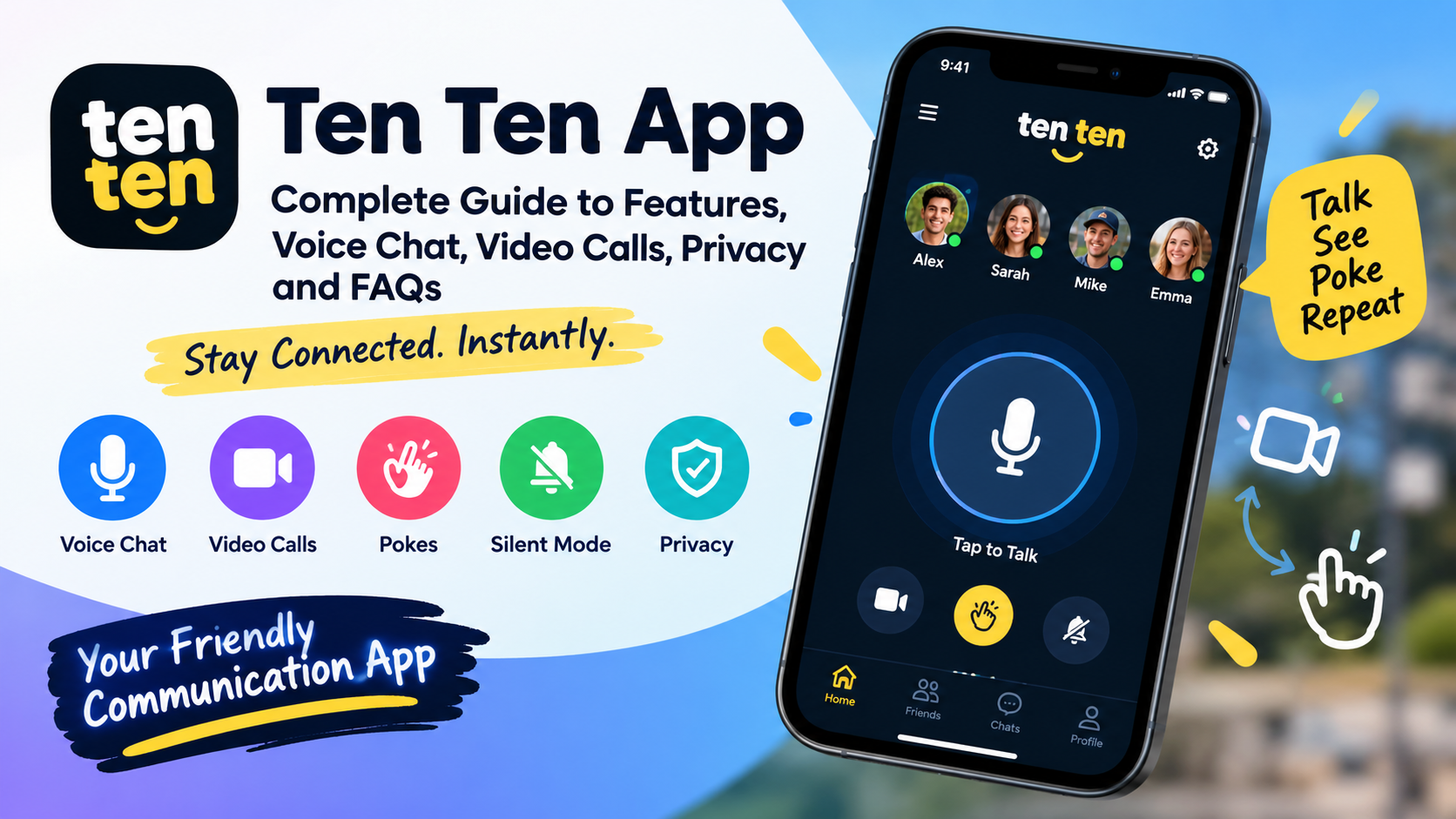
The Ten Ten app is a communication application designed to make conversations with friends feel more immediate and natural. Instead of relying only on traditional text messages or standard phone calls, it brings a walkie-talkie-style experience to smartphones. Users can communicate with friends using live voice, switch to video, send quick pokes, and control when they want to receive notifications.
The main idea behind the Ten Ten app is simple: connect with people you already know and make communication feel instant. The application has been promoted around the concept of hearing a friend’s voice live, including situations where the phone screen may be locked. Its app-store information describes voice communication, video, pokes, silent mode, and privacy-focused communication as important features.
This complete guide explains what the Ten Ten app is, how it works, its main features, privacy considerations, installation basics, advantages, limitations, safety tips, and frequently asked questions.
What Is the Ten Ten App?
The Ten Ten app is a social communication platform built around direct conversations rather than a traditional social-media feed. Its core concept is similar to a digital walkie-talkie: select a friend, press to talk, and communicate quickly without typing a long message.
Unlike ordinary messaging applications where a person normally records a voice note and sends it, the Ten Ten app focuses on a more immediate communication experience. The application has also offered video communication, allowing users to move from voice to video when they want a more personal conversation.
The walkie-talkie concept makes the application interesting for people who enjoy spontaneous conversations. Users can communicate with friends in a way that feels more immediate than conventional text messaging.
How Does the Ten Ten App Work?
The basic idea behind the Ten Ten app is straightforward. After installing the application, users create or access an account and connect with people they want to communicate with.
Once friends are connected, the main communication tools become available. A user can initiate a voice interaction, use the microphone, and communicate with a selected friend. The application may also provide options for video and quick interactions such as pokes.
The exact setup can vary depending on the operating system and current application version. Users should therefore check the latest store listing before assuming that every feature works identically across devices.
Main Features of the Ten Ten App
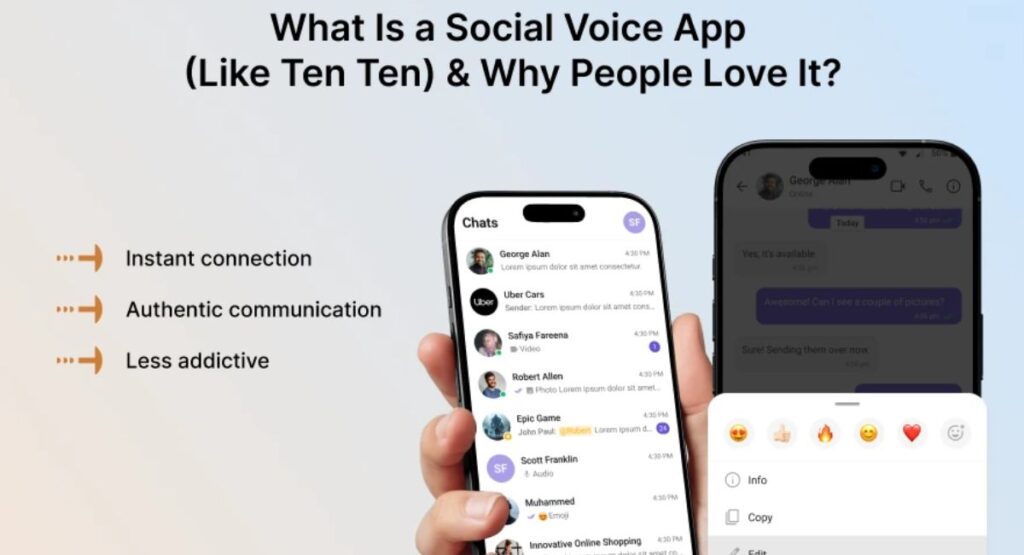
The Ten Ten app stands out because it combines several communication functions into one simple interface.
1. Live Voice Communication
The main feature of the Ten Ten app is live voice communication.
Instead of typing a message, users can communicate using their microphone. This makes conversations feel faster and more natural, especially when someone needs to say something quickly.
The walkie-talkie concept is one of the reasons the application has attracted attention. Users can communicate with friends in a way that feels more immediate than conventional messaging.
2. Push-to-Talk Experience
The push-to-talk concept is central to the Ten Ten app experience.
A user can hold the microphone control while speaking and release it when finished. Depending on the version, there may also be an option to lock the microphone for hands-free communication.
This can be useful when users are walking, preparing something, or simply prefer speaking instead of typing.
3. Video Communication
The Ten Ten app has also offered video functionality. Users can switch from voice communication to video when they want a more personal conversation.
Video communication can make conversations more engaging because users can see each other rather than relying only on audio.
Before using video, users should check their camera permissions and make sure they are comfortable with the information visible through the camera.
4. Poke Feature
Another interesting part of the Ten Ten app is the poke feature.
A poke is a quick way to get a friend’s attention without sending a full message. Instead of typing something such as “Are you there?”, a user can use a quick interaction.
This feature is useful for short, casual communication and makes the application feel more playful.
5. Silent Mode
Not every user wants to receive voice interactions throughout the day. For this reason, the Ten Ten app provides notification and silent-mode controls.
Silent mode can be useful for students, workers, meetings, study sessions, and sleeping hours.
Users should also check their phone’s Do Not Disturb settings when they want broader control over notifications.
6. Hands-Free Communication
The Ten Ten app can make communication more convenient through microphone controls.
Depending on the current version, users may be able to lock the microphone and continue speaking without continuously holding a button.
This can make longer conversations easier and provide a more natural walkie-talkie-style experience.
7. Friend-Based Communication
The Ten Ten app is primarily designed around communication with friends rather than broadcasting content to a large public audience.
Users can connect with people they know and then communicate using supported voice, video, and quick-interaction features.
This makes the application different from platforms built around public posts, followers, and algorithmic feeds.
Ten Ten App Privacy and Security
Privacy is one of the most important subjects to understand before using any communication application.
Ten Ten’s store descriptions have included statements about encrypted and ephemeral conversations. However, users should distinguish between conversation content and other information that an application may process.
For example, app-store data-safety information can include categories such as account information, contacts, device identifiers, app activity, diagnostics, or other technical information depending on the version and platform.
Therefore, users should read the latest privacy policy and store privacy disclosures before using the Ten Ten app.
Privacy information can change as applications receive updates, add features, or change their infrastructure. A responsible approach is to review the permissions requested by the application and only enable permissions that are necessary for features you actually want to use.
Is the Ten Ten App Safe?
Whether the Ten Ten app is safe depends partly on how it is used, what version is installed, and how users manage their privacy and contacts.
The application provides communication controls such as silent mode and friend-based interaction. Users should nevertheless follow normal online-safety practices.
Do not accept friend requests from people you do not know. Avoid sharing private information through voice or video conversations. Keep the application updated and install it from a legitimate app store whenever possible.
Parents and guardians should also understand how live communication works before allowing younger users to use any voice or social communication application.
How to Install the Ten Ten App
Installing the Ten Ten app is generally similar to installing other mobile applications.
Step 1: Open Your App Store
On an iPhone, open the Apple App Store. On Android, open Google Play.
Search for the application by its current name and carefully check the developer information before installing it.
Step 2: Check the App Details
Before downloading the Ten Ten app, review:
- Developer name
- App description
- Supported operating system
- Recent update information
- Privacy information
- User ratings and reviews
- Requested permissions
This step helps prevent confusion with similarly named applications.
Step 3: Install the Application
Tap the installation button and wait for the application to finish downloading.
Use an official app store whenever possible instead of downloading an unknown modified package.
Step 4: Create or Sign In to Your Account
Open the application and follow the account setup instructions.
Depending on the version and platform, you may be asked for information such as an email address, name, phone number, or other account details.
Step 5: Add Friends
The communication experience depends on having friends connected to your account.
Add only people you know and trust. If the current version uses a PIN or friend-request system, follow the instructions shown inside the application.
Step 6: Allow Necessary Permissions
The Ten Ten app may request microphone access for voice communication and camera access for video functionality.
Grant only the permissions required for features you want to use.
How to Use the Ten Ten App for Voice Chat
After your friends are connected, using the Ten Ten app for voice communication is relatively simple.
Select a friend and use the microphone control to begin speaking. Depending on the version, you may hold the control while talking or use a supported microphone-lock feature.
Speak clearly and stop the microphone when your message is finished.
The biggest difference from ordinary voice messaging is the application’s focus on immediacy. Rather than treating every recording as a conventional saved voice note, the experience is designed around live interaction.
How to Use Video on the Ten Ten App
If video communication is available on your version of the Ten Ten app, users can switch from voice to video.
Before using video, check your camera permissions and make sure you are comfortable with what appears on screen.
Video can be useful when audio is not enough. Friends may want to show something they are doing, communicate face-to-face, or make a conversation more personal.
Remember that live video requires more privacy awareness than ordinary text messaging.
How to Use Pokes
Pokes are one of the simpler features of the Ten Ten app.
Instead of sending a complete message, users can send a quick signal to a friend.
A poke may be useful when you want to say hello, get someone’s attention, or remind a friend that you are available.
Because it takes less effort than writing a message, the feature can make casual communication faster.
Ten Ten App vs Traditional Messaging
The Ten Ten app is different from conventional messaging services because its primary concept is real-time communication.
Traditional messaging is usually centered around text, photos, files, stickers, and saved conversations.
The Ten Ten experience instead focuses heavily on direct interaction with friends through live voice and quick actions.
This makes it particularly appealing to users who prefer speaking over typing.
At the same time, traditional messaging applications can offer more extensive features for group discussions, document sharing, searchable history, and long-term conversations.
Therefore, the Ten Ten app should be viewed as a specialized communication experience rather than a replacement for every type of messaging.
Advantages of the Ten Ten App
There are several reasons people may enjoy the Ten Ten app.
Fast Communication
Speaking can be faster than typing, particularly when the message is longer.
Simple Interaction
The walkie-talkie approach makes the core concept easy to understand.
Friend-Focused
The service is designed around communicating with people you know rather than publishing everything publicly.
Voice and Video
Users can communicate using voice and, where supported, video.
Quick Pokes
Pokes provide an easy way to get a friend’s attention.
Notification Controls
Silent and Do Not Disturb options give users more control over interruptions.
Casual Experience
The application can make communication feel more spontaneous than conventional messaging.
Potential Limitations
No application is perfect, and the Ten Ten app has limitations that users should understand.
First, live communication depends on a working internet connection and compatible device features.
Second, receiving live audio can be inconvenient if notifications are enabled at inappropriate times.
Third, microphone and camera permissions require careful management.
Fourth, the exact feature set can change between versions and platforms.
Finally, privacy claims should always be considered alongside the latest privacy policy and app-store disclosures rather than relying exclusively on older descriptions.
Ten Ten App on iPhone
The original iPhone version of Ten Ten has been listed through Apple’s App Store.
If you use an iPhone, always check the current App Store listing because compatibility, version numbers, features, and privacy information can change.
Before installing, verify the developer and make sure your iPhone meets the currently listed system requirements.
Ten Ten App on Android
Android availability requires particular attention because there can be applications with similar Ten Ten branding.
Android users should verify the application name, developer, description, reviews, and privacy information before installing.
Because application names can be similar, users should not assume that every APK using the Ten Ten name is the official application.
Avoid downloading modified or suspicious packages simply because they advertise extra features. Unofficial packages can create unnecessary security and privacy risks.
Does Ten Ten Store Conversations?
Users should check the latest privacy information for their specific version.
Ten Ten’s application descriptions have stated that certain voice conversations are ephemeral and are not stored on servers. However, users should not assume that this means an application collects no other information.
Account details, device information, contacts, diagnostics, or other technical data can be handled separately from communication content.
This distinction is important when evaluating the privacy of any communication application.
Tips for Using Ten Ten App Safely
To get the best experience from the Ten Ten app, follow these simple practices:
- Install the application from a trusted app store.
- Keep the app updated.
- Only add people you know.
- Review microphone and camera permissions.
- Use silent mode when you need uninterrupted time.
- Use Do Not Disturb during school, work, meetings, or sleep.
- Do not share passwords or sensitive information.
- Block unwanted contacts when necessary.
- Review privacy settings regularly.
- Read the latest privacy policy after major updates.
These habits can make live communication more comfortable while reducing unnecessary privacy risks.
Who Should Use the Ten Ten App?
The Ten Ten app can be a good option for people who enjoy fast, informal conversations with close friends.
It may appeal to users who dislike typing long messages or want something more spontaneous than traditional voice notes.
Friends, siblings, couples, classmates, and small social groups may find the walkie-talkie concept entertaining.
However, people looking for a public social network, professional communication platform, extensive file sharing, or large community discussions may prefer a different type of application.
See Also: https://ayaanletech.org/high-paying-car-insurance-companies-usa/
FAQs
What is the Ten Ten app?
The Ten Ten app is a communication application designed around quick, real-time conversations with friends. Its main concept is similar to a digital walkie-talkie, allowing connected users to communicate through voice and, on supported versions, video. It can also include quick interactions such as pokes and controls such as silent mode.
How does the Ten Ten app work?
The Ten Ten app connects users with friends so they can communicate through live voice interactions. After creating an account and adding friends, users can select a contact and use the microphone to communicate. Depending on the current version, users may also have access to video calls, pokes, and other communication control.
Is the Ten Ten app free?
The Ten Ten app has been offered as a free mobile application. However, availability, features, and any optional purchases can change over time. Users should check the current Apple App Store or Google Play listing for the latest information before installing it.
Is the Ten Ten app available on Android?
Yes, Ten Ten-branded applications have been available through Google Play. Because application names can sometimes be similar, Android users should verify the developer, description, reviews, and current listing before downloading.
Is the Ten Ten app available on iPhone?
Yes. The original Ten Ten application has been listed on the Apple App Store for iPhone. Users should check the current listing for supported iOS versions and the latest feature information because requirements can change with updates.
Does the Ten Ten app support voice chat?
Yes. Voice communication is the central concept of the Ten Ten app. The service is designed to provide a walkie-talkie-style experience where friends can communicate using their microphones rather than typing traditional messages.
Can you make video calls on the Ten Ten app?
Video functionality has been included in Ten Ten’s mobile experience. If video is available in your current version, you can use the camera and microphone to communicate with friends. Camera permissions may be required for this feature.
What is the poke feature in the Ten Ten app?
A poke is a quick interaction that can be used to get a friend’s attention without sending a complete voice or text message. It is designed for casual communication and can be useful when you simply want to let someone know you are available.
Final Thoughts
The Ten Ten app takes a simple communication idea and turns it into a mobile-first experience built around live voice interactions. Its walkie-talkie-style design, video communication, pokes, silent mode, and friend-focused approach make it different from traditional messaging applications.
For users interested in quick conversations with friends, the Ten Ten app can provide a fun alternative to typing messages. The most important things are to install the correct version, verify the developer, keep the software updated, manage permissions carefully, and understand the latest privacy information.
Before downloading or using any application, always check the current official store listing because application features, compatibility, privacy practices, and developer information can change over time.
If you want a simple way to communicate with friends through live voice, quick interactions, and video, the Ten Ten app is worth exploring. Its central idea remains easy to understand: keep your closest friends within easy reach and make communication feel more immediate.



