


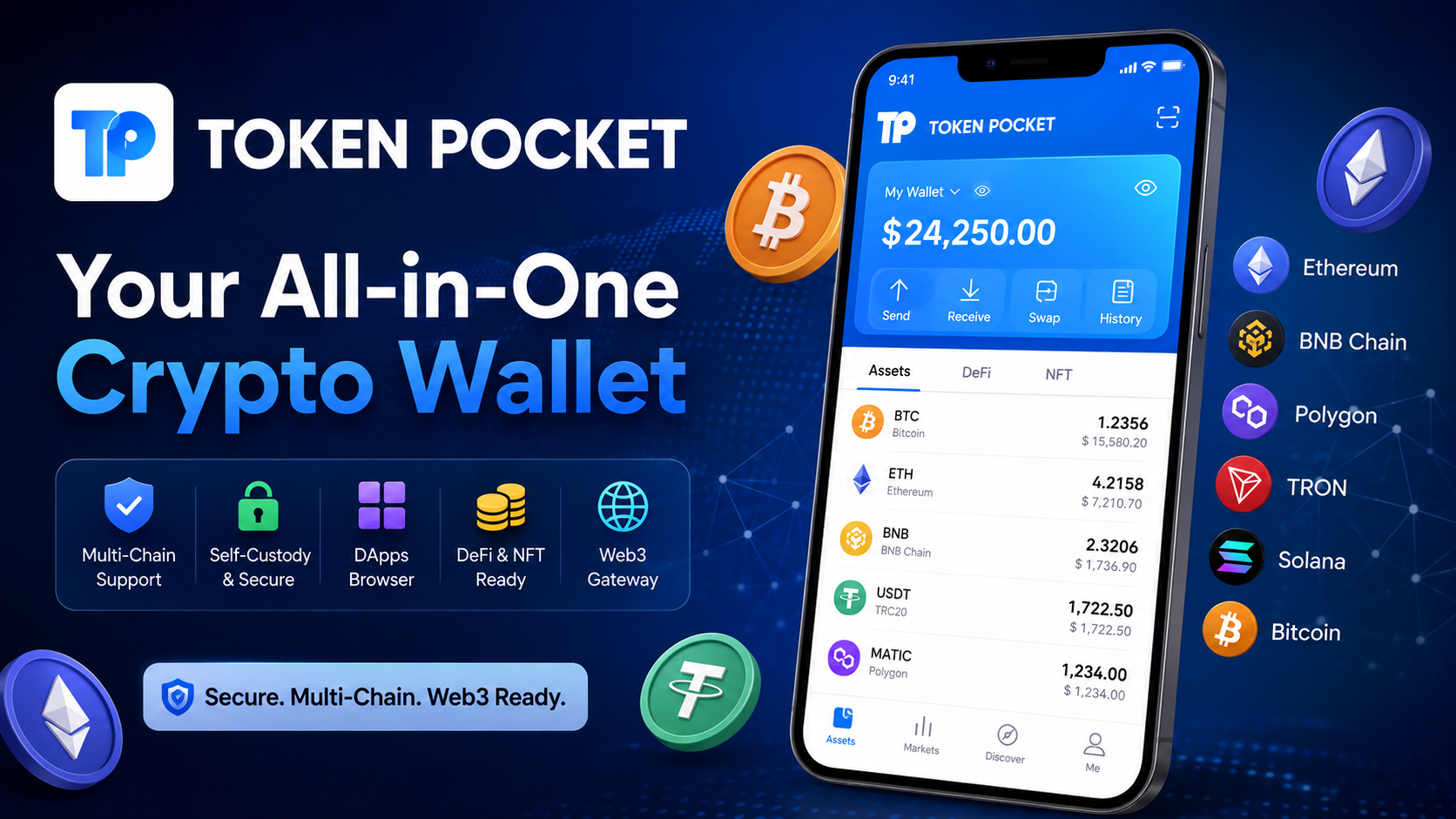
If you are looking for a convenient way to manage digital assets across different blockchain networks, Token Pocket is a wallet designed to bring multiple crypto activities into one place. Instead of using separate wallets for different networks, Token Pocket provides a multi-chain environment where users can create or import wallets, manage tokens, send and receive assets, connect with decentralized applications, and explore Web3 services.
Token Pocket is a self-custody wallet, which means users are responsible for controlling and protecting their wallet credentials. According to its official documentation, private keys and recovery phrases are kept on the user’s device, giving the user control over the associated assets. The wallet supports major networks including Bitcoin, Ethereum, BNB Chain, Polygon, TRON, Solana, and other blockchain ecosystems.
For beginners, the crypto world can seem complicated because different blockchains use different networks, tokens, addresses, transaction systems, and fees. Token Pocket attempts to simplify this experience by putting many of these functions into a single wallet interface.
What Is Token Pocket?
Token Pocket is a multi-chain, self-custodial cryptocurrency wallet that allows users to manage blockchain assets and interact with decentralized applications. It is available across mobile and browser-based environments, making it possible to access wallet functions from different devices.
The wallet is designed around the idea of giving users direct control over their digital assets. Instead of a traditional centralized account where another company controls the account credentials, a self-custody wallet places responsibility for the private key or recovery phrase with the user.
This distinction is extremely important.
When you create a self-custody wallet, you receive credentials that can be used to recover and control the wallet. Losing those credentials can result in losing access to the assets associated with that wallet. Token Pocket’s own documentation emphasizes protecting private keys and mnemonic phrases and never sharing them with other people.
The wallet supports a broad range of blockchain networks and provides access to decentralized applications. Its official documentation describes support for more than 1,000 networks and thousands of DApps, although the exact supported networks and available features can change as the platform develops.
Why Is Token Pocket Popular?
One of the main reasons users consider Token Pocket is its multi-chain approach. Crypto users may hold assets on several different networks, and switching between separate wallet applications can become inconvenient.
A multi-chain wallet can make this process easier by providing one interface for multiple ecosystems.
For example, users may need to manage:
- Bitcoin assets
- Ethereum-based tokens
- BNB Chain assets
- Polygon assets
- TRON assets
- Solana assets
- Layer-2 network assets
- NFTs
- DeFi-related assets
The official TokenPocket documentation lists support for both EVM-compatible networks and non-EVM networks.
Another important feature is DApp connectivity. Instead of treating a wallet only as a place to store cryptocurrency, Token Pocket also works as an entry point into parts of the Web3 ecosystem.
Main Features of Token Pocket
1. Multi-Chain Wallet Support
The biggest feature of Token Pocket is its multi-chain capability.
A traditional wallet may focus on a particular blockchain, while a multi-chain wallet is designed to support assets and networks from different ecosystems.
Token Pocket supports networks such as Bitcoin, Ethereum, BNB Chain, Polygon, TRON, Solana, and others. Its official materials also describe support for many additional networks and custom network functionality.
This can be useful for users who regularly move between different blockchain ecosystems.
2. Self-Custody
Self-custody is another major part of Token Pocket.
With self-custody, users control their wallet credentials rather than relying on a centralized service to hold the private keys. Token Pocket states that wallet keys and passwords are generated and stored on the user’s device.
However, self-custody also means responsibility.
If someone obtains your recovery phrase or private key, they may be able to control the assets in the wallet. For this reason, users should treat recovery phrases like highly sensitive credentials.
Never send a recovery phrase through chat, email, social media, or a website form.
3. Send and Receive Crypto
Token Pocket provides basic cryptocurrency wallet functions such as sending and receiving digital assets.
To receive an asset, a user normally selects the appropriate blockchain network and copies the wallet address or uses a supported QR-code method.
To send an asset, the user enters the destination address, selects the network and asset, checks the transaction details, and confirms the transaction.
The most important point is to verify the network before sending.
For example, an address or token may appear similar across different networks, but sending an asset through an incompatible network can create serious problems.
4. Token Management
A multi-chain wallet needs an effective way to organize assets.
Token Pocket allows users to manage different tokens within supported blockchain networks. This can make it easier to check balances and organize digital assets without constantly switching between unrelated applications.
Users should always confirm that the token contract and network are correct before interacting with unfamiliar assets.
5. DApp Browser and Web3 Access
Decentralized applications, commonly called DApps, are an important part of Web3.
Token Pocket includes DApp-related functionality that allows users to connect their wallets to decentralized applications. Official materials describe support for DeFi, NFTs, GameFi, and other DApp experiences.
This means a wallet can do more than simply hold assets. It can also act as an identity and transaction tool when interacting with blockchain applications.
However, users should be careful when connecting a wallet to any DApp. A malicious application can potentially request dangerous permissions or encourage users to approve unwanted transactions.
6. DeFi Support
Decentralized finance, or DeFi, refers to blockchain-based financial applications.
Depending on the supported network and DApp, users may interact with decentralized exchanges, lending applications, liquidity platforms, staking systems, and other blockchain services.
Token Pocket provides a gateway for interacting with these applications.
However, the wallet itself does not automatically make a DeFi application safe. Users should understand what they are approving before signing a transaction.
7. NFT Support
NFTs are unique blockchain-based digital assets.
Token Pocket supports NFT-related functionality across supported ecosystems. This makes it possible for users to manage and interact with certain NFT assets through the wallet environment.
NFT users should pay attention to network compatibility, transaction fees, ownership information, and the authenticity of the asset before completing transactions.
8. Browser Extension
For people who use Web3 applications on computers, a browser wallet can be more convenient than using a smartphone for every transaction.
Token Pocket provides a browser extension designed to connect users with supported Web3 applications. Its extension documentation describes compatibility with browsers such as Chrome and Brave and support for various networks.
The extension can make desktop-based blockchain activity easier while keeping wallet functionality close to the browser.
9. Hardware Wallet Support
Security-conscious users may prefer hardware wallets for certain assets or activities.
Token Pocket’s ecosystem includes KeyPal hardware wallet functionality, and its official materials also describe hardware-wallet compatibility as part of its security approach.
Hardware wallets can provide an additional layer of protection because private keys can remain isolated from ordinary online activity.
10. Security Tools
Token Pocket provides several security-oriented features.
Its current Google Play listing describes features including approval detection, token checking, multi-signature wallets, watch wallets, private wallets, and hardware-wallet support.
These tools can help users understand and manage wallet activity, but no wallet can eliminate every cryptocurrency risk.
The user’s own security habits remain extremely important.
How to Get Started With Token Pocket
Getting started with Token Pocket generally involves installing the wallet, creating or importing a wallet, securing the recovery information, and then adding or managing supported assets.
Step 1: Install the Wallet
Use an official distribution channel whenever possible.
Fake cryptocurrency wallet applications are a significant security risk. Before installing a wallet, verify the application name, developer information, official website, and download source.
The official TokenPocket materials specifically warn users to obtain the wallet through official channels and protect their private keys and mnemonic phrases.
Step 2: Create a New Wallet
If you do not already have a wallet, select the option to create one.
The application will provide wallet credentials, such as a recovery phrase, depending on the wallet type and setup.
Write the recovery phrase down carefully and store it somewhere secure.
Do not take screenshots of your recovery phrase.
Do not save it in an unsecured cloud document.
Do not send it to another person.
Step 3: Confirm Your Recovery Information
During wallet setup, you may be asked to confirm the recovery phrase.
This step is important because the phrase may be necessary for recovering your wallet if your device is lost or replaced.
Step 4: Add Assets
Once the wallet has been created, users can manage supported tokens and blockchain assets.
Always select the correct network when adding or transferring an asset.
Step 5: Learn the Interface
Before making a large transaction, spend time learning the wallet interface.
Understand where you can:
- View balances
- Copy wallet addresses
- Send assets
- Receive assets
- Change networks
- Connect to DApps
- Review transaction information
- Check wallet security settings
Learning these functions first can reduce avoidable mistakes.
How to Receive Cryptocurrency in Token Pocket
Receiving cryptocurrency is generally straightforward, but network selection is critical.
First, open the appropriate wallet and choose the asset you want to receive. Then locate the receiving address.
Copy the address carefully and provide it to the sender.
Before accepting a transfer, confirm:
- The asset is correct.
- The network is correct.
- The address is correct.
- The sender is using the correct network.
- Any required memo or tag is included.
Never assume that because two networks use similar-looking addresses they are interchangeable.
How to Send Cryptocurrency in Token Pocket
Sending crypto requires more attention than simply entering an address.
Open the appropriate asset and select the send function. Enter the destination address and amount, then carefully review the transaction.
Before confirming, check:
- Recipient address
- Token
- Blockchain network
- Amount
- Network fee
- Transaction details
For a new address, sending a small test transaction can be a sensible precaution when the situation allows it.
Once a blockchain transaction is confirmed, reversing it may not be possible.
Token Pocket and Web3
Web3 refers to blockchain-based applications and services that allow users to interact directly with decentralized networks.
A wallet such as Token Pocket can act as the connection between the user and these applications.
Instead of creating a separate account on every decentralized application, users can connect their wallet and sign blockchain transactions.
This model provides greater control but also requires greater awareness.
When connecting to a DApp, users should check:
- The website address
- The requested permissions
- The transaction being signed
- The token being approved
- The blockchain network
- Any associated fees
Never approve a transaction simply because a website says it is necessary.
Token Pocket Security: Important Tips
Security should be the highest priority when using any cryptocurrency wallet.
Keep Your Recovery Phrase Offline
Your recovery phrase should be stored securely and privately.
Anyone who obtains it may potentially gain control over the associated wallet.
Never Share Your Private Key
Legitimate wallet support should not require you to send your private key or recovery phrase.
Treat anyone requesting this information as suspicious.
Use Strong Device Security
Protect your smartphone or computer with a strong password, PIN, biometric security, and updated operating system.
Check Transactions Carefully
Always inspect transaction information before confirming.
A single incorrect address can result in funds being sent to the wrong destination.
Be Careful With DApps
DApps can request permissions or transaction approvals.
Only interact with applications you understand and verify what you are signing.
Avoid Fake Wallet Applications
Cryptocurrency users should be especially careful about unofficial applications, fake download pages, and phishing websites.
Always verify the source before installing wallet software.
Token Pocket Private Wallet Feature
Token Pocket’s documentation describes a private-wallet system using application lock and separate subspaces. Users can configure different private spaces protected by different passwords, with separate wallets available inside those spaces.
This feature can provide additional privacy for users who need separate wallet environments.
However, users must remember the passwords associated with these spaces. Token Pocket’s documentation warns that forgetting the relevant password can create access difficulties, while the underlying wallet still requires appropriate key or mnemonic backup.
The important lesson is simple: extra privacy features do not replace proper wallet backups.
Advantages of Token Pocket
There are several reasons users may choose Token Pocket.
Multi-Chain Convenience
Users can manage assets across many blockchain ecosystems from one wallet environment.
Self-Custody
Users maintain control over their wallet keys and assets.
Web3 Connectivity
The wallet provides access to DApps and blockchain-based applications.
Mobile and Desktop Options
Token Pocket is available through mobile applications and browser-based wallet options.
Security Features
The platform offers several security-oriented functions, including approval checking, hardware wallet support, and other wallet protection tools.
Broad Blockchain Support
Support for major networks makes the wallet useful for users who work with different ecosystems.
Things to Consider Before Using Token Pocket
Although Token Pocket offers many features, users should understand that using a cryptocurrency wallet involves financial and security risks.
A wallet is only one part of the security equation.
Users must also protect their devices, recovery phrases, passwords, and transaction approvals.
Cryptocurrency transactions can be irreversible. Blockchain networks may also experience congestion, high transaction fees, smart-contract risks, or other technical problems.
For these reasons, users should never invest money they cannot afford to lose and should understand the risks before interacting with digital assets.
Is Token Pocket Good for Beginners?
Token Pocket can be useful for beginners who want to explore multiple blockchain networks through one wallet.
The main challenge for new users is understanding how blockchain transactions work.
Beginners should first learn:
- What a blockchain network is
- What a wallet address is
- What a recovery phrase does
- Why network selection matters
- What transaction fees are
- How DApp connections work
- Why private keys must remain secret
Once these fundamentals are understood, using a multi-chain wallet becomes much easier.
Token Pocket for Experienced Crypto Users
Experienced users may appreciate the broader range of features available in Token Pocket.
Multi-chain support can reduce the need to maintain many separate wallet interfaces. DApp access can also make it easier to interact with decentralized applications.
Advanced users may also be interested in hardware wallet support, multi-signature functionality, custom networks, token security tools, and other ecosystem features described by TokenPocket.
Common Token Pocket Mistakes to Avoid
Choosing the Wrong Network
This is one of the most common mistakes when sending crypto.
Always verify the network on both sides of the transaction.
Sharing the Recovery Phrase
Never share it, even if someone claims to be a wallet administrator or support representative.
Approving Unknown Transactions
Read transaction details before signing.
Downloading From Unverified Sources
Only install wallet software from trustworthy official distribution channels.
Forgetting Backup Information
A self-custody wallet requires responsible backup management.
Sending a Large Transaction Without Testing
When appropriate, consider testing with a small amount first.
FAQs
What is Token Pocket?
Token Pocket is a multi-chain self-custody cryptocurrency wallet designed for managing digital assets and interacting with blockchain networks and decentralized applications.
Is Token Pocket a multi-chain wallet?
Yes. Its official documentation describes support for numerous EVM and non-EVM blockchain networks, including Ethereum, BNB Chain, Polygon, Bitcoin, TRON, Solana, and others.
Does Token Pocket support DApps?
Yes. TokenPocket provides DApp connectivity and describes support for DeFi, NFT, GameFi, and other Web3 applications.
Is Token Pocket self-custodial?
Yes. TokenPocket describes itself as a self-custodial wallet, with private keys and recovery information controlled by the user.
Can Token Pocket be used on a computer?
Yes. TokenPocket provides a browser extension for desktop Web3 usage.
Does Token Pocket support hardware wallets?
The TokenPocket ecosystem includes hardware-wallet support, including its KeyPal product and compatibility described in its current application information.
What should I do if I lose my recovery phrase?
You should always maintain a secure backup before you need it. If the recovery information is lost and there is no alternative valid recovery method, access to a self-custody wallet can become impossible.
Is Token Pocket completely risk-free?
No cryptocurrency wallet is completely risk-free. Users should protect their devices, recovery information, private keys, passwords, and transaction approvals.
Final Thoughts
Token Pocket is a multi-chain self-custody wallet designed to simplify cryptocurrency and Web3 management. Its combination of blockchain support, asset management, DApp connectivity, NFT functionality, browser access, and security tools makes it a broad wallet ecosystem for both newer and experienced crypto users.
The most important advantage is convenience: users can work with multiple blockchain networks from a unified wallet environment.
However, convenience should never replace security. Because Token Pocket is self-custodial, users are responsible for protecting their recovery phrase and private keys. A secure wallet setup, careful transaction checking, strong device protection, and cautious DApp usage are essential.
If you are exploring blockchain technology, decentralized applications, NFTs, DeFi, or multiple cryptocurrency networks, Token Pocket can provide a useful starting point for managing those activities in one place.
Before installing any wallet application, always verify the source and download the authentic version. Most importantly, never share your recovery phrase or private key with anyone.



