


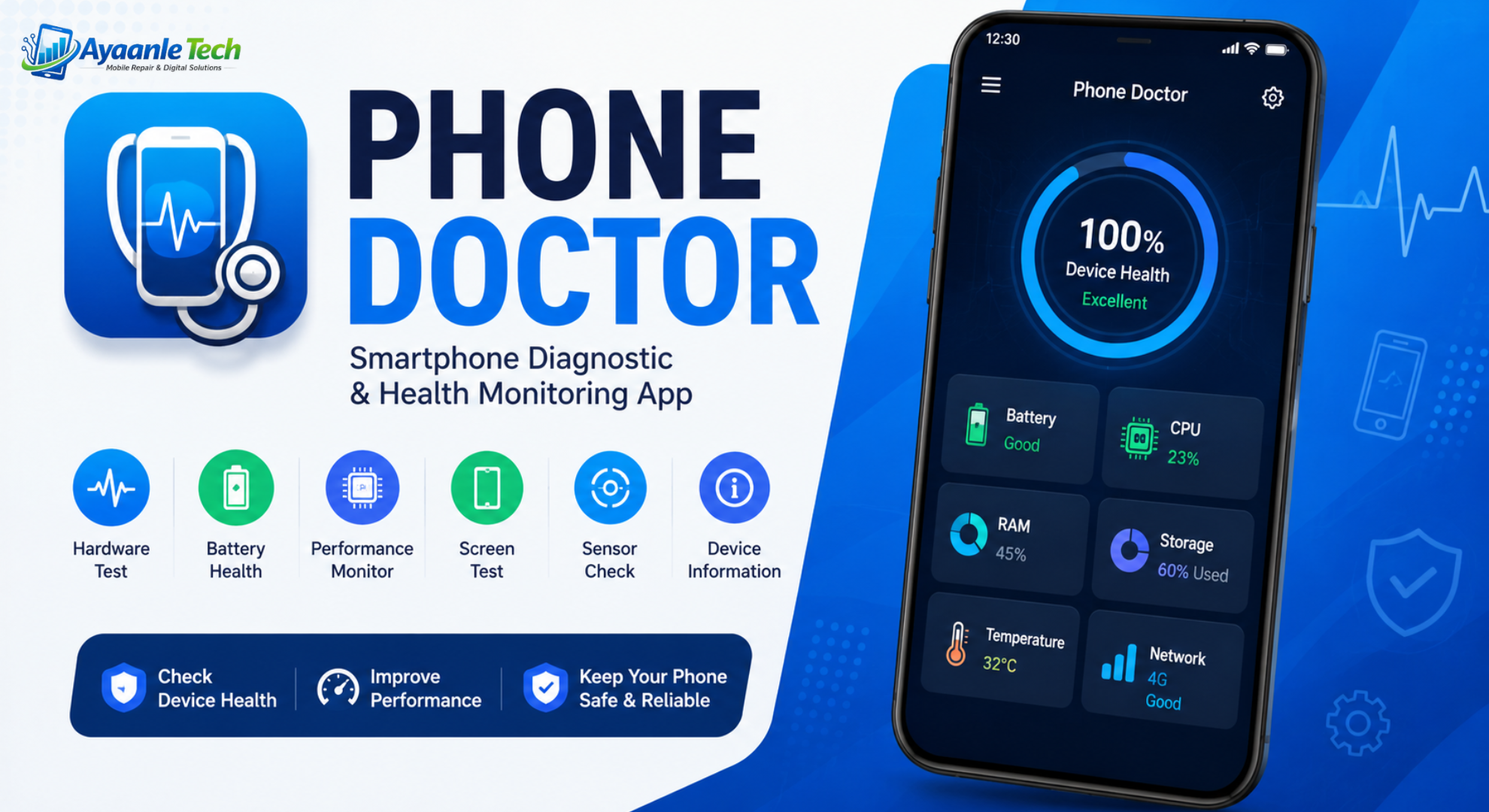
Smartphones have become an essential part of everyday life, helping users communicate, work, learn, and stay entertained. As mobile devices become more advanced, maintaining their performance and overall health is increasingly important. This is where Phone Doctor comes in. App is a powerful smartphone diagnostic and device monitoring application designed to help users evaluate, monitor, and improve the condition of their mobile devices.
Whether you want to check your battery health, test hardware components, monitor system performance, or identify potential issues affecting your smartphone, Phone Doctor provides a comprehensive set of diagnostic tools in a single application. The app allows users to perform detailed hardware tests, analyze device performance, and ensure that every major component is functioning properly.
App has become popular among Android users who want a simple yet effective solution for checking the condition of their devices. From battery diagnostics and CPU monitoring to screen testing and sensor analysis, the application offers numerous features that help users understand the health of their smartphones.
What is Phone Doctor?
Phone Doctor is a smartphone diagnostic application that helps users test and evaluate various hardware and software components of their devices. The app performs detailed examinations of multiple smartphone functions, providing valuable information about device performance and potential issues.
Instead of relying on guesswork when a phone experiences problems, users can use Phone Doctor to run diagnostic tests and receive detailed insights about the device’s condition. This makes the app useful for everyday users, technicians, mobile enthusiasts, and anyone planning to buy or sell a used smartphone.
The application supports a wide range of tests, including battery diagnostics, touchscreen testing, speaker analysis, microphone testing, camera verification, sensor evaluation, storage analysis, network testing, and performance monitoring.
Key Features of Phone Doctor
Comprehensive Hardware Diagnostics
One of the biggest advantages of App is its extensive hardware testing capabilities. Users can quickly verify whether important hardware components are functioning correctly.
The application can test:
- Touchscreen responsiveness
- Display quality
- Multi-touch functionality
- Front camera
- Rear camera
- Flashlight
- Speakers
- Microphone
- Headphone jack
- Proximity sensor
- Accelerometer
- Gyroscope
- Compass
- GPS
- Volume buttons
- Power button
- Vibration motor
These tests help users identify hardware issues before they become serious problems.
Battery Health Monitoring
Battery performance is one of the most important aspects of any smartphone. App provides detailed battery information, including:
- Battery temperature
- Charging status
- Battery capacity
- Voltage information
- Power consumption
- Battery health indicators
Monitoring battery performance can help users detect issues such as rapid battery drain, overheating, or charging abnormalities.
CPU and Memory Analysis
Phone Doctor allows users to monitor system performance through detailed CPU and memory information.
Users can view:
- Processor usage
- RAM consumption
- System performance statistics
- Device specifications
- Hardware information
This data helps identify apps or processes that may be slowing down the device.
Display Testing Tools
The display testing features help users identify common screen problems, including:
- Dead pixels
- Stuck pixels
- Color inconsistencies
- Touchscreen issues
- Brightness irregularities
Regular display testing can help users detect issues early and maintain optimal screen performance.
Sensor Diagnostics
Modern smartphones contain numerous sensors that support navigation, gaming, fitness tracking, and other functions. Phone Doctor helps verify that these sensors are operating correctly.
The app tests:
- Accelerometer
- Gyroscope
- Magnetic sensor
- Orientation sensor
- Gravity sensor
- Proximity sensor
Accurate sensor performance is essential for many smartphone applications and features.
Why Phone Doctor Is Essential for Smartphone Users
In today’s digital world, smartphones play a crucial role in communication, productivity, entertainment, and online activities. As mobile devices become more advanced, ensuring their optimal performance is increasingly important. Phone Doctor is a powerful diagnostic application designed to help users monitor and maintain the health of their smartphones.
The app provides a comprehensive set of tools that allow users to test various hardware components, analyze system performance, and identify potential issues before they become serious problems. Whether you are experiencing battery drain, touchscreen issues, sensor malfunctions, or performance slowdowns, Phone Doctor can help diagnose the root cause quickly and efficiently.
One of the biggest advantages of the app is its ability to perform detailed hardware tests, including checks for the display, speakers, microphone, cameras, GPS, accelerometer, gyroscope, and other essential smartphone components. It also offers battery health monitoring features that provide valuable information about charging status, temperature, voltage, and overall battery condition.
This helps users make informed decisions about device maintenance and battery replacement. Additionally, Phone Doctor includes system information and performance monitoring tools that allow users to view CPU usage, memory consumption, storage status, and other important device statistics. These insights help users optimize their smartphones for better speed and reliability.
The app is especially useful for people buying or selling used smartphones because it can verify whether all major hardware features are functioning properly. With its easy-to-use interface, accurate diagnostic capabilities, and detailed reporting system, Phone Doctor has become a trusted solution for Android users who want to keep their devices running smoothly.
Regular use of Phone Doctor can help extend device lifespan, improve performance, and provide peace of mind by ensuring that your smartphone remains in excellent working condition.
See Also: Contract Blockchain
FAQs
What is Phone Doctor?
App is a smartphone diagnostic application that helps users test, monitor, and analyze various hardware and software components of their mobile devices.
Is Phone Doctor free to use?
Phone Doctor offers various features that may be available for free, while some versions may include premium tools or advanced diagnostic options.
What can Phone Doctor test on a smartphone?
App can test the touchscreen, display, battery, speakers, microphone, cameras, sensors, GPS, vibration motor, buttons, and other hardware components.
How does Phone Doctor check battery health?
The app monitors battery performance, charging status, temperature, voltage, and other metrics to help users understand the condition of their device battery.
Can Phone Doctor detect hardware problems?
Yes. is designed to identify potential hardware issues by running diagnostic tests on different smartphone components.
Is Phone Doctor safe to install?
When downloaded from a trusted source, Phone Doctor is generally safe to use and does not damage your smartphone during diagnostic testing.
Why Use Phone Doctor?
Phone Doctor provides valuable insights into your smartphone’s health and performance. Whether you’re troubleshooting issues, preparing to sell a device, evaluating a used phone purchase, or simply monitoring device condition, the app offers practical diagnostic tools that help users make informed decisions.
Its user-friendly interface, comprehensive testing options, and detailed reports make it one of the most useful smartphone diagnostic applications available today.
