


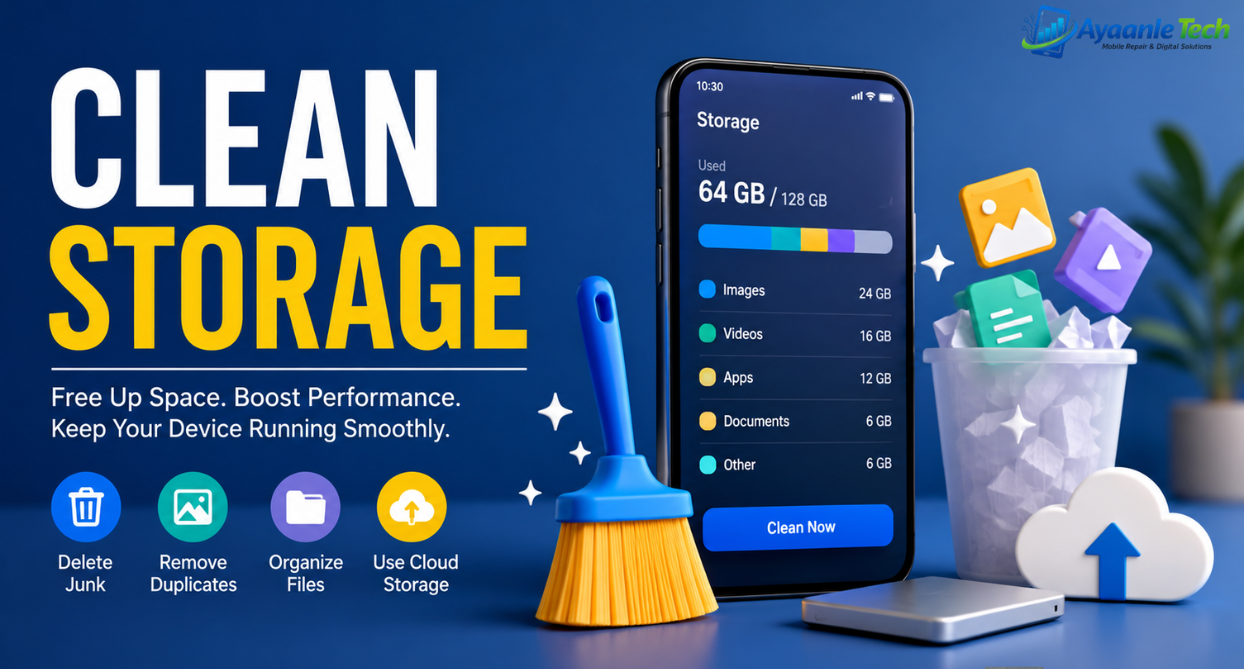
Clean Storage is one of the most important aspects of maintaining the performance, speed, and reliability of smartphones, tablets, computers, and cloud services. Over time, devices accumulate unnecessary files, temporary data, duplicate content, cached files, old downloads, and unused applications, all of which consume valuable storage space. When Storage becomes full, users often experience slow performance, application crashes, reduced productivity, and system errors.
Whether you use an Android phone, iPhone, Windows PC, MacBook, or a loud storage service, understanding how to clean sStorageeffectively can improve ddevice performance eenhance theuser experience, and extend the lifespan of your hardware.
This comprehensive guide explains everything you need to know about clean Storage, including its benefits, best practices, common storage issues, and step-by-step methods for safely freeing up space.
What Is Clean Storage?
Clean Storage refers to the process of identifying, organizing, and removing unnecessary files and data from a device or storage system. The goal is to maximize available space while maintaining essential files, applications, and system functionality.
Storage cleaning typically involves:
- Removing temporary files
- Deleting duplicate photos and videos
- Clearing application cache
- Uninstalling unused apps
- Managing downloads
- Organizing cloud storage
- Deleting junk files
- Optimizing system resources
Regular storage maintenance ensures that devices continue to operate smoothly without encountering space-related problems.
Why Clean Storage Is Important
Many users underestimate the impact of storage management. When storage space becomes limited, devices may experience several issues:
Reduced Device Performance
Full Storage can slow down operating systems because there is less room for temporary processes and system operations.
Faster App Performance
Applications perform better when sufficient storage space is available for updates, cache management, and background processes.
Improved System Stability
Storage optimization reduces crashes, freezes, and software conflicts caused by insufficient space.
Better Security
Removing outdated files, downloads, and unused applications can reduce potential security risks.
Increased Productivity
A clean and organized storage system makes it easier to quickly locate important documents, photos, and files.
Common Causes of Storage Problems
Several factors contribute to Storage becoming full over time.
Large Media Files
Photos, videos, screen recordings, and downloaded media often consume the largest portion of Storage.
App Cache
Applications store temporary data to improve performance. Over time, cached files can occupy significant space.
Duplicate Files
Multiple copies of the same documents, photos, or videos waste valuable storage capacity.
Unused Applications
Many users install apps and forget about them, leaving them to consume Storage indefinitely.
Download Folder Clutter
Old downloads frequently remain on devices long after they are needed.
Messaging Apps
Media received through messaging platforms can quickly fill device storage.
How to Clean Storage on Android Devices
Android users can free up Storage by following these steps:
- Open Settings.
- Navigate to Storage.
- Review storage usage.
- Remove unnecessary downloads.
- Clear application cache.
- Delete duplicate photos.
- Uninstall unused applications.
- Move files to cloud storage.
Android devices often include built-in storage management tools that automatically recommend files for deletion.
How to Clean Storage on iPhone
Apple devices provide several options for managing Storage.
Offload Unused Apps
iOS can automatically remove applications while preserving user data.
Review Large Attachments
Messages often contain large media files that consume Storage.
Optimize Photos
Store original photos in iCloud while keeping smaller versions on the device.
Remove Unused Downloads
Delete downloaded movies, music, and documents that are no longer needed.
How to Clean Storage on Windows PCs
Windows computers accumulate temporary files through daily use.
Use Storage Sense
Storage Sense automatically removes temporary files and empty recycle bins.
Delete Temporary Files
Windows provides built-in tools for identifying unnecessary files.
Uninstall Unused Programs
Remove software that is no longer needed.
Clean Download Folders
Review downloaded files regularly and remove outdated content.
How to Clean Storage on Mac
Mac users can optimize Storage using built-in management tools.
Optimize Storage
macOS provides recommendations for removing unnecessary files.
Empty Trash
Deleted files remain in Trash until permanently removed.
Remove Large Files
Review large videos, backups, and downloads that consume Storage.
Use Cloud Storage
Store infrequently used files in cloud storage to free up local storage space.
Cloud Storage Cleaning Tips
Cloud platforms can also become cluttered.
Best practices include:
- Delete duplicate files.
- Remove outdated backups.
- Organize folders.
- Archive old projects.
- Empty cloud recycle bins.
Regular cloud maintenance helps reduce storage costs and improve accessibility.
Signs Your Device Needs Storage Cleaning
You may need to clean the Storage if you notice:
- Slow device performance
- App crashes
- Failed software updates
- Low storage warnings
- Difficulty saving files
- Longer boot times
- Reduced battery efficiency
Addressing storage issues early prevents more serious performance problems.
Best Practices for Maintaining Clean Storage
To keep Storage optimized long-term:
Perform Monthly Reviews
Regularly review files and applications.
Use Cloud Backup
Store important files securely in the cloud.
Delete Unnecessary Screenshots
Screenshots often accumulate unnoticed.
Organize Files
Create folders and maintain a logical file structure.
Monitor Storage Usage
Track storage trends before capacity becomes critical.
Keep Software Updated
Modern operating systems often include improved storage management features.
See Also:
What is the meaning of e-commerce
FAQs
What is the fastest way to clean Storage?
The fastest method is to delete unnecessary downloads, clear cache files, remove duplicate media, and uninstall unused applications.
Does clearing the cache delete personal data?
No. Cache cleaning removes temporary files but generally does not delete personal documents or photos.
How much free Storage should I keep available?
Experts recommend at least 1the 0–20% of total storage capacity as free space for optimal performance.
Can full storage damage a device?
While it typically does not cause physical damage, full Storage can negatively affect performance, stability, and software updates.
How often should I clean Storage?
Monthly storage maintenance is recommended for most users.
Conclusion
Clean Storage is essential for maintaining device speed, reliability, and efficiency. By removing unnecessary files, managing applications, organizing media, and utilizing cloud storage effectively, users can significantly improve performance while avoiding common storage-related issues.
Regular storage optimization not only creates more available space but also enhances productivity, security, and overall device longevity. Whether you use a smartphone, tablet, laptop, desktop computer, or cloud platform, implementing a clean storage routine is one of the simplest and most effective ways to ensure a better digital experience.
