


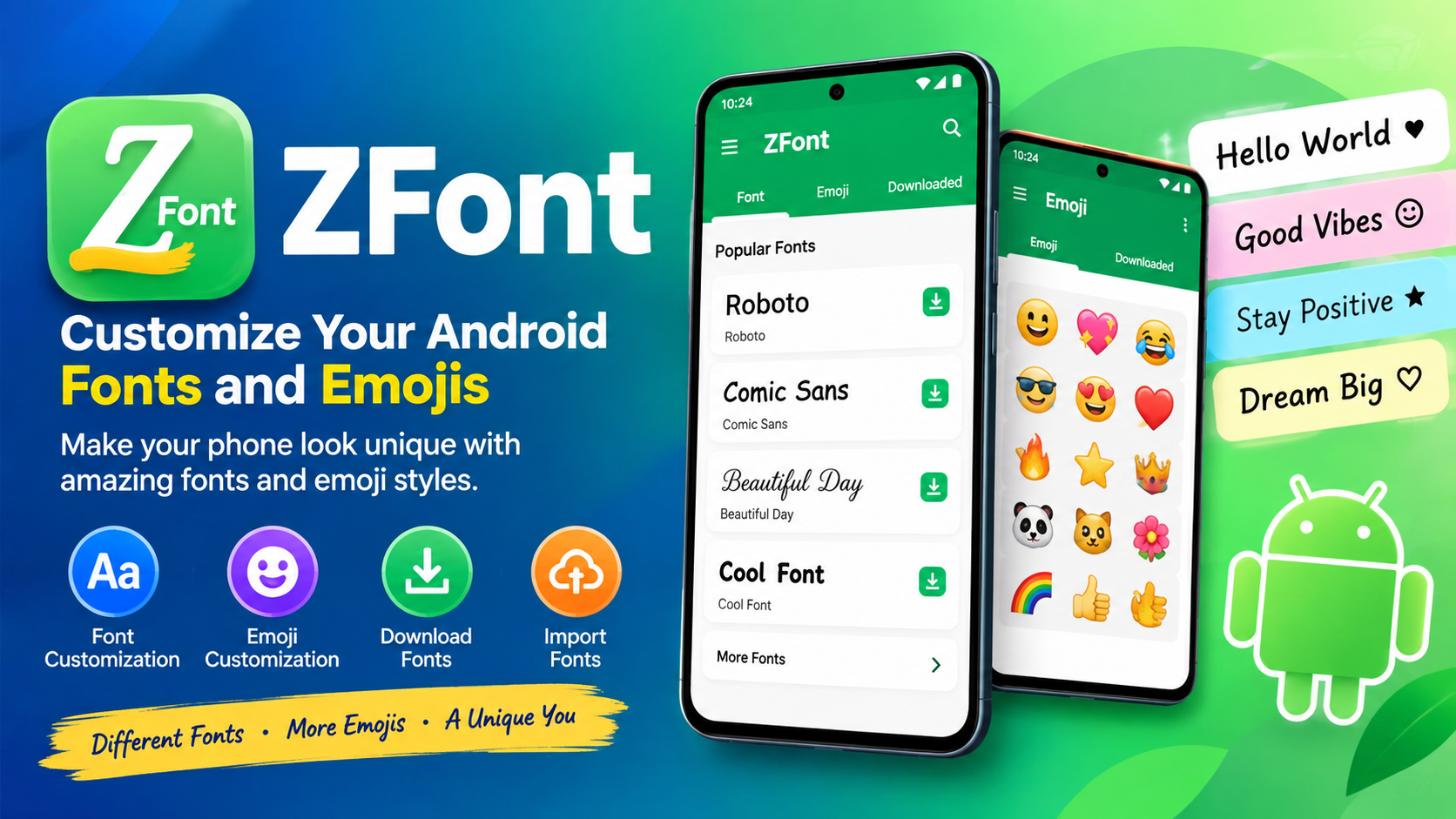
If you want to change the look of text, emojis, and fonts on your Android phone, ZFont can be a useful customization tool to explore. It is designed to help Android users personalize the appearance of fonts and emojis on supported devices without necessarily requiring ROOT access. According to the existing information on Ayaanle.Tech, ZFont supports a wide range of Android brands and provides options for downloading, importing, and applying different font styles and emoji designs.
Many Android users enjoy changing their phone’s appearance because the default font can sometimes feel repetitive. A different font can make menus, messages, notifications, and other text look more personal. ZFont is built around this idea by providing tools that make font customization easier.
Another useful part of ZFont is its font and emoji collection. Users can browse available styles, download fonts, import their own files, and use supported fonts in different applications. For users who enjoy customizing their Android experience, this can provide more flexibility than relying only on the default font options available on a phone.
What Is ZFont?
ZFont is an Android font and emoji customization application that helps users change the visual style of fonts and emojis on supported smartphones. It is intended for people who want more customization options than the standard font settings offered by their device.
The application supports several major Android manufacturers, although the exact method and compatibility can vary depending on the phone model, Android version, and user-interface software. The information currently published on Ayaanle.Tech lists support for Samsung, Vivo, LG, Huawei, Honor, OPPO, Realme, OnePlus, Xiaomi, Tecno, Infinix, ASUS, and other devices.
ZFont can be especially useful for people who want to experiment with different typography styles. Instead of keeping the same default appearance, users can explore different fonts and choose a style that matches their preferences.
The application also has options for emoji customization. Emojis are an important part of modern messaging, social media, and online communication, so changing their appearance can give a phone a different visual personality.
Why Do People Use ZFont?
The main reason people use ZFont is customization. Android phones provide many personalization features, but the available font options can differ from one manufacturer to another. Some devices provide several built-in fonts, while others offer fewer choices.
ZFont can provide additional possibilities for users who want to explore different styles.
Common reasons for using the application include:
- Changing the appearance of system fonts
- Exploring stylish font designs
- Customizing emojis
- Downloading additional fonts
- Importing fonts from other sources
- Creating font modules on supported rooted devices
- Personalizing the overall Android experience
- Using downloaded fonts in supported creative applications
The goal is not simply to change one piece of text. For supported devices, font customization can affect the overall appearance of system text, making the phone feel more personalized.
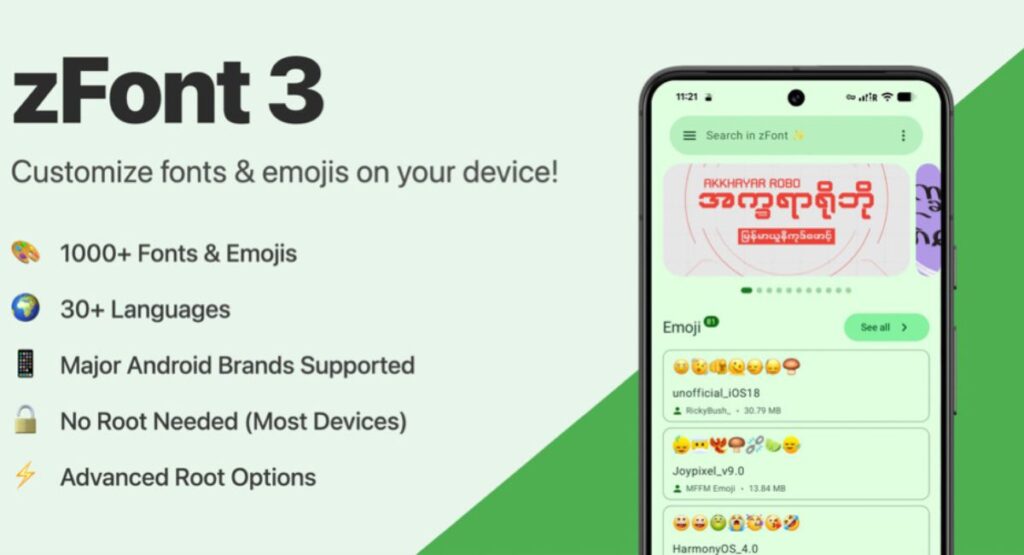
ZFont Features
One of the strongest aspects of ZFont is the range of customization features available to Android users. The exact features that work can depend on the device and Android version, but the application is designed around fonts and emoji personalization.
1. Font Customization
Font customization is the primary function of ZFont. Users can explore different font styles and select a design that suits their preferences.
A font can significantly change how text looks. A simple change can make a smartphone interface appear cleaner, more modern, playful, or distinctive.
For people who frequently use their phones for messaging, social media, or content creation, having access to different typography styles can make the experience more enjoyable.
2. Emoji Customization
Another important feature is emoji customization. Emojis are used across messaging applications, social networks, comments, captions, and other digital platforms.
ZFont provides options for downloading and applying emoji styles on supported devices. This gives users another way to personalize their smartphones beyond traditional fonts.
However, emoji behavior can vary between applications and Android versions. Some applications may use their own emoji systems instead of the system emoji configuration, so users should not expect every app to display customized emojis identically.
3. Download Fonts
ZFont provides access to downloadable fonts and allows users to explore additional font styles. The existing Ayaanle.Tech description also mentions sources such as Google Fonts and DaFont as places from which users can obtain fonts.
Downloading fonts gives users more flexibility because they are not limited to the styles already installed on their phones.
Before importing any font file, users should make sure it comes from a trustworthy source and is compatible with their device.
4. Import Fonts
Another useful feature is the ability to import fonts. This is helpful if you already have a font file and want to experiment with it on your Android phone.
Instead of relying exclusively on the fonts included in the application, users can bring their own compatible font files into the customization process.
This makes ZFont more flexible for people who have specific typography preferences.
5. Root and Systemless Font Modules
For advanced Android users with ROOT access, ZFont provides additional possibilities. The existing page states that systemless flashable font modules can be created for rooted devices using platforms such as Magisk, KernelSU, and APatch.
A systemless approach can be useful for advanced users because it is designed to modify the Android experience without directly replacing certain system files.
However, ROOT customization is not recommended for beginners who do not understand the risks. Rooting and installing modules can affect system stability, updates, security, or device functionality if performed incorrectly.
Users who do not need advanced customization should consider using the non-root options supported by their particular device.
ZFont Supported Android Devices
Device compatibility is one of the most important things to understand before using ZFont.
Android is not identical across every smartphone manufacturer. Samsung uses One UI, Xiaomi uses HyperOS, OPPO and Realme use their own software environments, and other manufacturers also modify Android in different ways.
Because of these differences, a method that works on one phone may not work on another.
The information published on Ayaanle.Tech lists the following device families as supported or having specific compatibility options: Samsung, OPPO, Realme, OnePlus, Vivo, iQOO, LG, Huawei, Honor, Tecno, Infinix, Xiaomi, and ASUS.
Samsung
Samsung compatibility varies according to Android and One UI versions. The published information lists support across multiple Android generations, including older versions and newer versions through Android 14.
Because Samsung frequently updates One UI, users should check whether their specific device and software version support the desired customization method.
OPPO and Realme
The published information lists support for OPPO and Realme devices, with additional considerations for newer Android versions. On some newer versions, regional settings can affect whether certain font-changing options are available.
Users should therefore check their phone’s settings before assuming that every font method will work.
OnePlus
OnePlus devices can also support font customization depending on the software environment and available theme options. The existing information notes that certain methods depend on Theme Store support and regional settings.
Vivo and iQOO
Vivo and iQOO devices have their own software environments, and compatibility can vary by Android version. The published ZFont information lists support through certain versions while noting that compatibility may vary on newer versions.
Xiaomi
Xiaomi devices using MIUI or HyperOS are also included in the listed supported devices. However, Xiaomi software changes over time, so the available customization method may differ between versions and models.
Tecno and Infinix
Tecno and Infinix devices are also listed among supported devices. Their software environments, including hiOS and XOS, can provide different customization requirements depending on the device.
Huawei and Honor
Huawei and Honor devices are included in the compatibility information as well. Users should still check the specific software version because device functionality can vary between generations.
How to Use ZFont
The basic process is relatively straightforward, although the exact steps can vary depending on your smartphone.
Step 1: Install ZFont
First, install the application from a reliable source. Before installing any Android application, make sure the file is trustworthy and compatible with your device.
If you are using an APK file, Android may require you to allow installation from the relevant source. Only enable such permission when you understand where the application came from.
Step 2: Open the Application
After installation, open ZFont and explore the available sections.
You may find categories for fonts, emojis, downloaded items, or other customization options depending on the version you are using.
Step 3: Choose a Font
Browse through the available font styles and select one that you like.
It is a good idea to preview the font before applying it because some styles may be difficult to read, especially when used across menus or smaller interface elements.
Step 4: Download the Font
After choosing your preferred style, download the font if it is not already available on your phone.
The application can provide access to various font styles, while supported users may also import compatible fonts.
Step 5: Apply the Font
The application will provide instructions based on the device you are using.
Follow the appropriate method for your phone. Some devices may provide direct font settings, while others may require a specific regional setting or theme-related option.
Step 6: Restart If Necessary
Some font changes may require you to restart the phone before they appear throughout the system.
If the font does not immediately change, restart the device and check again.
How to Change Emojis With ZFont
Emoji customization can work differently from font customization because emojis are integrated into the Android system and may also be controlled by individual applications.
To experiment with emoji customization, open ZFont and navigate to the available emoji section. Select a supported emoji style, download it, and follow the instructions provided for your particular device.
After applying the emoji package, check several applications to see whether the change appears correctly.
Remember that not every application necessarily uses the same emoji resources. Therefore, customized emojis may appear differently depending on the application.
ZFont Without ROOT
One of the reasons ZFont is popular among Android customization users is that certain supported devices can be customized without ROOT access.
This can be useful for people who want to change their fonts without making advanced modifications to their phones.
Non-root customization is generally easier for beginners because it avoids the additional complexity associated with bootloader unlocking, root access, and system modules.
However, non-root support is not universal. Your phone manufacturer, Android version, region, and system software can determine which options are available.
ZFont for Rooted Android Phones
Advanced users who already have ROOT access can use additional customization features.
The published information specifically mentions compatibility with Magisk, KernelSU, and APatch for creating systemless font modules.
This can provide greater control over system-wide fonts and emojis.
However, ROOT access should be treated carefully. Users should understand their device before installing modules or making system-level modifications.
Always keep important data backed up before making advanced system changes.
Advantages of ZFont
There are several reasons Android users may find ZFont useful.
Easy Personalization
The application focuses on a specific area of Android customization, making it easier for users to explore fonts and emojis.
Large Selection
Users can access different font styles and download additional designs, giving them more choices than the default options on some phones.
Multiple Device Brands
The application is designed to support many Android manufacturers, although compatibility differs by device and software version.
Import Options
Users can import compatible fonts rather than relying exclusively on the built-in collection.
Advanced Root Support
Experienced users can take advantage of systemless font modules when their device and ROOT environment support them.
Possible Problems When Using ZFont
Although font customization can be simple, problems can occur.
One common issue is compatibility. A method that works on one Android version may not work on another.
Another problem can occur after a system update. Manufacturers sometimes change their software, which can affect third-party customization methods.
Fonts may also fail to apply correctly if the selected file is incompatible or damaged.
If a font does not work, try selecting another font and following the device-specific instructions again.
You should also avoid repeatedly changing system settings without understanding what they do.
Is ZFont Safe to Use?
The safety of any Android application depends partly on where you obtain it and which permissions or modifications you allow.
If you use an APK, download it only from a source you trust. Avoid modified or suspicious versions that request unnecessary permissions.
For rooted phones, take additional care because system-level modifications can have greater consequences.
It is also important to remember that ZFont is primarily a customization tool. You should not give an application unnecessary access to sensitive information simply to change a font.
Tips for Getting Better Results
If you want the best experience with ZFont, keep the following tips in mind:
- Check your Android version before starting.
- Identify your exact phone model.
- Check whether your manufacturer supports the selected method.
- Use compatible font files.
- Keep a backup before advanced customization.
- Avoid unnecessary ROOT modifications.
- Restart your phone when a change does not appear immediately.
- Test a font before using it permanently.
- Use readable fonts for everyday use.
- Keep your Android software updated while checking compatibility after major updates.
ZFont for Stylish Android Customization
Typography can have a surprisingly large effect on the overall appearance of a smartphone. Changing the font can make an older device feel more personal without changing the hardware.
For users who spend a lot of time messaging, browsing social platforms, creating posts, or designing content, different fonts can also provide creative inspiration.
ZFont combines these customization possibilities into a dedicated Android application. Its focus on fonts, emojis, downloads, imports, and supported device methods makes it useful for people who want more control over the visual style of their phones.
The most important point is to understand that Android compatibility is not universal. A feature may work perfectly on one device but require a different process on another.
ZFont and Font Customization for Content Creators
Content creators often care about typography because fonts influence how digital content looks.
While ZFont is primarily designed for Android font and emoji customization, its downloadable and importable font options can also be useful for users who work with creative applications.
The existing description notes that downloaded fonts can be used in favorite design and video-editing applications.
This can be helpful for people who want consistent typography across their creative workflow.
Before using a font in a commercial project, however, always check its licensing requirements. Not every downloadable font is automatically free for commercial use.
Why Font Compatibility Matters
Font files are not simply visual images. They are digital resources that must be supported by the operating system or application.
This is why compatibility matters when using ZFont.
A font can look perfect in one environment but fail to display correctly in another. Some fonts may also lack characters for certain languages.
If you regularly write in multiple languages, test your selected font with all the characters you commonly use.
A good font should be attractive while remaining readable.
See Also: https://ayaanletech.org/live-wallpaper-transparent-screen-live/
FAQs
What is ZFont?
ZFont is an Android customization application designed to help users change fonts and emojis on supported smartphones. It provides font downloads, imports, and customization options.
Does ZFont require ROOT?
No, certain supported devices can use ZFont without ROOT. Advanced rooted users can access additional options such as systemless font modules.
Can ZFont change Android emojis?
Yes, emoji customization is one of its main features on supported devices. However, compatibility can depend on the Android version, manufacturer, and application.
Does ZFont work on Samsung phones?
The published compatibility information includes Samsung devices across multiple Android and One UI generations. However, the exact method depends on the device and software version.
Does ZFont work on Xiaomi phones?
Xiaomi devices using MIUI and HyperOS are included in the listed compatibility information. The available method may vary according to the device and software version.
Can I import my own font?
Yes. ZFont includes an option for importing fonts from other sources, allowing users to work with compatible font files.
Can I download fonts with ZFont?
Yes. The application provides options for downloading fonts, including access to font sources mentioned in its published description.
Does ZFont work on Tecno and Infinix?
Tecno and Infinix devices are listed among the supported device families. Compatibility can still vary according to the particular model and software version.
Can rooted users use ZFont?
Yes. Rooted users can access advanced functionality, including systemless font module creation for supported ROOT environments such as Magisk, KernelSU, and APatch.
Why is my font not changing?
The most common reasons include device incompatibility, an unsupported Android version, incorrect settings, or an incompatible font file. Check your device-specific method and try a different supported font.
Will a font change affect every application?
Not necessarily. Some applications use their own fonts or rendering systems. As a result, system font changes may not appear everywhere.
Is ZFont suitable for beginners?
Yes, users interested in basic font customization can explore the non-root options supported by their device. Advanced ROOT features are better suited to experienced Android users.
Can ZFont change the entire phone appearance?
ZFont focuses primarily on fonts and emojis rather than being a complete Android theme application. It can change the appearance of text and emojis where supported, but it does not necessarily modify every visual element of the interface.
Final Thoughts
ZFont is a useful option for Android users who want greater control over fonts and emojis. Instead of depending entirely on the default typography available on a smartphone, users can explore additional styles, download fonts, import compatible files, and customize supported devices.
Its broad device support is one of its most useful characteristics, with compatibility information covering brands such as Samsung, Vivo, OPPO, Realme, OnePlus, Xiaomi, Huawei, Honor, Tecno, Infinix, LG, ASUS, and others.
At the same time, users should understand that Android customization depends heavily on the phone model and software version. A feature that works on one device may not work in exactly the same way on another.
For beginners, the best approach is to start with non-root customization and use a compatible font. Advanced users who already understand ROOT environments can explore systemless modules where supported.
If your goal is simply to give your Android phone a more personal appearance, ZFont provides a convenient way to explore different fonts and emoji styles. With careful use and attention to compatibility, it can make your everyday Android experience more visually unique.



